
Automate Audio Transcription & Log to Google Sheets
Automatically transcribe and log audio recordings, reducing manual data entry by up to 90% and ensuring accurate record-keeping.
Manually transcribing audio files and logging their details is a time-consuming and error-prone task. This workflow automatically transcribes audio files dropped into Google Drive using AWS Transcribe, logging all relevant data and the full transcript directly into Google Sheets.



Documentation
Automated Audio Transcription and Logging
This workflow fully automates the process of transcribing audio files and logging their details into a Google Sheet. Ideal for teams needing to process meeting recordings, interviews, or voice notes efficiently, it eliminates manual effort from file intake to data entry.
Key Features
- Automatically triggers transcription upon new audio file uploads to Google Drive.
- Utilizes AWS Transcribe for accurate, AI-powered audio-to-text conversion.
- Gathers comprehensive details including recording name, link, transcription date, and the full transcript.
- Seamlessly logs all processed information into a designated Google Sheet.
How It Works
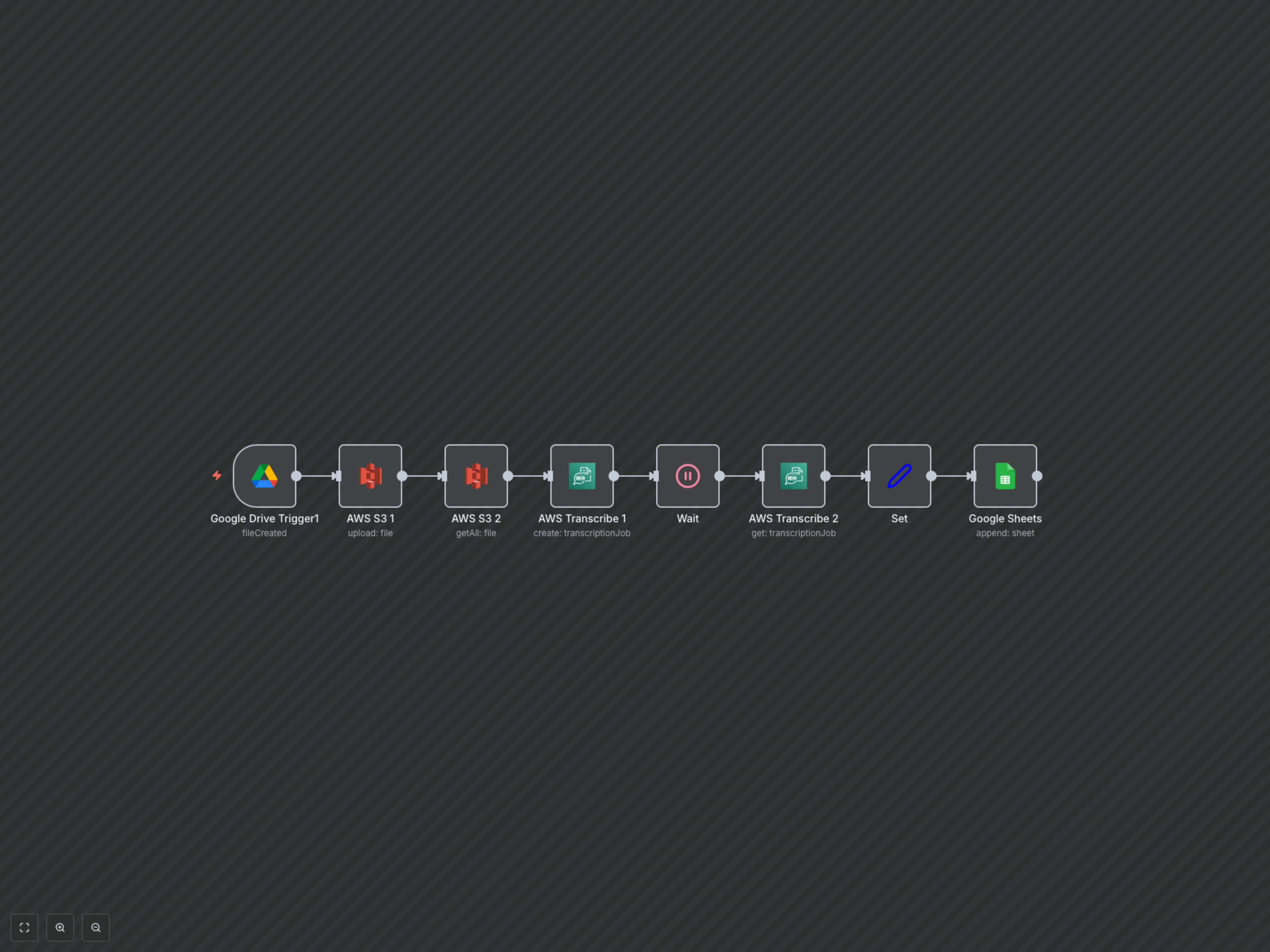
The workflow begins when a new audio file is added to a specified Google Drive folder. This file is then uploaded to an AWS S3 bucket. AWS Transcribe is initiated to convert the audio into text, and the workflow pauses, awaiting the completion of the transcription job. Once complete, the full transcript and metadata (recording name, original Google Drive link, and transcription date) are extracted and appended as a new row in your chosen Google Sheet.