
Extract Google Keep Expenses with AI to Google Sheets in Minutes
Automate the extraction of critical financial data from Google Keep notes, reducing manual processing time by up to 90% and ensuring accurate record-keeping.
Manually tracking expenses or important information across numerous Google Keep notes is time-consuming and prone to errors. This workflow automates the extraction of specific data, like expense amounts, from your Google Keep notes using AI and centralizes it into a Google Sheet for effortless analysis.



Documentation
Intelligent Google Keep Note Organization and Expense Tracking
Many essential details, like expenses, are often buried within personal notes. This powerful n8n workflow leverages AI to systematically retrieve and organize this critical information from your Google Keep notes, making it accessible and actionable in a structured format.
Key Features
- Seamless integration with Google Drive and Google Sheets for automated data flow.
- Automated scanning and processing of Google Keep JSON export files.
- Intelligent filtering of notes based on keywords (e.g., 'dépensé', 'depense') and archival status.
- AI-powered extraction of numerical data, such as expense amounts, from note content.
- Centralized reporting of extracted data into a Google Sheet for easy analysis and record-keeping.
How It Works
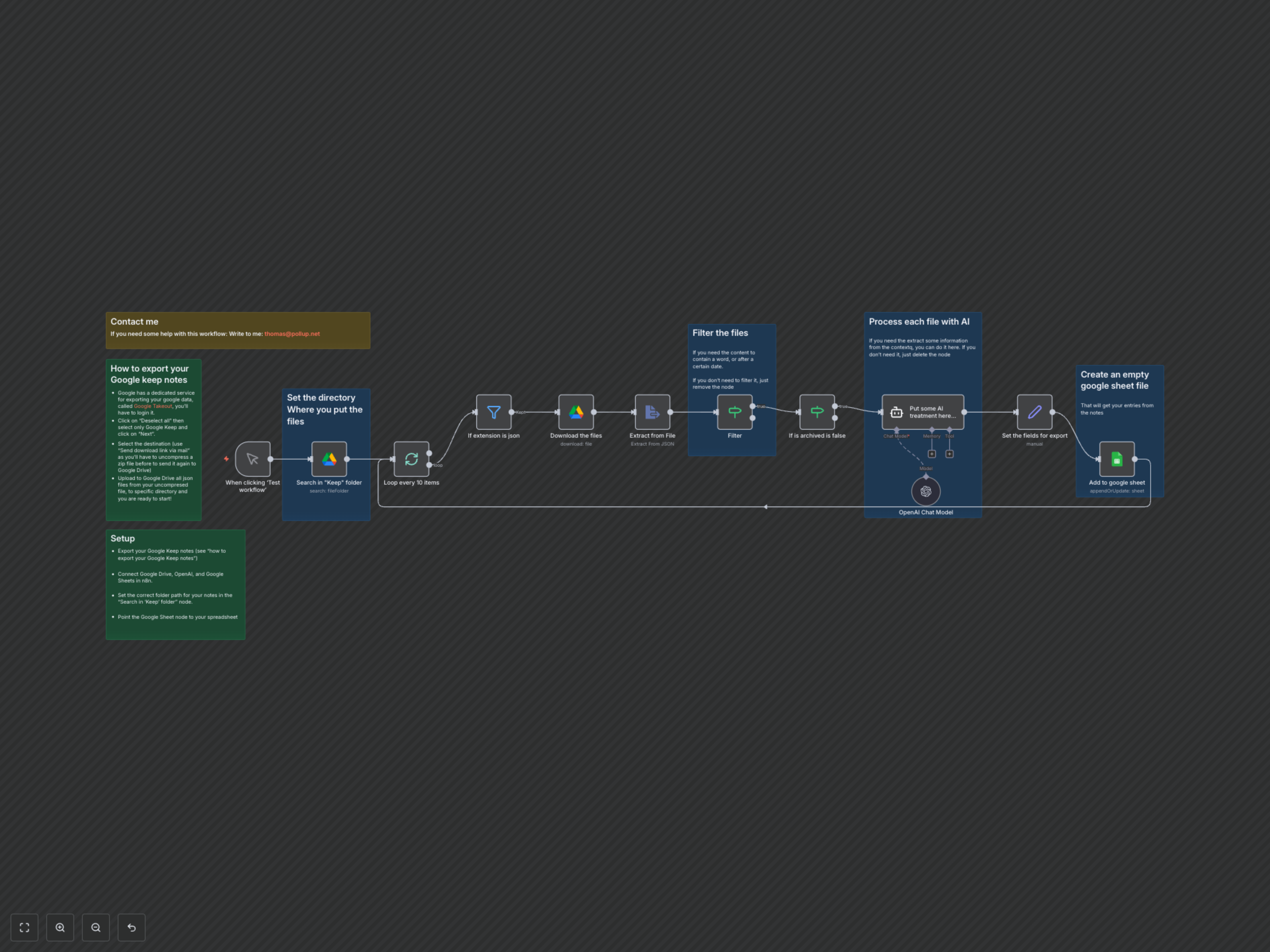
This workflow initiates by searching a designated Google Drive folder for your exported Google Keep notes (JSON files). It processes these files in batches, filtering for relevant notes based on criteria like file type, archival status, and specific keywords (e.g., "dépensé", "depense"). For each relevant note, an AI model (OpenAI via LangChain) is employed to intelligently extract predefined data points, such as expense amounts. Finally, the extracted information, including the note's content, creation/edit timestamps, and the AI-identified amount, is meticulously appended to a specified Google Sheet, providing a structured overview of your important notes.