
Automate WordPress Tagging & Boost SEO with AI
Eliminate manual WordPress tagging, saving hours of content management time per week and ensuring optimal SEO categorization automatically.
Manually tagging blog posts is a repetitive, time-consuming task that can lead to inconsistencies and missed SEO opportunities. This n8n workflow empowers you to delegate article tagging entirely to an AI agent, ensuring every post is perfectly categorized and optimized for search engines without any human intervention.



Documentation
Automate WordPress Tagging & Boost SEO with AI
Manually tagging blog posts is a repetitive, time-consuming task that can lead to inconsistencies and missed SEO opportunities. This n8n workflow empowers you to delegate article tagging entirely to an AI agent, ensuring every post is perfectly categorized and optimized for search engines without any human intervention.
Key Features
- AI-Powered Tag Generation: Dynamically generates 3-5 relevant, SEO-friendly tags for each article using OpenAI.
- Automated Tag Creation: Automatically checks for existing tags in WordPress and creates new ones on the fly if they don't yet exist.
- Seamless WordPress Integration: Directly updates your WordPress posts with the newly generated and assigned tags.
- Enhanced Information Architecture: Ensures consistent and comprehensive tagging across your blog, improving site navigation and search engine discoverability.
- Flexible Deployment: Can be used as a standalone solution with an RSS feed trigger or integrated as a sub-workflow into larger content pipelines.
How It Works
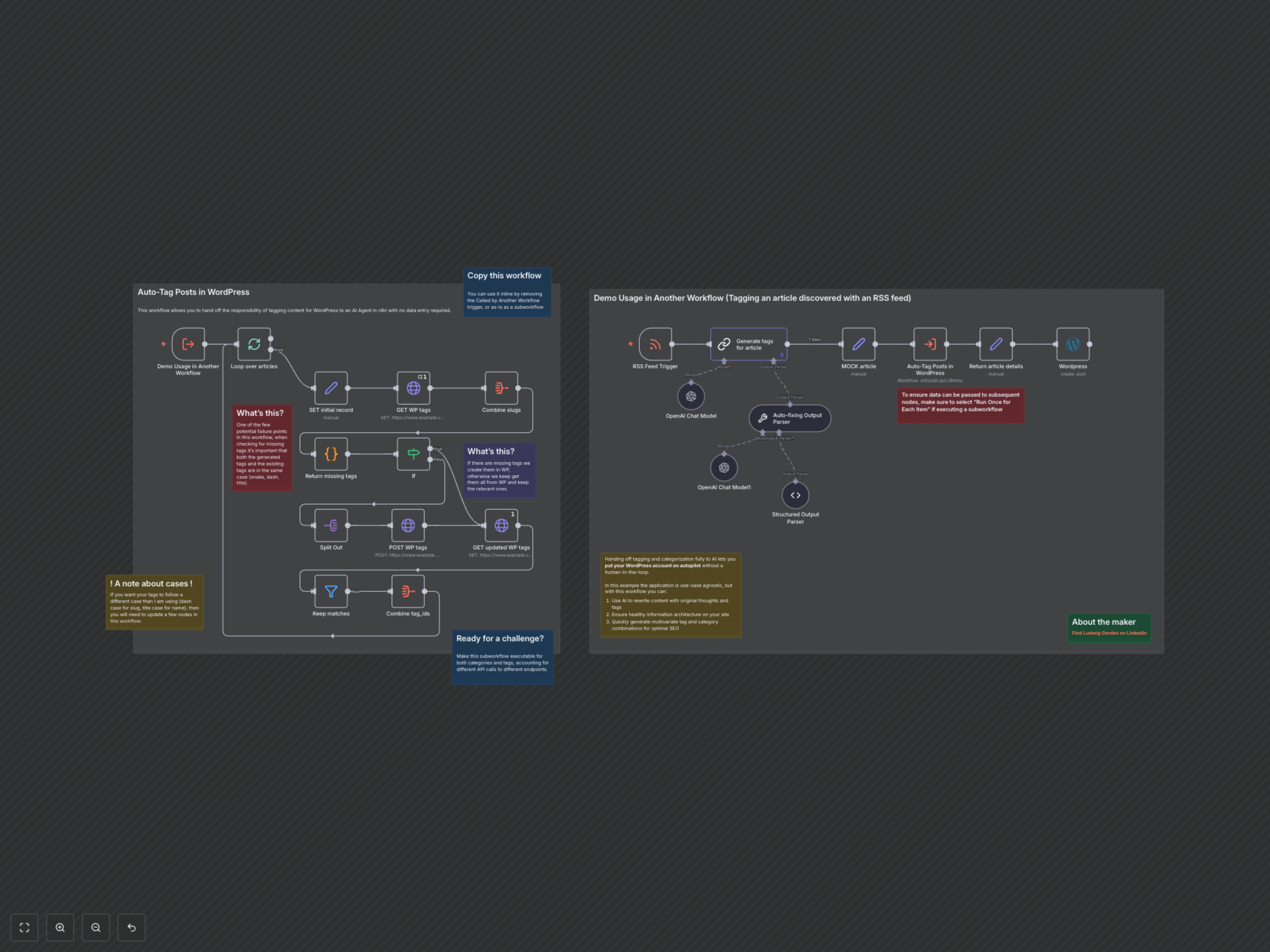
The workflow initiates upon detecting a new article (either via an RSS feed or when called as a sub-workflow with article content). First, it fetches existing tags from your WordPress site. Concurrently, it sends the article's title and content to an OpenAI chat model via a LangChain LLM Chain to generate a list of suggested tags. These AI-generated tags are then compared against your current WordPress tags. Any missing tags are automatically created in WordPress. Finally, the workflow assigns all relevant tag IDs (both existing and newly created) to the article and updates the post in WordPress.