
Automate AI-Powered Q&A Documentation for Integrations
Generate consistent, SEO-optimized Q&A documentation for hundreds of integrations in minutes, reducing content creation time by up to 90%.
Manually creating comprehensive Q&A documentation for various integrations and categories is time-consuming and inconsistent. This n8n workflow automates the generation of AI-powered Q&A content from Google Sheets, significantly reducing manual effort and accelerating content publication.



Documentation
AI-Powered Q&A Documentation Generator
This powerful n8n workflow revolutionizes how you create documentation for your integrations and product categories. By combining structured data from Google Sheets with the advanced content generation capabilities of AI, it eliminates the laborious manual process of writing FAQs and integration guides.
Key Features
- Automated Content Generation: Effortlessly create Q&A documentation for various services and categories from predefined templates.
- AI-Powered Content Completion: Leverage OpenAI (via LangChain) to enhance and complete answers, ensuring comprehensive and natural-sounding content.
- Google Sheets as Source: Manage your integration list and content statuses directly within a Google Sheet.
- Google Drive Archiving: Automatically save generated JSON documentation files to organized folders in Google Drive.
- CMS-Ready Output: Prepare structured content for direct integration with popular CMS platforms like Strapi, WordPress, Webflow, or any custom system via HTTP requests.
How It Works
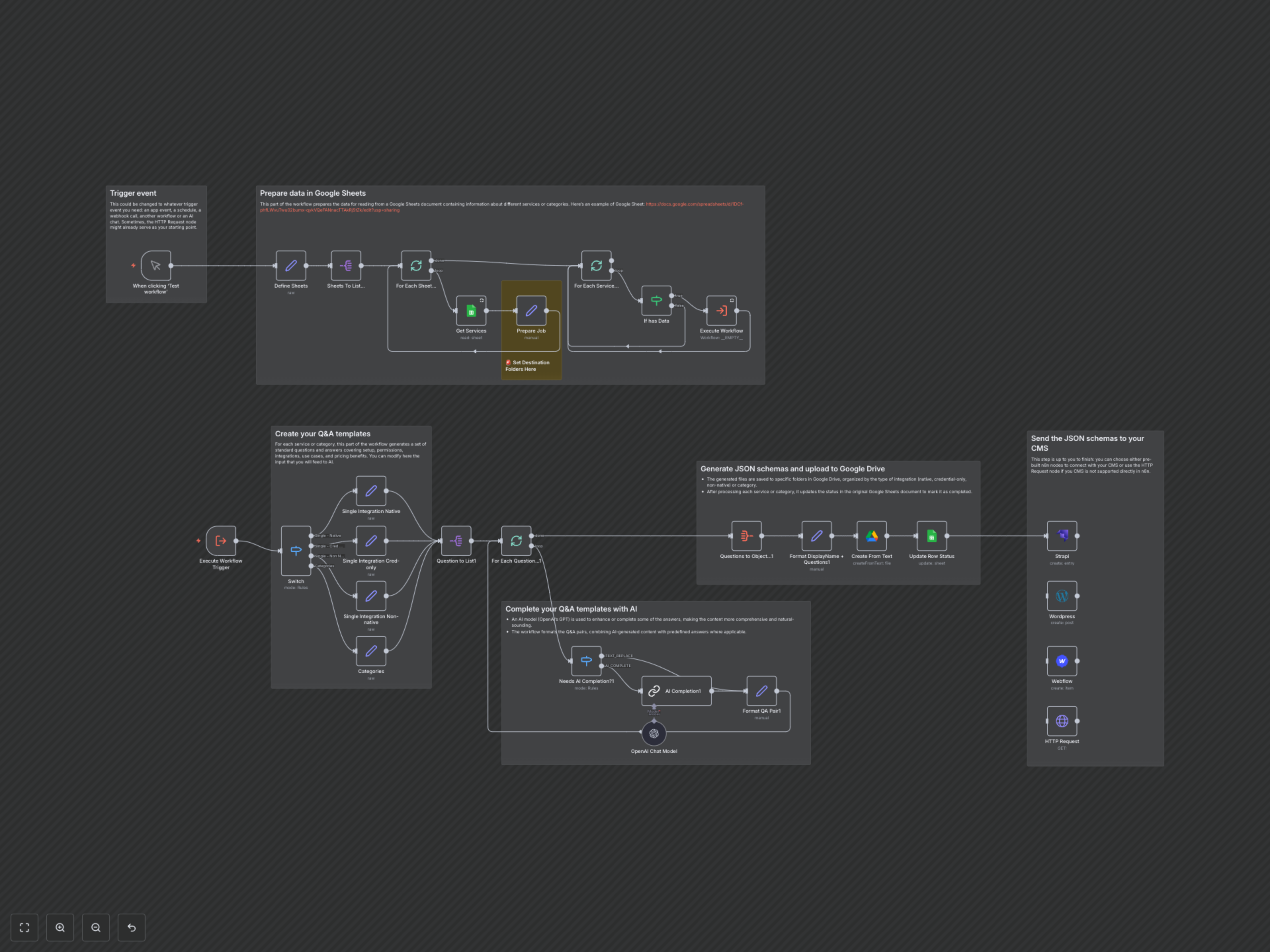
This workflow starts by reading a list of integration categories (e.g., native, credential-only, non-native, or general categories) from a designated Google Sheet. For each category, it retrieves a list of services or topics, including their display names and status.
For every service, the workflow dynamically selects a pre-defined Q&A template. Questions marked for AI completion are sent to an OpenAI model (gpt-4o-mini) via LangChain, which expands or refines the answers based on the prompt. The AI-generated text is then seamlessly integrated with the existing answer.
Finally, the completed Q&A documentation for each service is aggregated into a structured JSON file, named after the service and current date. This file is then uploaded to a specified Google Drive folder. As a final step, the workflow updates the status of the processed service in the original Google Sheet, and provides options to send the data directly to your CMS.