
AI Trustpilot Insights: Automate Customer Feedback Analysis
Automatically identify key customer feedback themes and sentiment from hundreds of Trustpilot reviews, reducing manual analysis time by up to 90%.
Manually sifting through Trustpilot reviews for customer insights is time-consuming and inefficient, making it hard to identify key trends and actionable feedback. This workflow automates the scraping, AI-powered analysis, and clustering of Trustpilot reviews, instantly surfacing critical customer insights and sentiment directly into a Google Sheet.



Documentation
AI-Powered Customer Insights from Trustpilot Reviews
Struggling to extract actionable insights from a mountain of Trustpilot reviews? This n8n workflow automates the entire process, from data collection to AI-driven analysis, helping you quickly understand customer sentiment, identify trending topics, and uncover areas for improvement.
Key Features
- Automated Review Scraping: Effortlessly pull recent customer reviews directly from Trustpilot for any specified company.
- Intelligent Data Storage: Utilize a Qdrant vector store to efficiently manage and make review embeddings searchable.
- AI-Powered Clustering: Apply advanced K-means clustering to group similar reviews, revealing common feedback themes and pain points.
- LLM-Driven Insights Generation: Leverage OpenAI's language models to summarize review clusters, determine sentiment, and suggest actionable improvements.
- Streamlined Reporting: Automatically export comprehensive insights and raw review data to Google Sheets for easy tracking and sharing.
How It Works
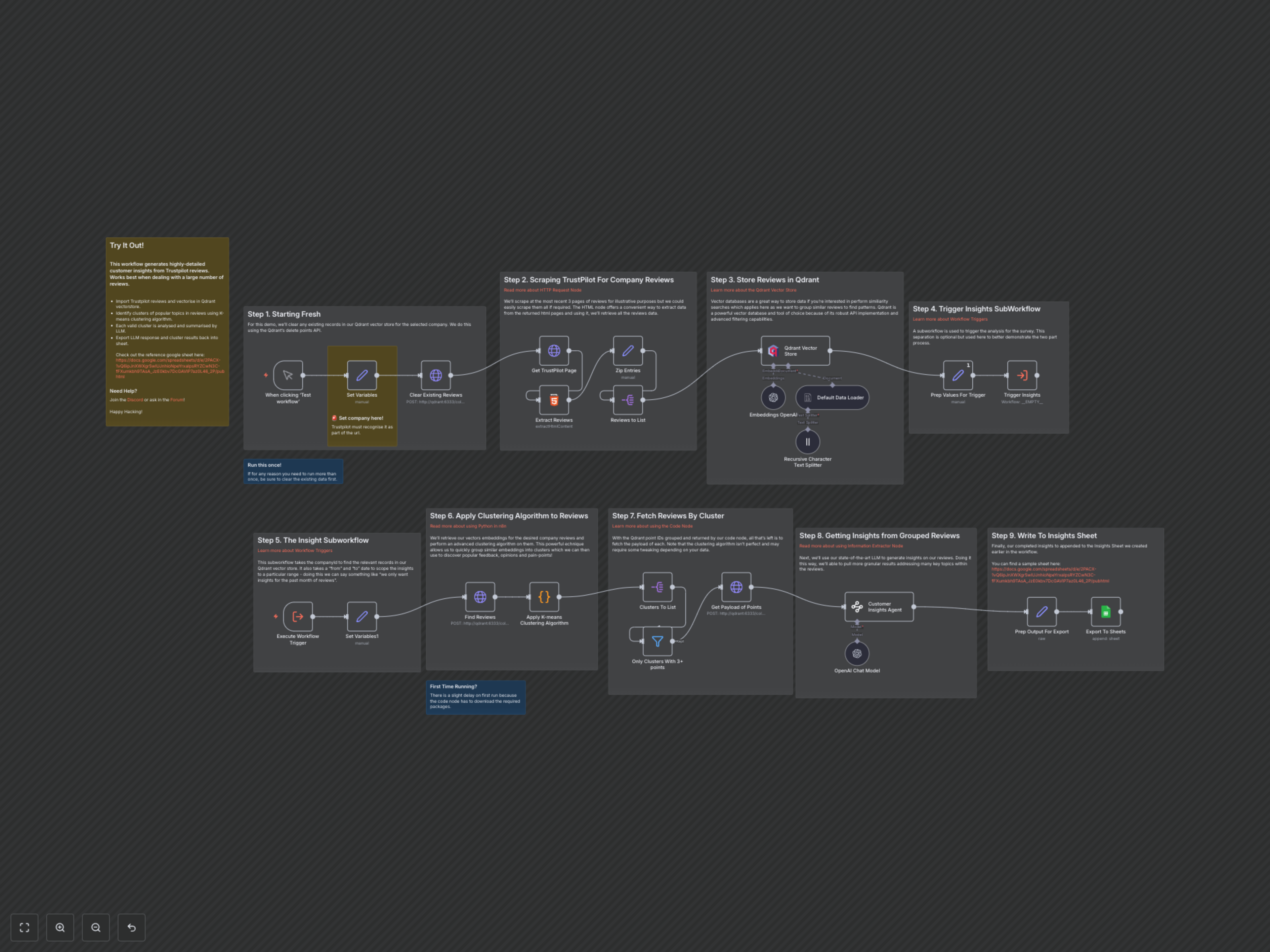
1. Initialize & Clean: The workflow begins by clearing any existing reviews for your specified company in the Qdrant vector store to ensure a fresh analysis. 2. Scrape Trustpilot Reviews: It then scrapes recent reviews from the target company's Trustpilot page, extracting key details like author, rating, text, and date. 3. Embed & Store: These extracted reviews are processed, converted into numerical vector embeddings using OpenAI, and then stored in your Qdrant vector database. 4. Trigger Insights Subworkflow: A separate subworkflow is triggered to handle the analytical part, passing the company ID and a date range (e.g., current month) for focused analysis. 5. Retrieve & Cluster Reviews: Within the subworkflow, relevant review vectors are retrieved from Qdrant, and a K-means clustering algorithm groups similar reviews together. Only clusters with a significant number of reviews (e.g., 3+) are considered for further analysis. 6. Generate AI Insights: For each valid cluster, an OpenAI Large Language Model (LLM) analyzes the grouped reviews, producing a concise insight summary, overall sentiment, and practical suggestions for improvement. 7. Export Results: Finally, these AI-generated insights, along with supporting raw review data, are neatly appended to your designated Google Sheet, providing a clear overview of customer feedback trends.