
VIP Customer Segmentation & Campaign Enrollment
Reduce manual segmentation time by 80% through automated VIP tagging and campaign enrollment.
Marketing teams waste hours manually identifying high-value buyers and adding them to targeted campaigns. This workflow evaluates each new order, checks lifetime spend/orders, and automatically tags customers who meet VIP criteria. Tagged VIPs are enrolled in exclusive campaign lists for priority messaging, driving faster campaign launches, measurable time savings, and improved engagement rates.




Documentation
Description
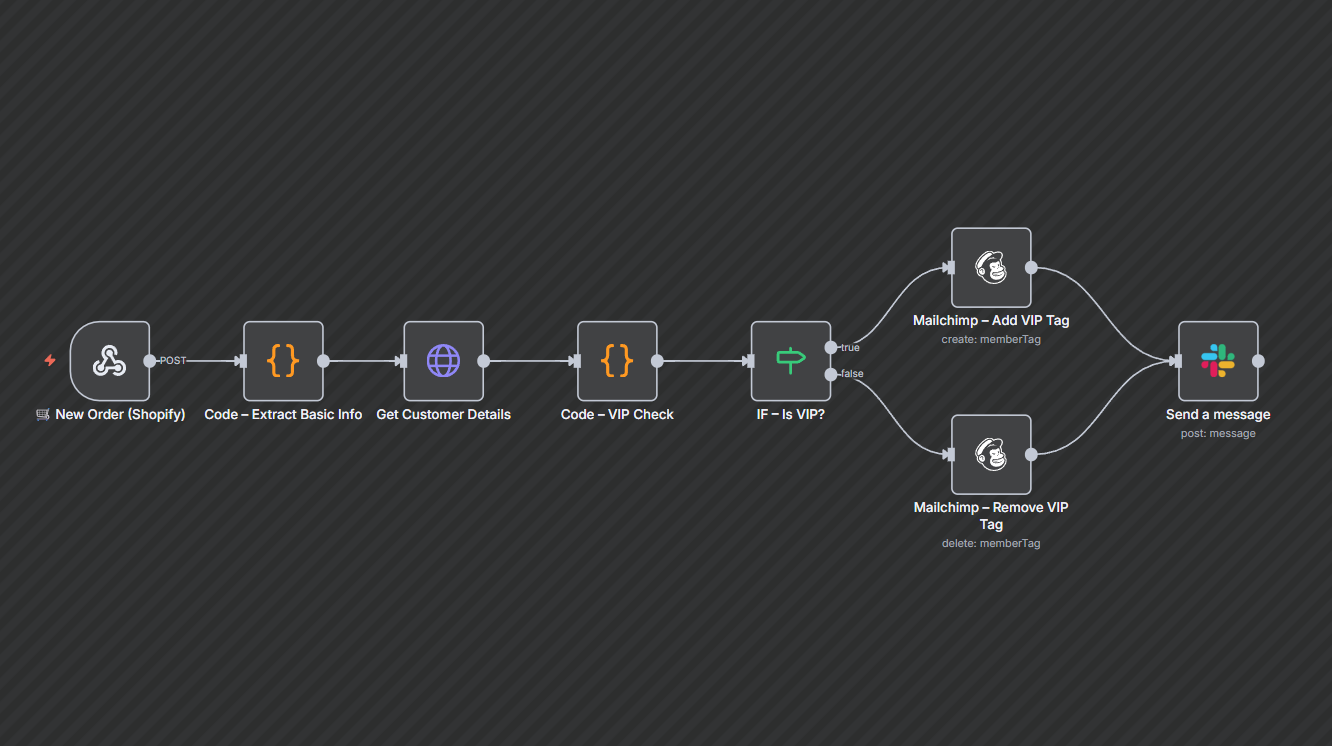
Automatically identify and tag high-value customers as VIPs based on configurable thresholds. When an order arrives, the workflow checks customer history (orders and lifetime spend), evaluates VIP criteria, and applies or removes VIP status in your marketing lists. It also sends owner/ops notifications for VIP activity so you can launch exclusive offers quickly and reliably.
Workflow Steps
- Receive a new order from the storefront.
- Extract customer identifier and order totals.
- Retrieve customer history to calculate lifetime spend and order count.
- Evaluate VIP rules (thresholds for spend/orders).
- If VIP — add VIP tag and enroll in priority campaign; if not — remove VIP tag if present.
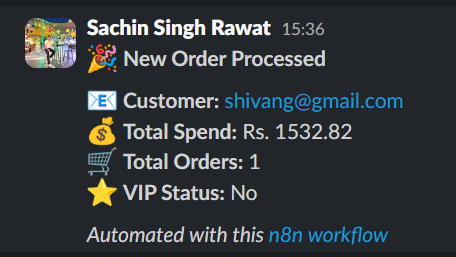
- Send a notification to marketing/ops about VIP changes for reporting or manual follow-up.
Key Benefits
- Faster campaign readiness: VIP lists are updated in real time so marketing can run exclusive promotions immediately.
- Less manual work: Eliminates repetitive segmentation tasks and reduces human error.
- Better targeting & ROI: High-value buyers get tailored offers, improving campaign relevance and potential engagement.