
Track LLM Usage & Automate Client Invoicing for AI Services
Automatically track LLM token usage and costs, reducing manual billing effort by 100% and ensuring accurate client invoicing every month.
Manually tracking AI service usage and billing clients for LLM costs is complex and time-consuming. This n8n workflow provides a comprehensive system to offer AI services, meticulously track LLM token usage and associated costs in real-time, and automate monthly client invoicing.



Documentation
AI Service & Automated Usage-Based Billing
This n8n workflow empowers businesses to offer AI-powered services while gaining precise control over LLM consumption and billing. It provides a full-cycle solution from client service delivery to automated monthly invoicing based on actual token usage and costs.
Key Features
- Offer custom AI services via a user-friendly n8n form.
- Real-time tracking of LLM input, output, and total token usage per client.
- Accurate calculation of AI service costs per request.
- Automated logging of usage data to Google Sheets for easy record-keeping.
- Scheduled monthly aggregation of client usage data.
- Automatic generation and sending of usage-based invoices via Gmail.
How It Works
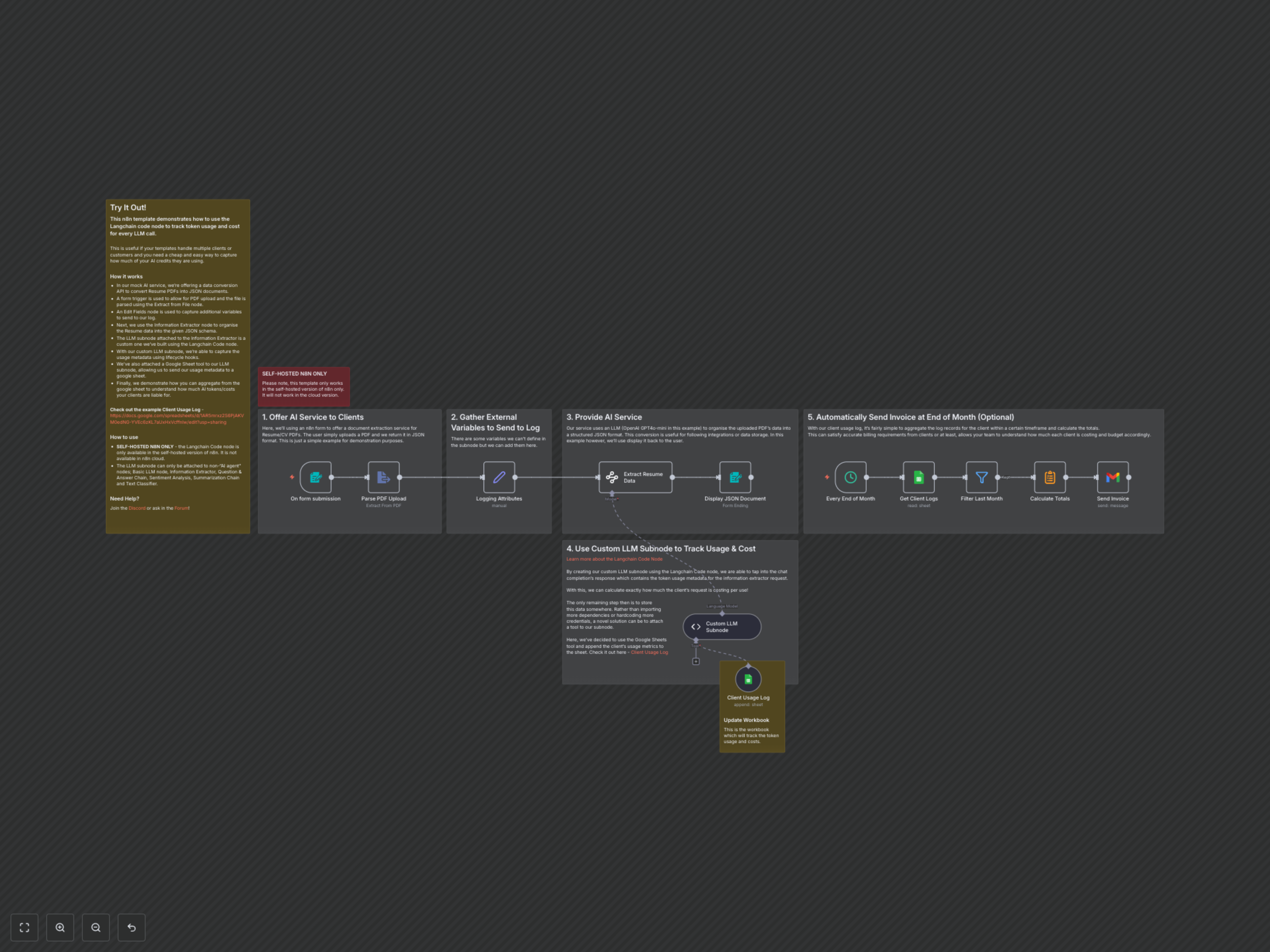
This workflow is divided into two main parts: delivering an AI service and automating its billing. First, the workflow starts with an n8n form trigger that allows clients to upload documents, such as CV PDFs, for processing. The Parse PDF Upload node extracts text from these uploaded files. Concurrently, a Set node captures essential logging attributes like workflow, execution, and client IDs for tracking purposes.
The core AI service is delivered by the Extract Resume Data node, an AI-powered information extractor that uses an LLM (OpenAI GPT-4o-mini in this example) to parse the extracted text into a structured JSON format. This parsed data is then presented back to the client via a Display JSON Document node. Crucially, a Custom LLM Subnode, built with the Langchain Code node, intercepts the LLM's response. It extracts detailed usage metadata (input/output tokens and their costs) and automatically logs this information to a designated Google Sheet (Client Usage Log) via an attached Google Sheets tool.
For billing, an Every End of Month trigger initiates the invoicing process. The workflow retrieves usage logs for a specific client from Google Sheets, filters them for the current billing period using the Filter Last Month node, and then Calculates Totals for tokens and costs. Finally, an invoice, including tax, is automatically generated and sent to the client via Gmail.