
Merge PDFs from URLs: Consolidate Documents Automatically
Merge multiple PDF documents from various URLs in mere seconds, reducing manual document assembly time by up to 90%.
Manually downloading and merging multiple PDF documents is a tedious and time-consuming task. This workflow automates the retrieval of PDFs from specified URLs, merging them into a single, cohesive document and saving it locally, drastically simplifying your document consolidation process.

Documentation
Automate PDF Merging from URLs
Say goodbye to the tedious process of downloading individual PDFs and merging them manually. This n8n workflow is designed to effortlessly gather PDFs from a list of URLs, combine them into one unified document, and save it directly to your local file system. Perfect for researchers, content managers, or anyone dealing with multiple documents that need to be centralized.
Key Features
- Bulk PDF Download: Automatically retrieves PDF files from an array of provided URLs.
- Seamless PDF Merging: Combines all downloaded PDFs into a single, consolidated document using a powerful custom node.
- Local File Storage: Saves the merged PDF directly to your desired location on disk.
- Scalable Automation: Easily process a small batch or a large volume of PDFs with consistent efficiency.
How It Works
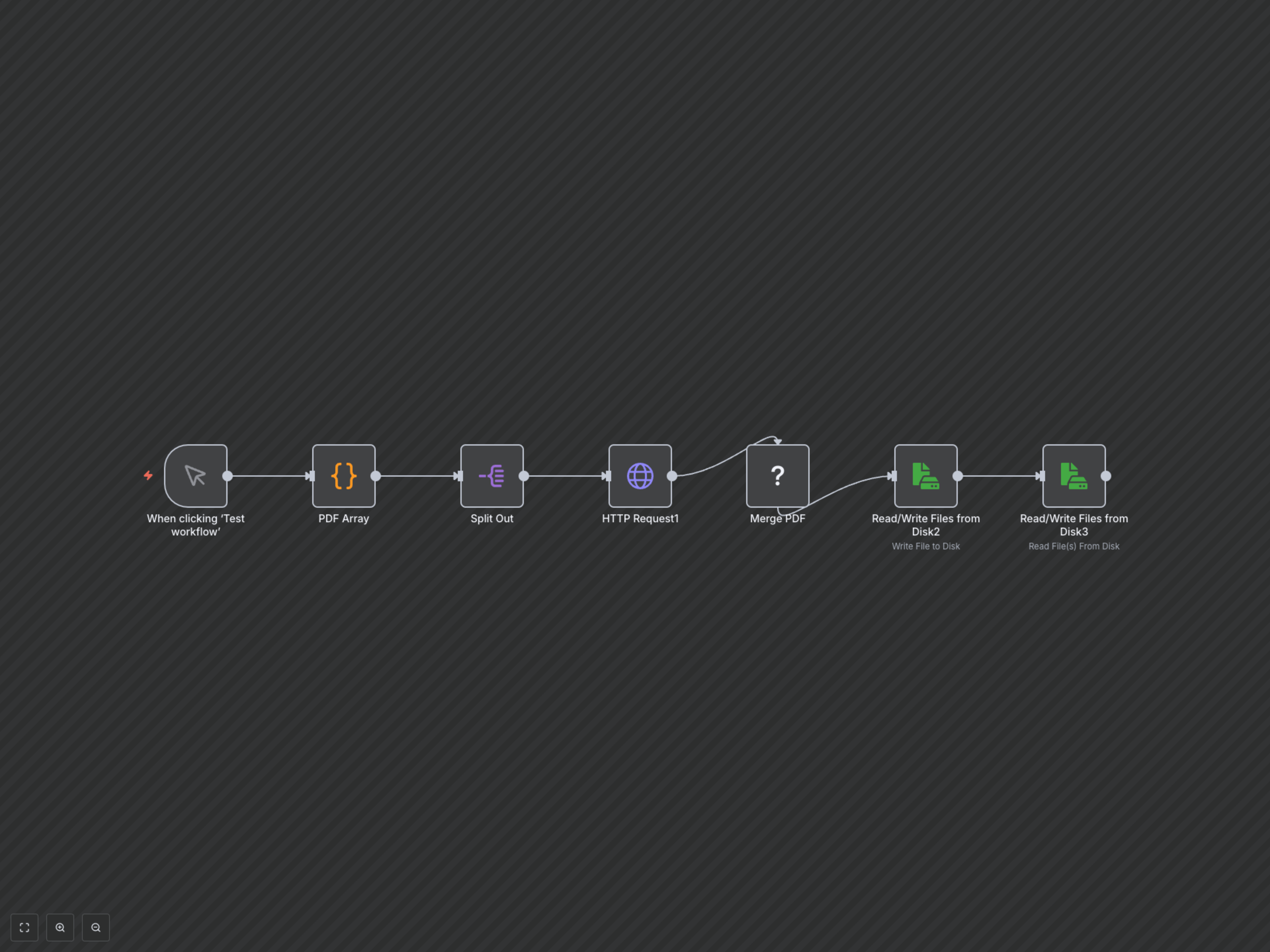
This workflow begins with a manual trigger or a defined list of PDF URLs in a Code node. The Split Out node then processes each URL individually. An HTTP Request node downloads the content of each PDF. All downloaded PDFs are then intelligently passed to the Merge PDF custom node, which unifies them. Finally, the combined PDF is written to your local disk using a Read/Write Files from Disk node, ready for use.