Automated Personalized Email Campaigns via Google Sheets and n8n
Effortlessly send personalized email campaigns to your customers directly from Google Sheets, saving time and improving engagement through automated and consistent communication.
Automate bulk personalized email campaigns by pulling customer emails from Google Sheets and sending customized messages using n8n workflow automation, saving time and ensuring consistent communication.


Documentation
📖 Documentation
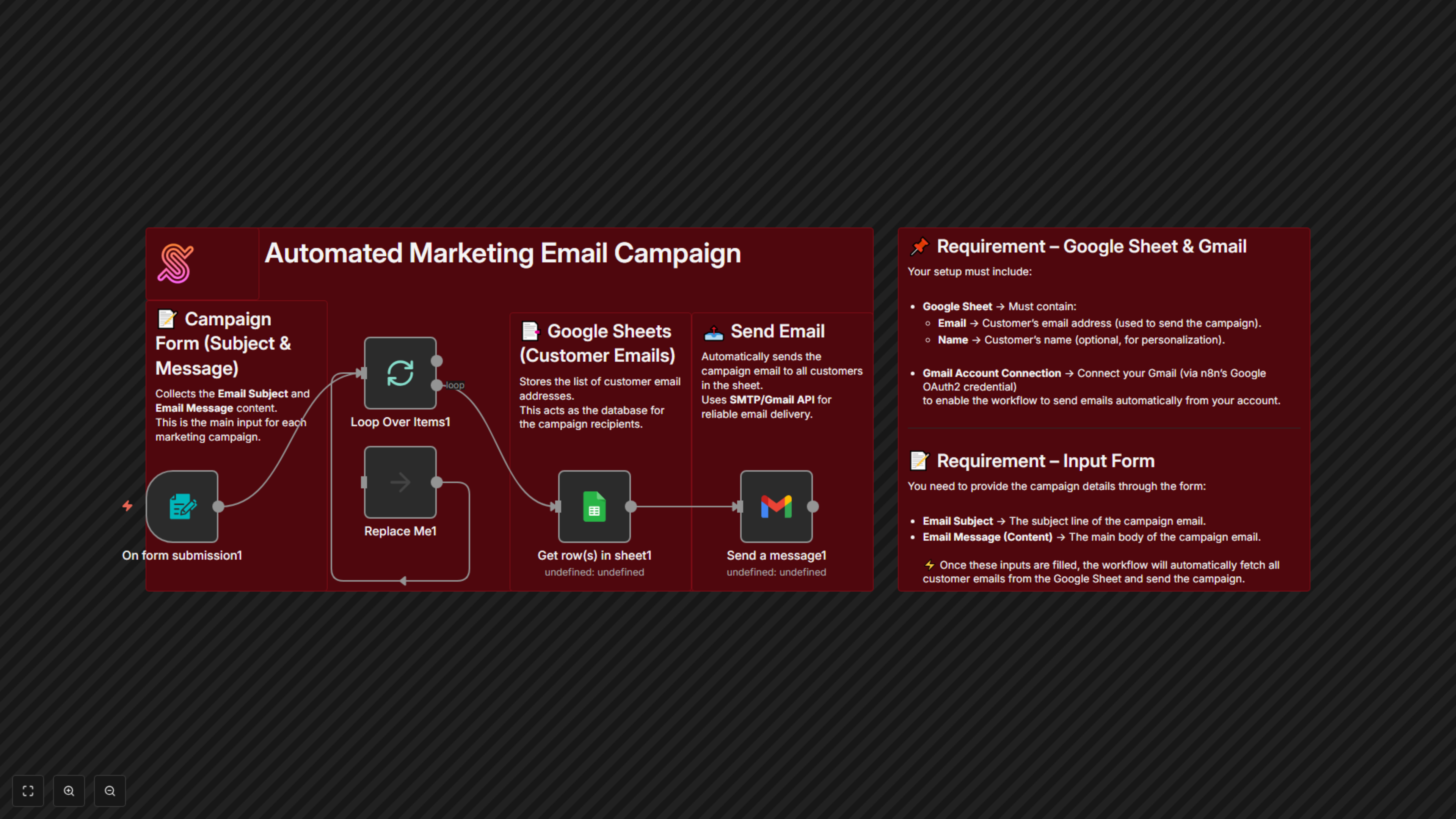
This automation workflow enables businesses to launch personalized email campaigns quickly and effortlessly. Instead of manually sending emails to each customer, the process is fully automated through Google Sheets and n8n.
Simply provide your Email Subject and Email Message (content) using a form, and the workflow will:
- Fetch the list of customer email addresses directly from your Google Sheet.
- Automatically prepare and send the email to all listed customers.
- Ensure consistent, timely delivery of your marketing messages without manual effort.
This streamlined process empowers marketing teams to engage with their audience at scale while saving time and maintaining professionalism.
🎯 Benefits for Customers
- ⏳ Time-Saving Efficiency – Send bulk marketing emails to all customers in seconds.
- 📢 Consistent Communication – Deliver a unified message to every customer without errors.
- 📊 Scalable Outreach – Reach hundreds (or thousands) of customers instantly.
- 💰 Cost-Effective – Avoid expensive email marketing platforms by leveraging simple automation.
- 🤝 User-Friendly – Provide subject and message once, and the system handles the rest.
📌 Requirements
To implement this workflow successfully, you’ll need:
- Google Sheets – A sheet containing a list of customer email addresses.
- Email Subject & Message Form – Input method for campaign details.