
Automate Zendesk Tickets to Asana Tasks for Seamless Handoff
Streamline support handoff and task management, reducing manual data entry between Zendesk and Asana by 100% and accelerating issue resolution.
Manually creating Asana tasks from Zendesk tickets and updating them with new comments wastes valuable time and risks miscommunication. This workflow automatically creates new Asana tasks for incoming Zendesk tickets and syncs subsequent comments, ensuring seamless collaboration and up-to-date project management.



Documentation
Automate Zendesk to Asana Task Synchronization
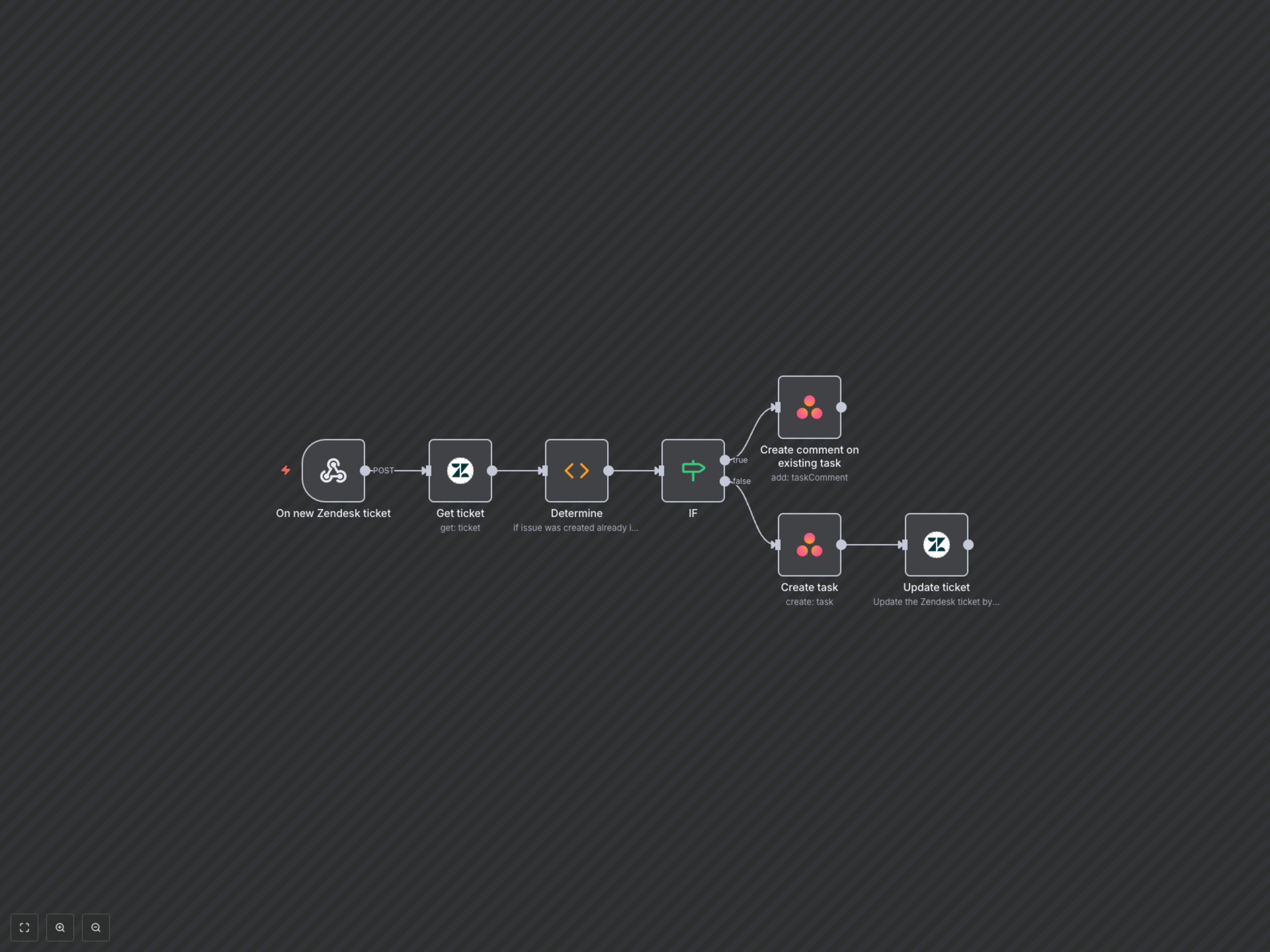
This n8n workflow bridges the gap between customer support in Zendesk and project management in Asana. It ensures that every new Zendesk ticket either creates a new Asana task or updates an existing one with new comments, keeping your teams perfectly aligned.
Key Features
- Automatically creates new Asana tasks from incoming Zendesk tickets.
- Intelligently identifies existing Asana tasks to append new Zendesk comments.
- Links Asana tasks back to Zendesk tickets for easy cross-referencing.
- Eliminates manual data entry and reduces potential for human error.
How It Works
1. The workflow is triggered instantly when a new ticket or comment is added in Zendesk via a webhook. 2. It retrieves the full details of the Zendesk ticket. 3. The workflow then checks a custom field within the Zendesk ticket to determine if a corresponding Asana task already exists (identified by its Global ID). 4. If an Asana task exists: The workflow adds the new Zendesk comment directly to that existing Asana task. 5. If no Asana task exists: A new task is created in Asana, using the Zendesk ticket's subject as the task name and assigning it to a predefined team member. 6. Finally, the new Asana task's unique ID is updated back into the custom field of the original Zendesk ticket, creating a permanent link.