
Automate GitHub Notifications to Discord: Stay Instantly Updated
Receive instant GitHub notifications directly in Discord, reducing manual monitoring time by 100% and accelerating response to critical updates.
Missing critical GitHub updates can lead to overlooked tasks and project delays. This workflow continuously monitors your GitHub activity and instantly delivers new notifications to Discord, ensuring you never miss important updates or conversations.

Documentation
GitHub to Discord Notification Bot
This workflow provides a seamless way to stay on top of your GitHub activity by pushing new notifications directly into a Discord channel. It's perfect for development teams, open-source contributors, or anyone who needs real-time alerts for their GitHub repositories without constantly checking the platform.
Key Features
- Receive real-time alerts for GitHub issues, pull requests, mentions, and other repository activity.
- Automate notification delivery directly to your preferred Discord channel.
- Benefit from immediate updates, ensuring critical items are never missed.
- Enjoy a clear, formatted summary of each notification, including context and direct links.
How It Works
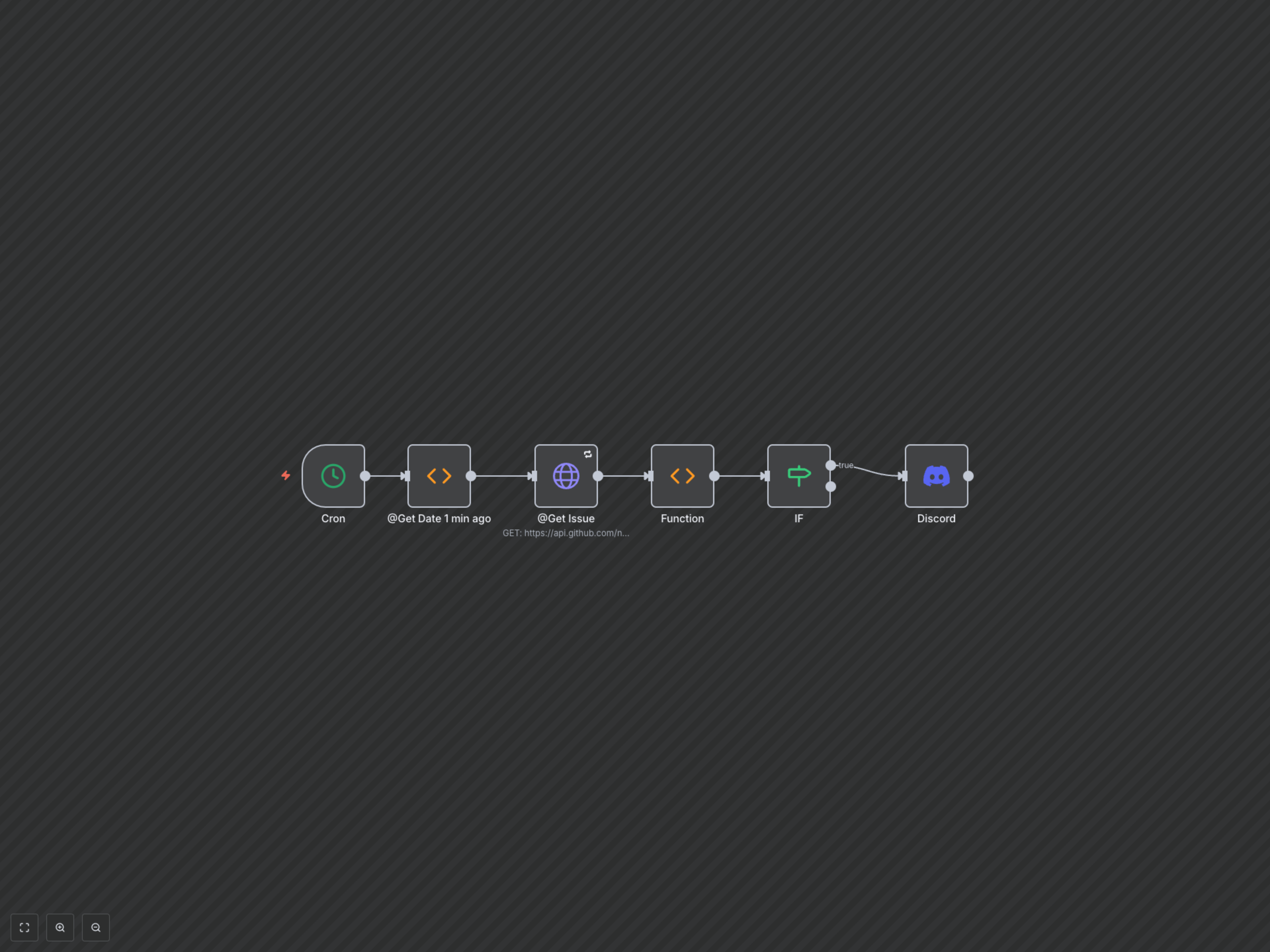
This n8n workflow operates on a recurring schedule to monitor your GitHub account for new notifications and alert your team via Discord.
- The workflow initiates every minute via a Cron trigger.
- It calculates the exact timestamp for one minute prior to the current time, ensuring it only fetches the most recent updates.
- An HTTP Request node securely connects to the GitHub API, pulling all new notifications generated since the last check.
- A Function node then intelligently processes these raw GitHub notifications. It extracts crucial details like the reason for the notification, the subject title, and a direct URL, then formats them into a concise, readable message. This node also checks if any new notifications were actually found.
- An IF node acts as a conditional gate, proceeding only if the Function node identifies new notifications.
- Finally, if new notifications are detected, the Discord node dispatches the formatted summary to your designated Discord channel, optionally tagging a specific user for immediate attention.