
Automate Custom Form Creation for Airtable & Baserow
Automatically deploy fully functional data entry forms from your database schemas in minutes, eliminating hours of manual setup for each table.
Manually creating forms for database tables is a tedious and error-prone process that delays data collection. This workflow dynamically generates customized input forms directly from your Airtable or Baserow table schemas, automating data capture and record creation.


Documentation
Dynamic n8n Forms for Airtable & Baserow
This n8n workflow revolutionizes how you collect data for your Airtable and Baserow databases. It eliminates the need for manual form creation by dynamically generating custom input forms directly from your table schemas, streamlining data entry and record management.
Key Features
- Automated Form Generation: Instantly deploy custom n8n forms by simply providing an Airtable Base/Table ID or Baserow Table ID.
- Schema-Driven Field Mapping: Dynamically converts Airtable and Baserow field types (text, number, date, select, attachments) into appropriate n8n form inputs.
- Intelligent File and Attachment Handling: Efficiently processes and uploads file attachments, ensuring seamless integration with your database records.
- Flexible Data Capture: Offers a powerful and customizable alternative to native database forms, adaptable for various data collection scenarios.
- Significant Time Savings: Drastically reduces the manual effort and development time required to build and maintain data entry forms.
How It Works
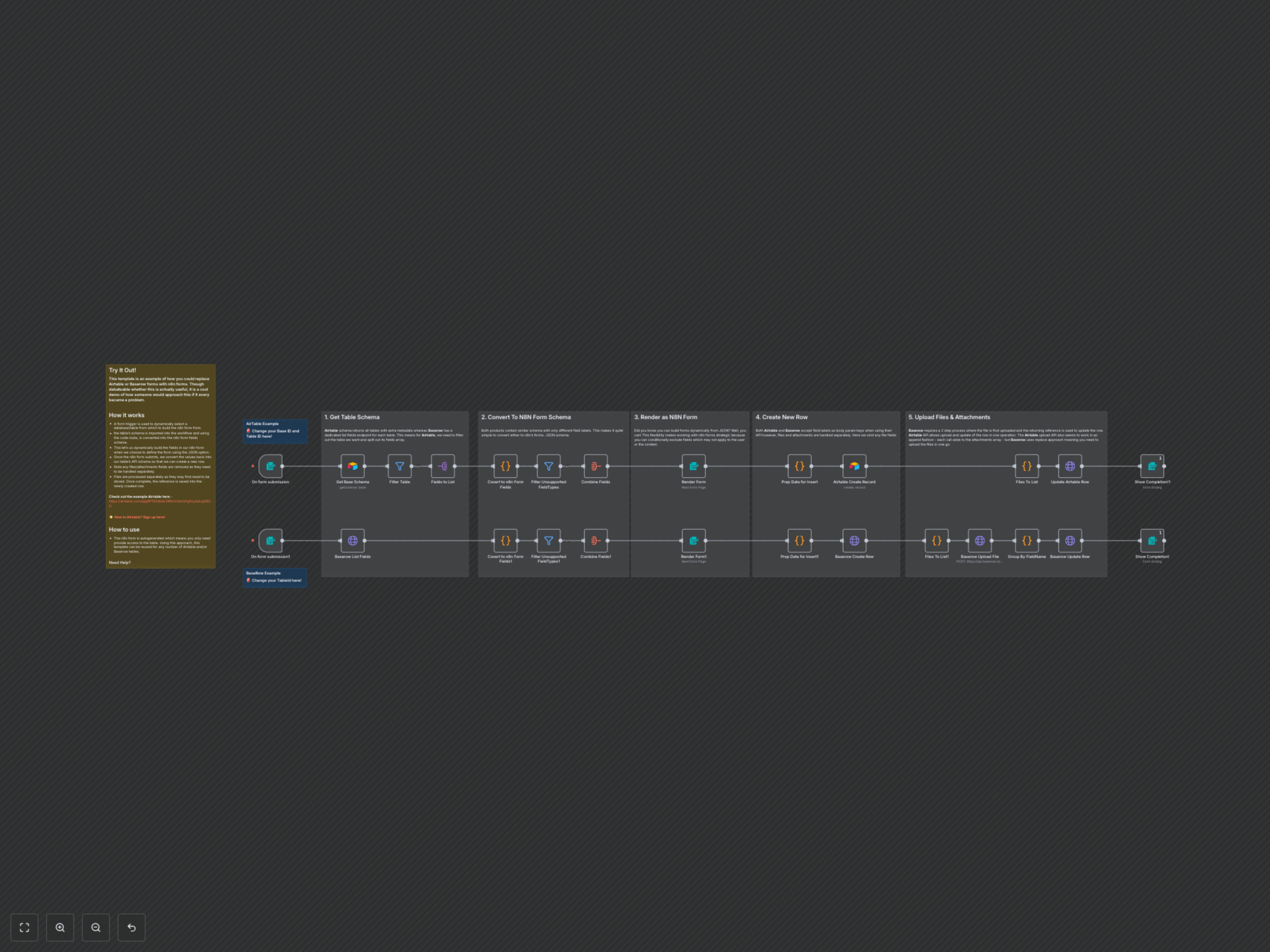
The workflow begins with an initial form submission where you specify the target database (Airtable or Baserow) and table ID. It then intelligently retrieves the table's schema, translating each field type into a compatible n8n form input. This dynamically constructed form is rendered, allowing users to input data. Upon submission, the data is prepared for insertion, creating a new record in your chosen database. Crucially, file and attachment fields are handled separately; files are first uploaded and then their references are used to update the newly created record, ensuring comprehensive data synchronization.