
Automate Cloudflare KV Management & Boost Data Efficiency
Streamline Cloudflare KV operations, reducing manual data management time by up to 90% and ensuring consistent, accelerated application development.
Manually managing Cloudflare KV namespaces and key-value pairs is time-consuming and prone to errors. This workflow fully integrates n8n with the Cloudflare KV API, enabling automated creation, deletion, renaming, and management of your KV data for enhanced operational speed.

Documentation
Cloudflare KV Full API Integration
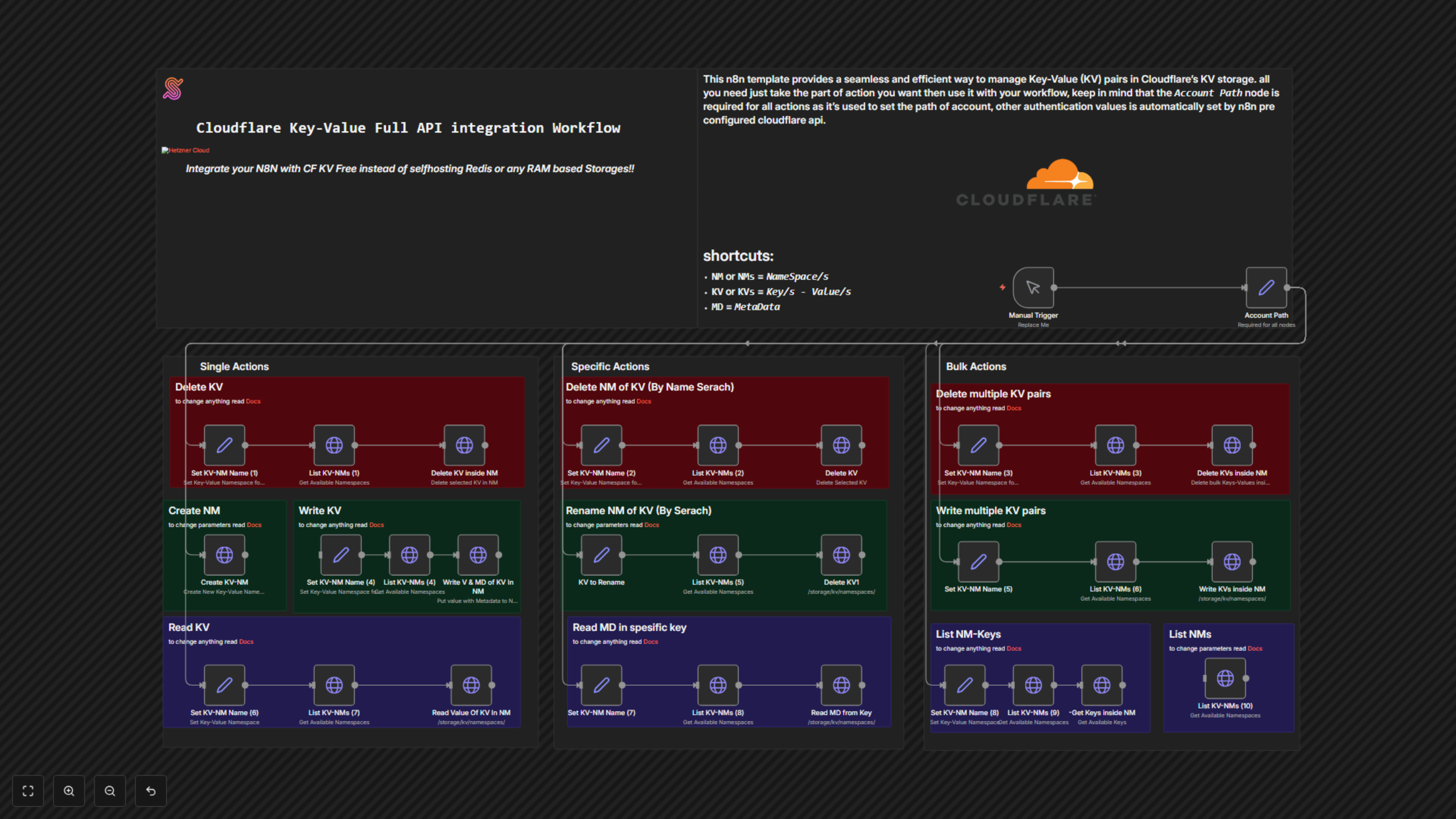
This comprehensive n8n workflow provides a robust solution for integrating directly with the Cloudflare Workers KV API, allowing you to programmatically manage your distributed key-value storage. It's designed to replace the need for self-hosting traditional in-memory databases like Redis for specific use cases.
Key Features
- Effortlessly create, rename, and delete KV namespaces.
- Perform single or bulk operations for adding, updating, reading, and deleting key-value pairs within namespaces.
- Retrieve metadata associated with specific keys and list all available namespaces and keys.
- Seamlessly connect to your Cloudflare account using n8n's predefined credentials.
How It Works
The workflow is structured into distinct sections: "Single Actions," "Specific Actions," and "Bulk Actions," each providing a set of ready-to-use operations for Cloudflare KV. All actions require your Cloudflare Account ID, which is centrally managed in the "Account Path" node. Individual operations for namespaces and key-value pairs are configured via "Set" nodes, where you input the target namespace name, key, or value. The workflow dynamically fetches namespace IDs as needed, ensuring operations target the correct resources, and then executes the corresponding Cloudflare API calls.