
Automate Bitrix24 Chatbot Replies & Event Handling with n8n
Automate 100% of Bitrix24 chatbot replies and bot registration, saving hours in manual configuration and message handling.
Manually managing Bitrix24 chatbot interactions and setup is time-consuming and prone to delays. This workflow automates chatbot responses, onboarding, and event handling within Bitrix24, ensuring immediate and consistent user engagement.


Documentation
Bitrix24 Chatbot Automation with n8n
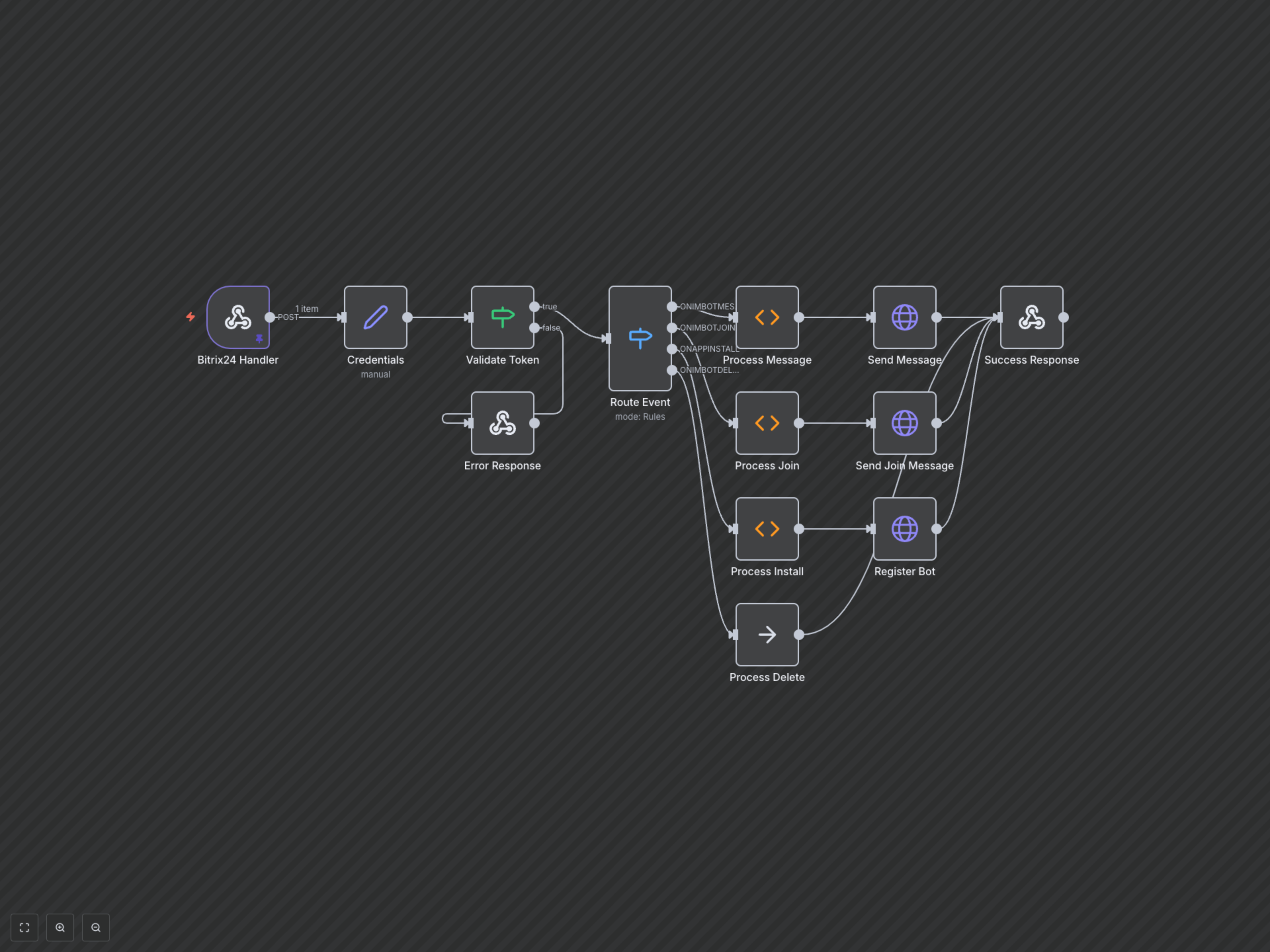
This n8n workflow provides a comprehensive example for integrating a custom chatbot with Bitrix24. It automates responses to user messages, handles new chat joins, manages bot registration upon installation, and responds to bot deletion events. Ideal for businesses looking to enhance customer engagement and streamline internal communications within their Bitrix24 platform.
Key Features
- Automated Message Replies: Instantly respond to user inquiries within Bitrix24 chats.
- Seamless Bot Registration: Automatically registers your bot in Bitrix24 upon application installation.
- Welcome Messages: Greet users automatically when the bot joins a chat.
- Event-Driven Logic: Handles various Bitrix24 bot events, including message adds, chat joins, and bot deletions.
How It Works
The workflow is initiated by a Bitrix24 webhook, triggered by various bot-related events. Upon receiving an event, it first extracts authentication details and validates the incoming token. Based on the event type (e.g., new message, bot join, app install), the workflow routes the request to a specific branch. For messages, it generates a reply (e.g., echoing the input or a predefined response) and sends it back to Bitrix24. For app installations, it registers the bot using the Bitrix24 API. Joining a chat triggers a welcome message. The workflow ensures a consistent and automated interaction layer for your Bitrix24 environment.