
Automated Employment Verification Letter
Employees receive automated, personalized Employment Verification Letters quickly and efficiently, streamlining HR processes and reducing administrative burden.
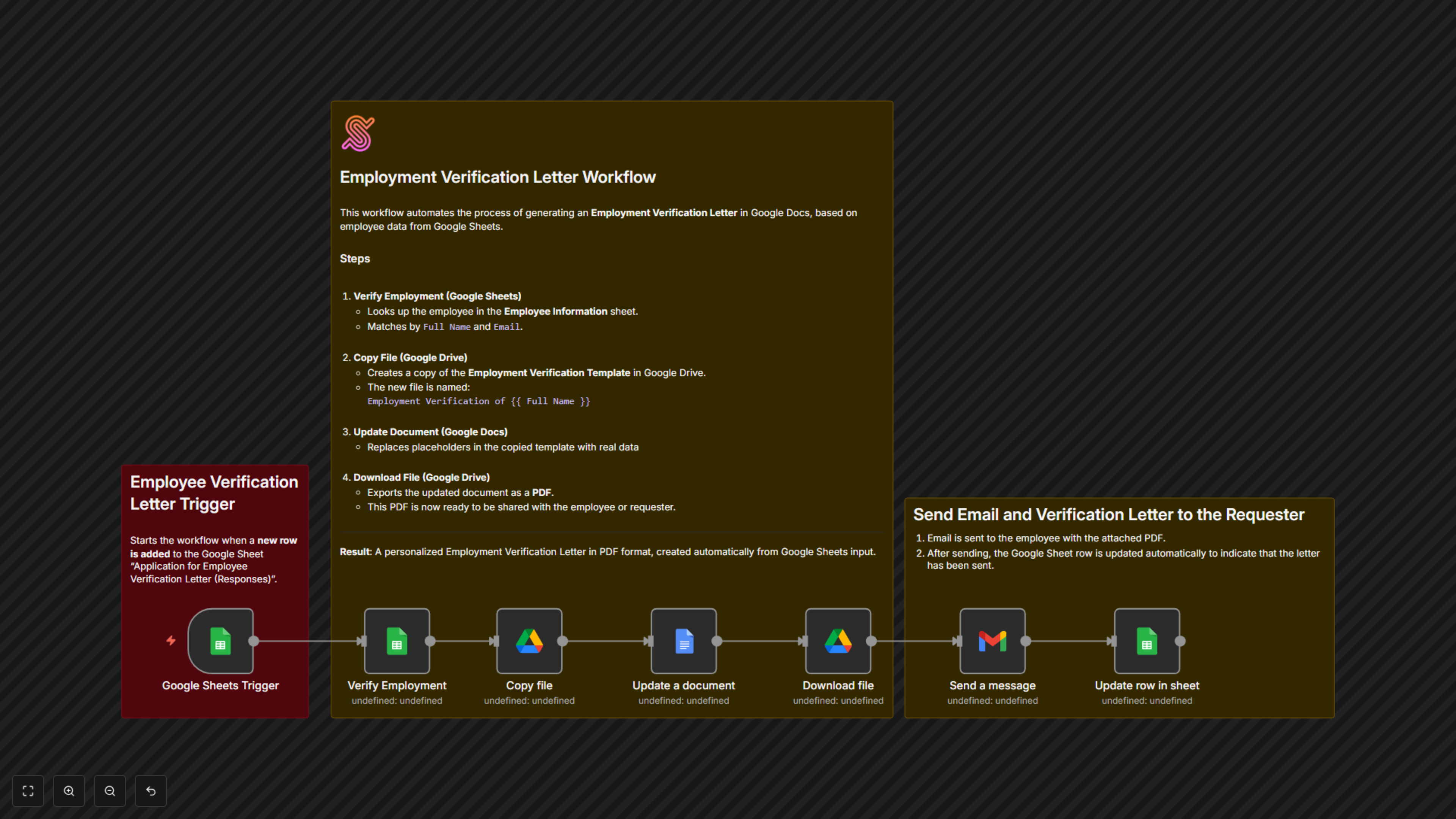
Automatically generates and delivers personalized Employment Verification Letters when an employee submits a request, using Google Sheets, Docs, Drive, and Gmail.


Documentation
Automated Employment Verification Letter
📌 OverviewThis workflow automates the generation and delivery of Employment Verification Letters for employees. When an employee submits a request via a Google Form, the system verifies their details in the HR database, generates a personalized verification letter in Google Docs, exports it as a PDF, emails it to the employee, and updates the request log in Google Sheets.
Category: HR & People OperationsTrigger: New row added in Google Sheets (Form Responses)
⚙️ Workflow Steps
- Google Sheets Trigger
- Starts the workflow when a new request is submitted through the “Application for Employee Verification Letter” Google Form.
- Pulls details like Full Name, Department, Email, and Purpose of the Letter.
- Verify Employment (Google Sheets)
- Cross-checks employee details in the Employee Information sheet.
- Matches based on Full Name and Email.
- Copy File (Google Drive)
- Creates a copy of the Employment Verification Template in Google Drive.
- Names the file: Employment Verification of [Employee Name].
- Update Document (Google Docs)
- Replaces placeholders (e.g., [Employee Full Name], [Job Title], [Start Date]) with actual employee data.
- Ensures the document is personalized.
- Download File (Google Drive)
- Converts the updated Google Doc into a PDF.
- Prepares it for secure sharing.
- Send Email (Gmail)
- Emails the employee their Employment Verification Letter.
- Subject: Employment Verification Letter – [Employee Full Name].
- Attaches the generated PDF.
- Update Row in Sheet (Google Sheets)
- Updates the request log in the “Application for Employee Verification Letter” sheet.
- Marks the Letter Status as “SENT” for tracking purposes.
🗂️ Data Sources
- Google Sheets:
- Employee requests (Form Responses).
- Employee master database (Employee Information).
- Google Drive: Stores the Employment Verification template and new copies.
- Google Docs: Template personalization for each employee.
- Gmail: Sends the final PDF to employees.
✅ Key Benefits
- Removes manual HR workload for verification letters.
- Guarantees consistency with a standard letter template.
- Provides employees with instant delivery of official letters.
- Keeps request logs updated automatically.