
Automate Luma AI Video Status Updates in Airtable
Update Airtable records with Luma AI video assets in seconds, reducing manual tracking time by hours per project and accelerating content delivery.
Manually tracking the completion and retrieving assets from AI video generation services is time-consuming and prone to errors. This workflow automatically captures Luma AI video generation callbacks and instantly updates your Airtable base with the final video and thumbnail URLs.



Documentation
Automate Luma AI Video Status Updates in Airtable
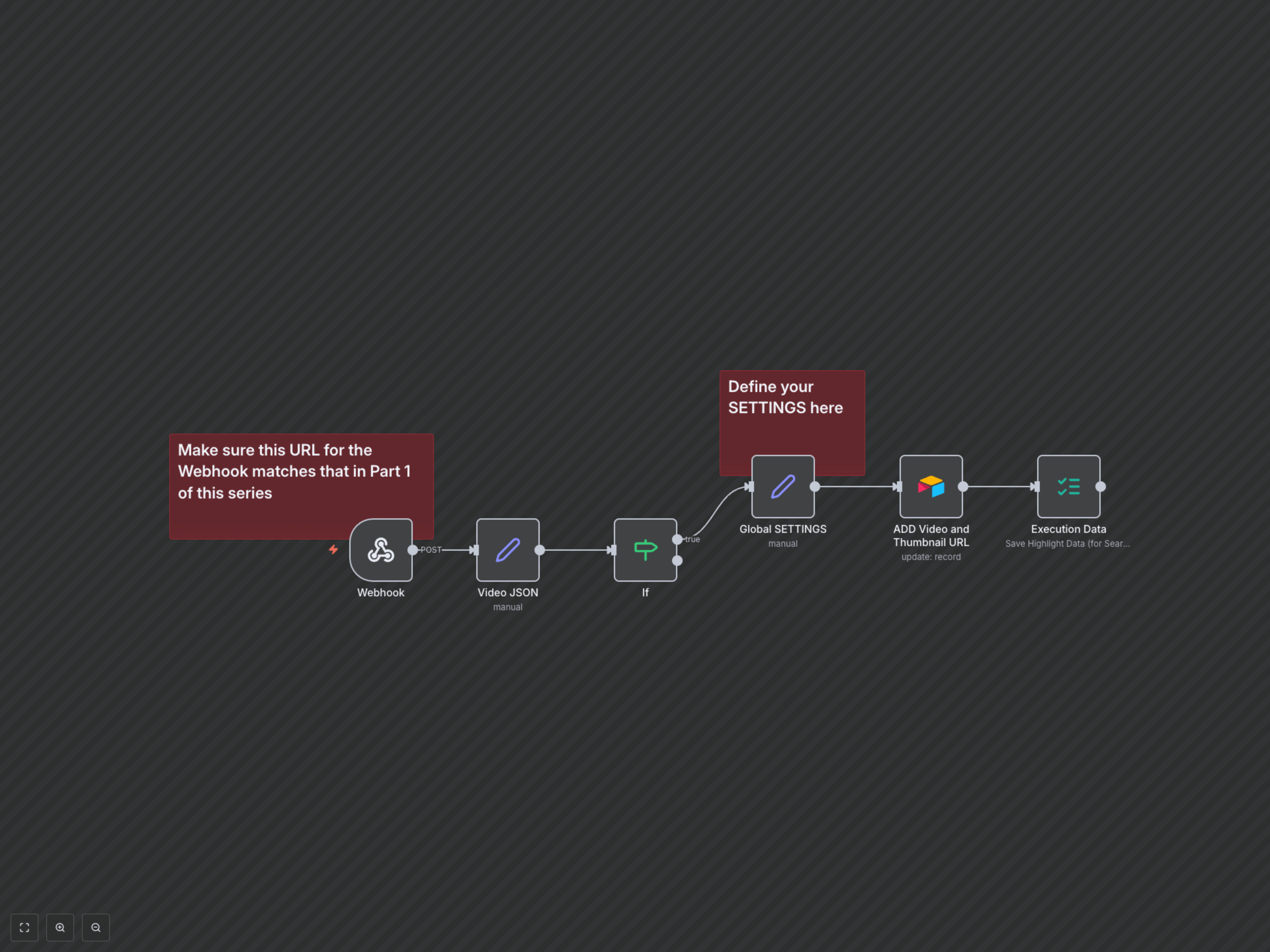
This workflow acts as the crucial second part of a Luma AI automation, listening for generation complete callbacks. Once Luma AI finishes processing your video, this workflow captures the output and seamlessly updates your Airtable database, centralizing your AI-generated video assets.
Key Features
- Automated processing of Luma AI generation callbacks
- Real-time extraction of final video and thumbnail URLs
- Instant status updates in Airtable for generated videos
- Centralized tracking and management of AI-generated content assets
How It Works
1. The Webhook node stands ready to receive the completion callback from Luma AI, triggered once a video generation task is complete (from a previous workflow, often referred to as 'Part 1'). 2. The Video JSON node parses the incoming Luma AI response, extracting the essential video URL, thumbnail URL, and the unique generation ID. 3. An If node verifies that a video URL is indeed present in the response, ensuring only successful generations proceed to update your database. 4. Global SETTINGS provide the necessary Airtable base and table IDs for seamless integration, allowing for easy configuration and reusability. 5. Finally, the ADD Video and Thumbnail URL node uses the extracted Generation ID to locate and update the corresponding record in your designated Airtable table, marking the video as 'Done' and adding the direct links to your newly generated video and thumbnail assets.