
Automate Jira Issue Resolution with AI & Reduce Ticket Backlog
Automatically resolve or triage long-lived Jira issues, reducing manual effort by 80% and enhancing customer satisfaction.
Manual triaging and follow-up on long-lived Jira tickets is time-consuming and prone to oversight, leading to poor customer satisfaction. This AI-powered workflow automatically identifies stale Jira issues, classifies their state, and intelligently resolves, follows up, or escalates them, significantly improving response times and support efficiency.



Documentation
AI-Powered Jira Issue Automation
This n8n workflow revolutionizes your Jira support by autonomously identifying and managing long-lived or stale issues. It leverages advanced AI to understand ticket context, determine next steps, and either resolve, escalate, or prompt for missing information, freeing up your team for more complex tasks and improving customer satisfaction.
Key Features
- Proactive Issue Detection: Automatically scans Jira for unresolved issues older than a specified duration (e.g., 7 days) and initiates tailored handling.
- AI-Driven Issue Classification: Utilizes LangChain's Text Classifier with OpenAI to categorize issue states (resolved, pending information, unaddressed) for intelligent branching.
- Automated Resolution & Feedback: Closes genuinely resolved tickets, proactively seeking positive customer reviews, or escalating negative experiences via Slack to prevent churn.
- Intelligent Issue Engagement: For issues awaiting responses, an AI agent summarizes the conversation and sends targeted reminders, keeping communication flowing without manual intervention.
- Knowledge Base Powered Problem-Solving: Employs a sophisticated AI agent with access to your Jira and Notion knowledge bases to automatically research and propose solutions for unaddressed tickets.
- Seamless Team Notifications: Keeps your support team informed via Slack about critical events like unhappy resolutions or issues the AI couldn't solve, ensuring no critical ticket falls through the cracks.
- Scalable Parallel Processing: Handles multiple long-lived issues concurrently using n8n's Execute Workflow node for efficient, high-volume operations.
How It Works
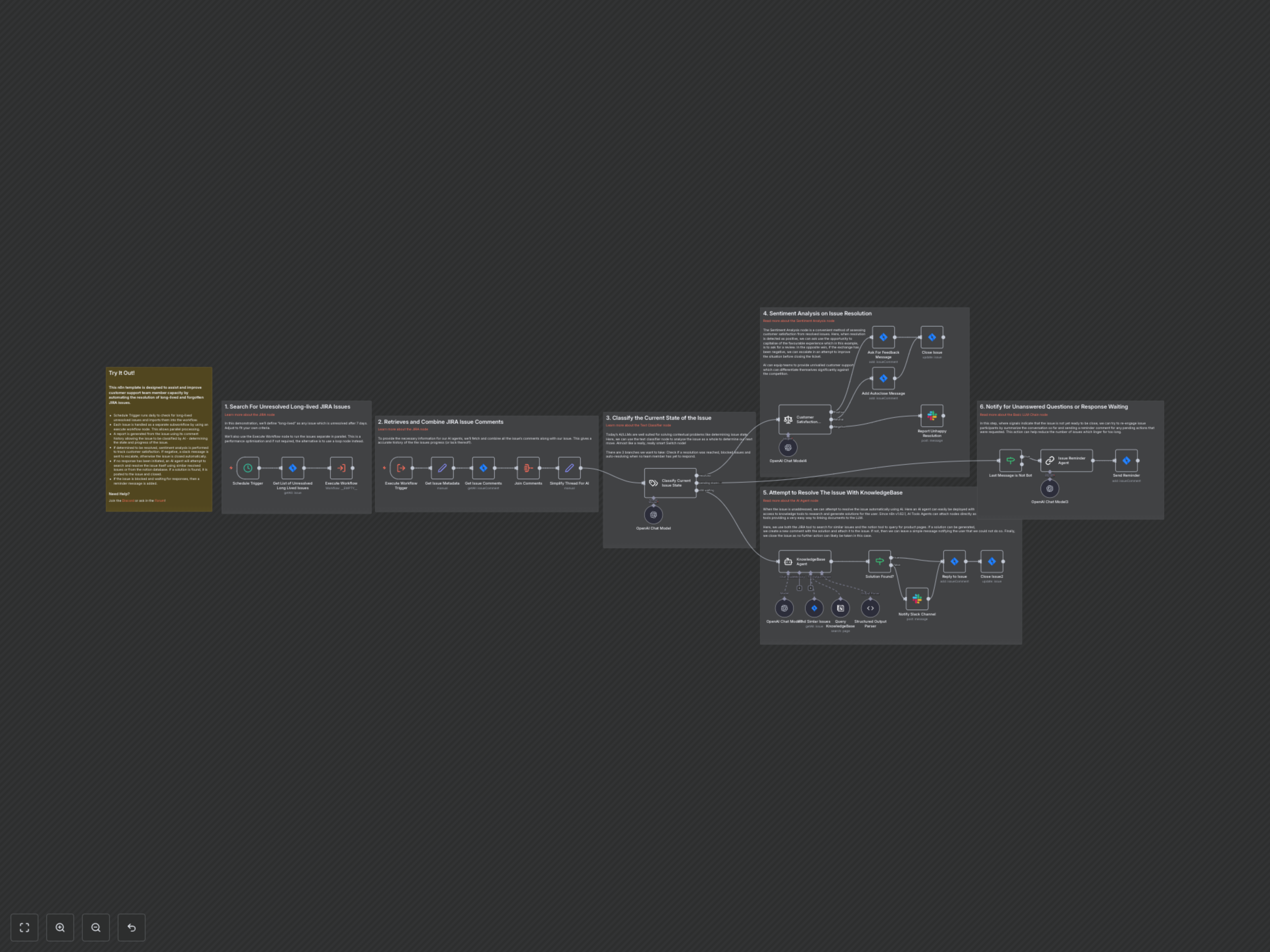
This workflow begins its daily scan by searching Jira for long-lived, unresolved issues (e.g., in "To Do" or "In Progress" status for over 7 days). Each detected issue is then processed in parallel as a sub-workflow, ensuring maximum efficiency.
For each issue, the workflow first gathers its complete metadata and all associated comments, assembling a comprehensive "thread" and "topic" for AI analysis. An AI-powered Text Classifier then evaluates this context to determine the issue's current state, classifying it as either "resolved," "pending more information," or "still waiting for a response."
- If the issue is classified as "resolved": The workflow performs a sentiment analysis of the conversation. If the sentiment is positive, it adds a comment asking for feedback or a review before automatically closing the ticket. If the sentiment is negative, it sends an immediate alert to a designated Slack channel for human intervention and escalation, then closes the ticket with an appropriate message.
- If the issue is classified as "still waiting" (unaddressed): An AI Agent, equipped with tools to query your Jira (for similar issues) and Notion (for knowledge base articles), attempts to find a solution. If a relevant solution is generated, it's posted as a comment to the Jira issue, and the ticket is closed. If no solution can be found, a notification is sent to your support team via Slack, and the issue is closed, indicating that further assistance might require a new ticket.
- If the issue is classified as "pending more information": The workflow first checks if the last message was from an automated bot to prevent repetitive messages. If not, an AI agent generates a concise reminder message, summarizing the conversation and reiterating any pending actions or information required, which is then posted as a comment in Jira.
This intelligent automation ensures that your Jira backlog remains lean, customer queries are addressed promptly, and your support team can focus on complex challenges.