
Automate High-Intent Lead Identification & Enrichment
Streamline lead qualification by 80%, saving sales teams hours daily on research and data entry for high-intent website visitors.
Manually sifting through website visitor data to find qualified leads is time-consuming and inefficient. This workflow automatically identifies high-intent website visitors, enriches their company data, and saves them to a Google Sheet for focused sales outreach.


Documentation
Automate High-Intent Lead Identification & Enrichment
For sales and marketing teams struggling to prioritize website visitors, this n8n workflow provides a powerful solution. It automates the discovery, qualification, and enrichment of high-potential leads directly into your Google Sheets, enabling highly focused and effective outreach.
Key Features
- Automated Lead Discovery: Automatically pulls recent website visitors from specified Leadfeeder accounts daily.
- Intelligent Lead Qualification: Filters leads based on customizable engagement levels (e.g., multiple website visits) and company firmographics (e.g., employee count).
- Deep Company Enrichment: Utilizes Clearbit to add comprehensive data such as company name, domain, description, employee metrics, and social media links.
- Streamlined Data Management: Appends or updates qualified, enriched leads directly into a Google Sheet, preventing duplicates and ensuring an organized sales pipeline.
- Customizable Criteria: Easily adjust filters for website visits and company size to align with your Ideal Customer Profile (ICP).
How It Works
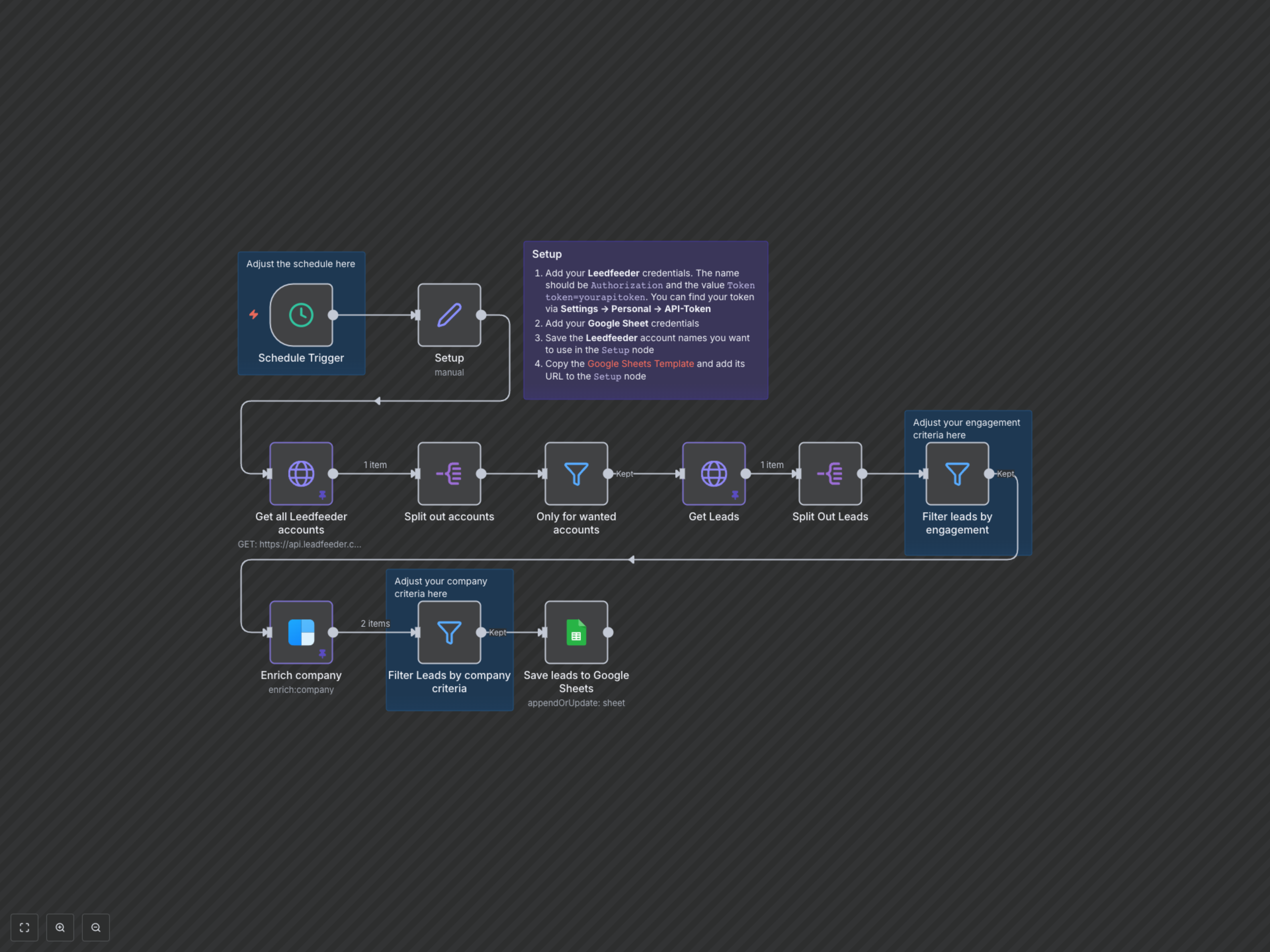
The workflow is triggered on a predefined schedule (e.g., daily at 7 AM). First, it retrieves a list of your designated Leadfeeder accounts and then fetches all website leads from the previous day for those accounts. These raw leads are then filtered for high engagement, such as companies visiting your site multiple times. Next, each engaged company's public data is enriched using Clearbit, providing valuable firmographic and contact information. Finally, the enriched companies are subjected to a second filter based on predefined company criteria (e.g., minimum employee count). Only the leads that meet all these criteria are then automatically saved to your specified Google Sheet, ready for your sales team to act upon.