
Automate Email Appointment Scheduling with AI & Google Calendar
Automate email scheduling replies, saving hours weekly on manual coordination and ensuring accurate calendar management.
Manually sifting through appointment requests and checking calendar availability is time-consuming and prone to errors. This workflow automatically identifies appointment emails, leverages AI to check your Google Calendar, and crafts intelligent, availability-based replies, saving hours and ensuring prompt responses.



Documentation
Automated AI Appointment Scheduler
Manually managing appointment requests from emails, checking your calendar, and crafting personalized responses can be a significant drain on your time and focus. This intelligent n8n workflow acts as your personal scheduling assistant, automating the entire process from email detection to sending availability-based replies.
Key Features
- Intelligent Email Classification: Automatically detects appointment-related emails using advanced AI, filtering out irrelevant messages.
- Real-time Calendar Integration: Seamlessly checks your Google Calendar availability for upcoming weeks, preventing scheduling conflicts.
- AI-Powered Response Generation: Generates polite, professional replies that propose suitable meeting times based on your actual availability, including buffer times.
- Effortless Inbox Management: Marks processed emails as read and replies automatically, keeping your inbox organized.
How It Works
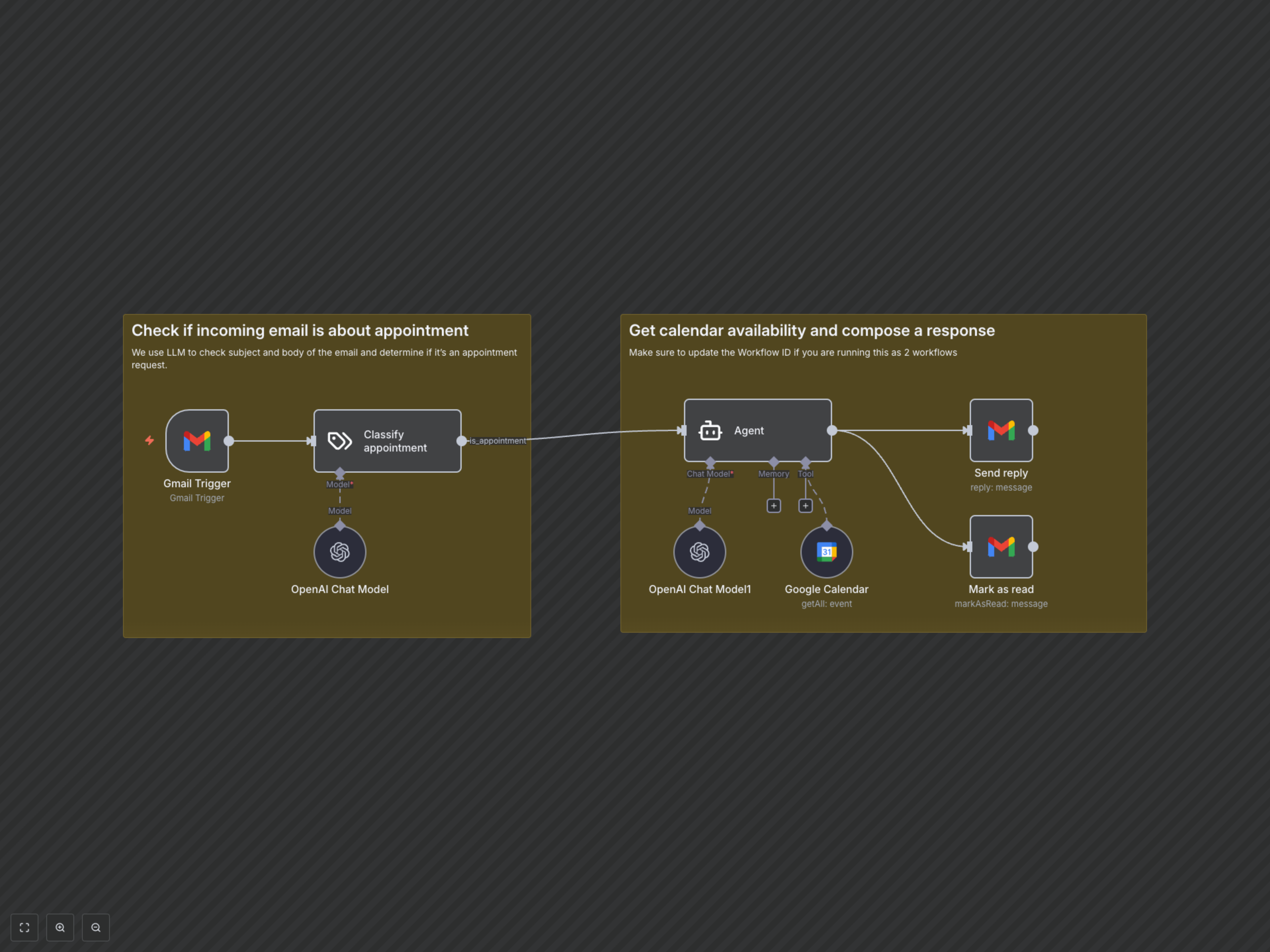
The workflow starts by monitoring your Gmail inbox for new unread emails. An AI model then classifies these emails to determine if they are appointment requests. If an email is identified as an appointment request, a sophisticated AI agent, powered by OpenAI and integrated with your Google Calendar, analyzes the request and your real-time availability. It then chooses a suitable meeting time, taking into account buffers, and composes a tailored response. Finally, the workflow sends this intelligent reply from your Gmail account and marks the original email as read, ensuring efficient communication and a clean inbox.