
Automate Elastic Alerts & Deliver Instant Email Notifications
Deliver critical system alerts instantly to your team, reducing incident response time by up to 30% and enabling proactive issue resolution.
Critical system alerts often go unnoticed or are delayed, impacting incident response and system stability. This workflow automatically fetches alerts from your Elastic-based monitoring system and dispatches instant email notifications, ensuring timely awareness for your team.

Documentation
Automate PRISM/Elastic Alert Notifications
This n8n workflow provides a robust solution for automating the delivery of critical alerts from your PRISM or Elastic-based monitoring system directly to your team's inboxes. By eliminating manual checks, it ensures that high-priority issues are promptly identified and addressed, minimizing potential downtime and operational impact.
Key Features
- Scheduled alert fetching from your monitoring system.
- Automated email notifications for each new alert.
- Dynamic email content including alert name, severity, timestamp, and message.
- Reduces human error and ensures timely incident response.
How It Works
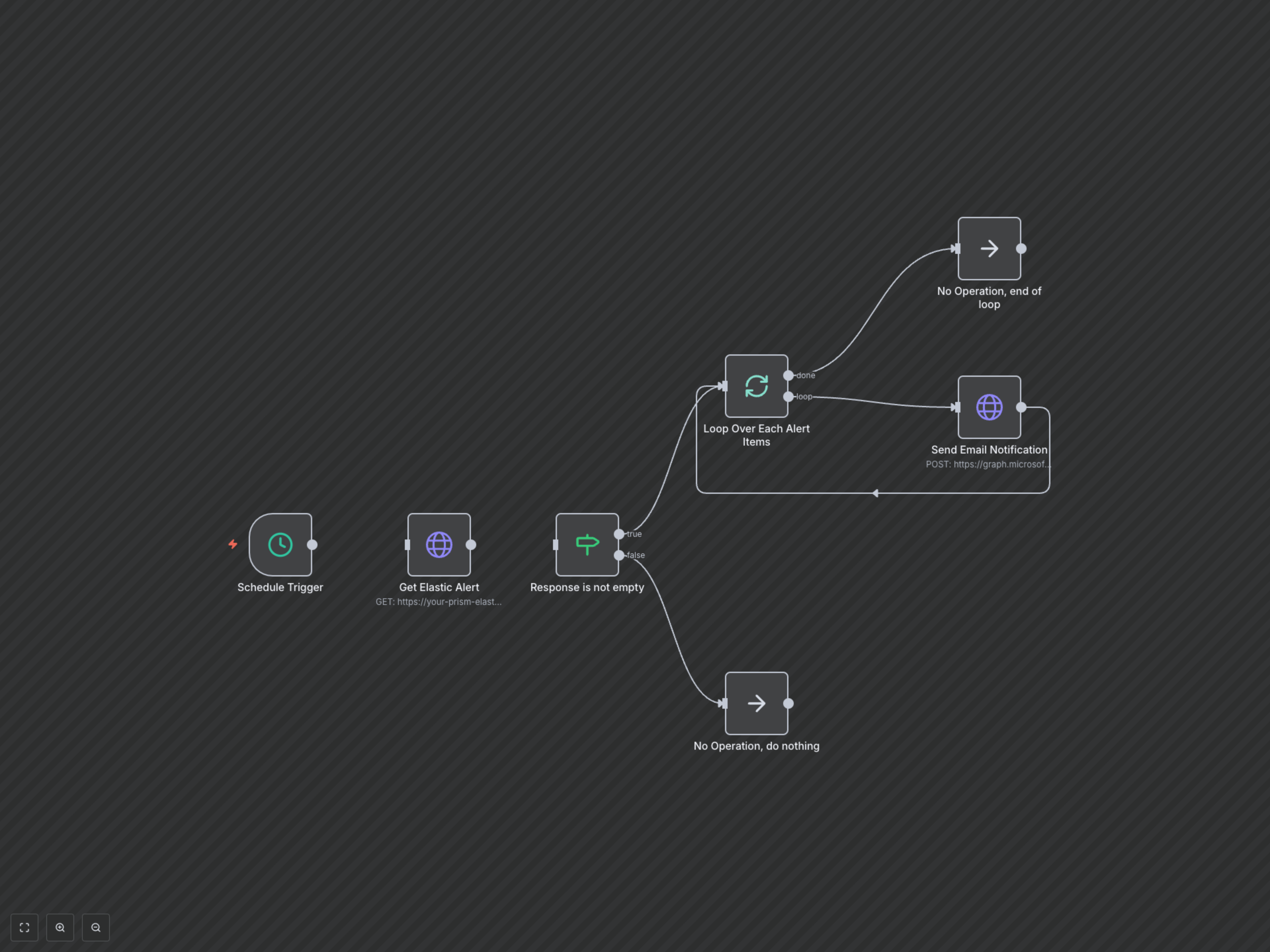
The workflow starts on a predefined schedule (e.g., every 5 minutes). It sends an HTTP request to your configured PRISM or Elastic API endpoint to fetch any new alerts. If alerts are present, the workflow processes each alert individually. For every alert, it constructs a personalized email notification using data like alert name, severity, and message. These email notifications are then sent via Microsoft Graph API to specified recipients, providing immediate visibility into critical issues. If no alerts are found, the workflow simply completes its run without sending emails, waiting for the next scheduled trigger.