
Automate Calendly to KlickTipp Sync: Streamline Contact Management
Reduce manual data entry by 100% and accelerate contact synchronization by eliminating delays, ensuring immediate follow-up and increased conversion rates.
Manually synchronizing Calendly bookings and cancellations with your CRM leads to data errors, missed follow-ups, and wasted time. This workflow automates the transfer of invitee and guest data from Calendly to KlickTipp, ensuring instant, accurate contact updates and enabling timely, personalized marketing.
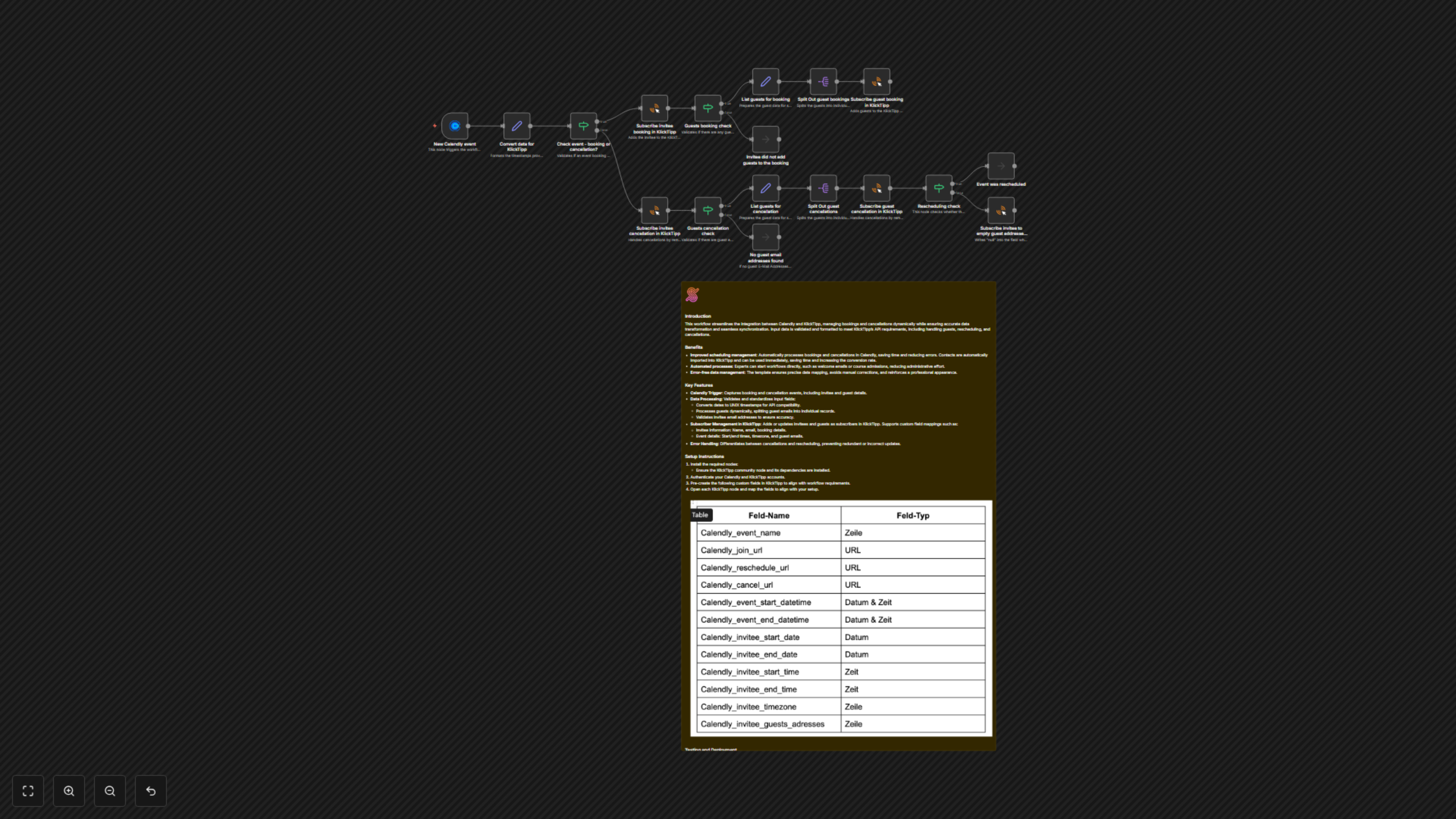

Documentation
Calendly to KlickTipp Synchronization
This workflow streamlines the integration between Calendly and KlickTipp, managing bookings and cancellations dynamically while ensuring accurate data transformation and seamless synchronization. Input data is validated and formatted to meet KlickTipp’s API requirements, including handling guests, rescheduling, and cancellations.
Benefits
- Improved scheduling management: Automatically processes bookings and cancellations in Calendly, saving time and reducing errors. Contacts are automatically imported into KlickTipp for immediate use, increasing conversion rates.
- Automated processes: Trigger workflows directly, such as welcome emails or course admissions, reducing administrative effort.
- Error-free data management: Ensures precise data mapping, avoids manual corrections, and reinforces a professional appearance.
Key Features
- Calendly Trigger: Automatically initiates the workflow upon new bookings (invitee.created) or cancellations (invitee.canceled) in Calendly, including all invitee and guest details.
- Robust Data Processing: Standardizes and transforms raw Calendly data for KlickTipp, converting dates to UNIX timestamps, times to seconds since midnight, extracting first/last names, and cleaning phone numbers.
- Dynamic Guest Management: Intelligently identifies and processes multiple guests for both bookings and cancellations, ensuring each participant is accurately managed in KlickTipp.
- Intelligent Subscriber Synchronization: Adds new invitees and guests as subscribers in KlickTipp with comprehensive booking information, including event names, join URLs, and crucial contact details. It also applies specific tags for easy segmentation.
- Cancellation & Rescheduling Logic: Differentiates between event cancellations and reschedules. For cancellations, it tags guests and clears stored guest data to maintain data integrity. For reschedules, it avoids unnecessary data overwrites.
How It Works
The workflow begins with the Calendly Trigger node, listening for new bookings or cancellations. All incoming event data is then processed by the Convert data for KlickTipp node, which standardizes various fields like dates (to UNIX timestamps), times (to seconds since midnight), and extracts invitee names and guest email addresses. Next, the Check event - booking or cancellation? node determines the event's status. For new bookings: The invitee is subscribed to KlickTipp, with their booking details and guest email addresses (if any) saved in a custom field for later cancellation tracking. If guests are present, their details are prepared, split into individual items, and each guest is also subscribed to KlickTipp. For cancellations: The invitee is tagged in KlickTipp to mark the cancellation. The workflow then retrieves previously stored guest email addresses (from the invitee's KlickTipp record). If guests were part of the original booking, their details are processed, split, and each guest is similarly tagged for cancellation in KlickTipp. Finally, a Rescheduling check determines if the cancellation was due to a reschedule. If not a reschedule, the guest email address field in the invitee's KlickTipp record is cleared to prevent issues with future rebookings.