
Automate AI-Qualified Appointment Scheduling & Approval with Google Calendar
Automate appointment qualification and Google Calendar event creation, reducing manual scheduling effort by up to 75% and ensuring only relevant inquiries are processed.
Manually qualifying appointment requests and managing approvals is time-consuming, prone to error, and inefficient. This workflow leverages multi-step forms, AI-powered qualification, and an interactive email approval process to automate appointment scheduling, ensuring only relevant meetings proceed and saving significant administrative effort.



Documentation
Automated AI-Qualified Appointment Scheduling & Approval
This n8n workflow revolutionizes appointment management by automating the entire lifecycle from initial inquiry to calendar event, leveraging AI for smart pre-qualification and interactive email for streamlined administrative approvals.
Key Features
- AI-Powered Inquiry Qualification: Automatically assess the relevance of incoming appointment requests using AI, ensuring valuable time is spent only on qualified leads.
- Intuitive Multi-Step Forms: Guide users through a seamless, engaging booking process with segmented forms for initial details, terms acceptance, and preferred date/time selection.
- Human-in-the-Loop Approval: Empower administrators to quickly approve or decline appointment requests directly from an interactive email, pausing the workflow until a decision is made.
- Automated Calendar Management: Instantly create Google Calendar events for confirmed appointments, including meeting links and summarized enquiry details, for both parties.
- Personalized User Communication: Provide immediate email receipts to requesters and automatic rejection notifications, enhancing the user experience.
How It Works
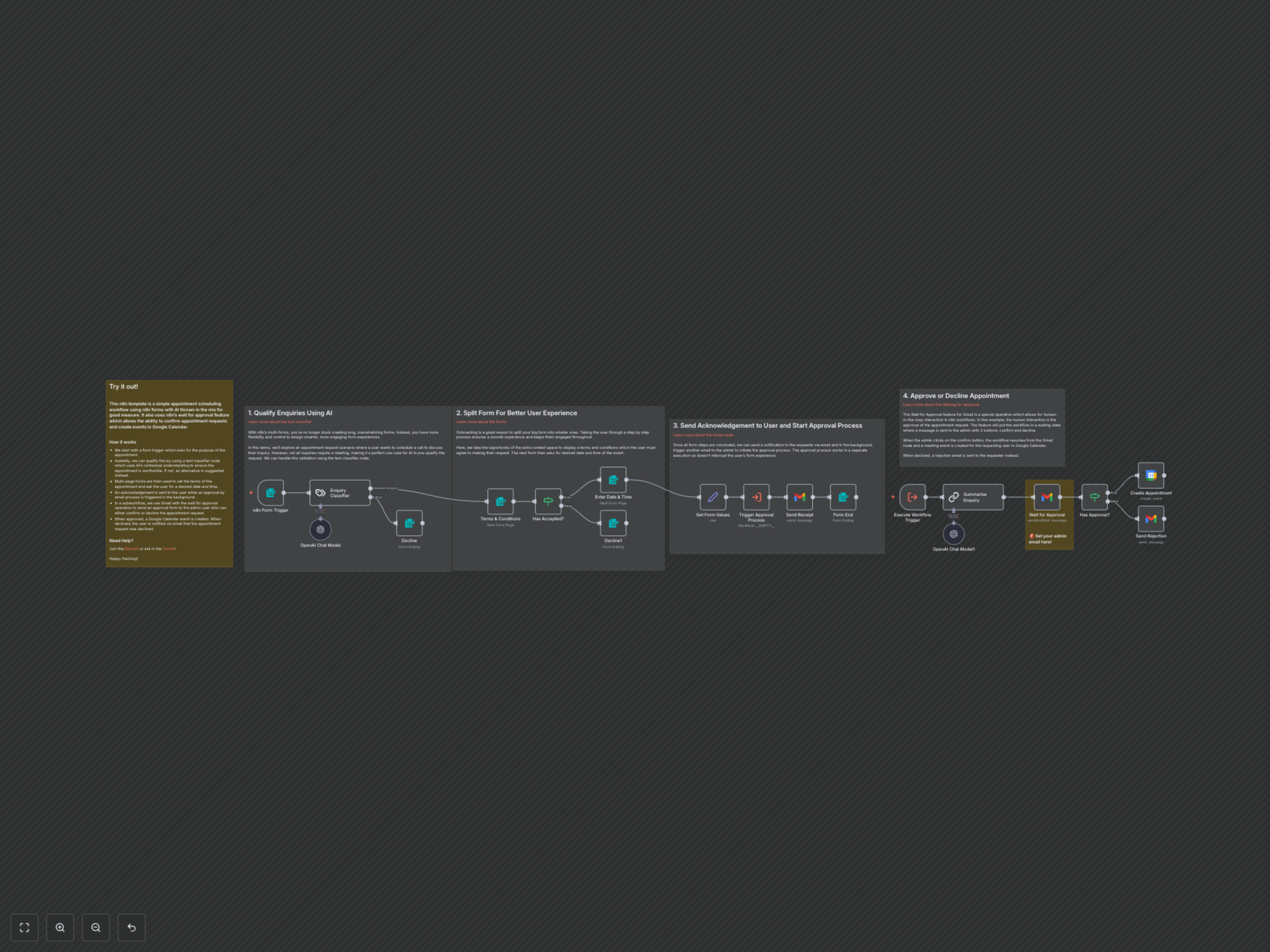
- Initial Inquiry Submission: Users initiate the process by filling out an n8n form, providing their name, email, and a description of their enquiry.
- AI-Driven Qualification: An integrated AI Text Classifier evaluates the submitted enquiry. If the enquiry doesn't meet predefined relevance criteria (e.g., related to AI, automation, product engineering), the user is presented with an alternative contact message, preventing irrelevant bookings.
- Terms Acceptance & Scheduling: For qualified enquiries, the workflow guides the user through additional n8n form steps: first, to accept essential terms and conditions, and then to select a preferred date and time from a dynamically generated list of available slots.
- Instant User Acknowledgment: Upon successful completion of the forms, the requester immediately receives an email confirming their appointment request and providing a summary of their submission.
- Admin Approval Process: Concurrently, a separate sub-workflow is triggered. This sub-workflow sends an interactive email to a designated administrator, containing an AI-summarized version of the user's enquiry and options to "Confirm" or "Decline" the appointment. The workflow pauses here, awaiting admin input.
- Automated Appointment Creation or Rejection:
- Approval: If the administrator "Confirms" the request, a Google Calendar event is automatically created for the scheduled time, inviting both the user and the administrator, and including a Google Meet conference link and the summarized enquiry.
- Rejection: If the administrator "Declines" the request, an automated email is sent to the user, notifying them that their appointment could not be scheduled.