
Automate AI-Qualified Appointment Scheduling with Admin Approval
Streamline appointment booking by over 70%, eliminating unqualified inquiries and manual scheduling, enabling quicker conversions and improved administrative efficiency.
Manual appointment scheduling is time-consuming, prone to unqualified leads, and requires constant oversight. This workflow automates the entire booking process, from AI-driven inquiry qualification and multi-page forms to admin approval and Google Calendar event creation, ensuring efficient scheduling and reducing manual workload.



Documentation
AI-Powered Smart Appointment Scheduler
This n8n template provides a robust appointment scheduling workflow, leveraging multi-step forms, AI-driven qualification, and human-in-the-loop approval. It seamlessly integrates with Gmail and Google Calendar to confirm appointments, ensuring only relevant inquiries proceed to a meeting.
Key Features
- AI-powered inquiry qualification to filter out non-relevant appointment requests.
- Engaging multi-page forms for a streamlined user experience, including terms and conditions.
- Automated email confirmations for users and an approval process for administrators.
- Seamless Google Calendar event creation with integrated Meet links upon approval.
How It Works
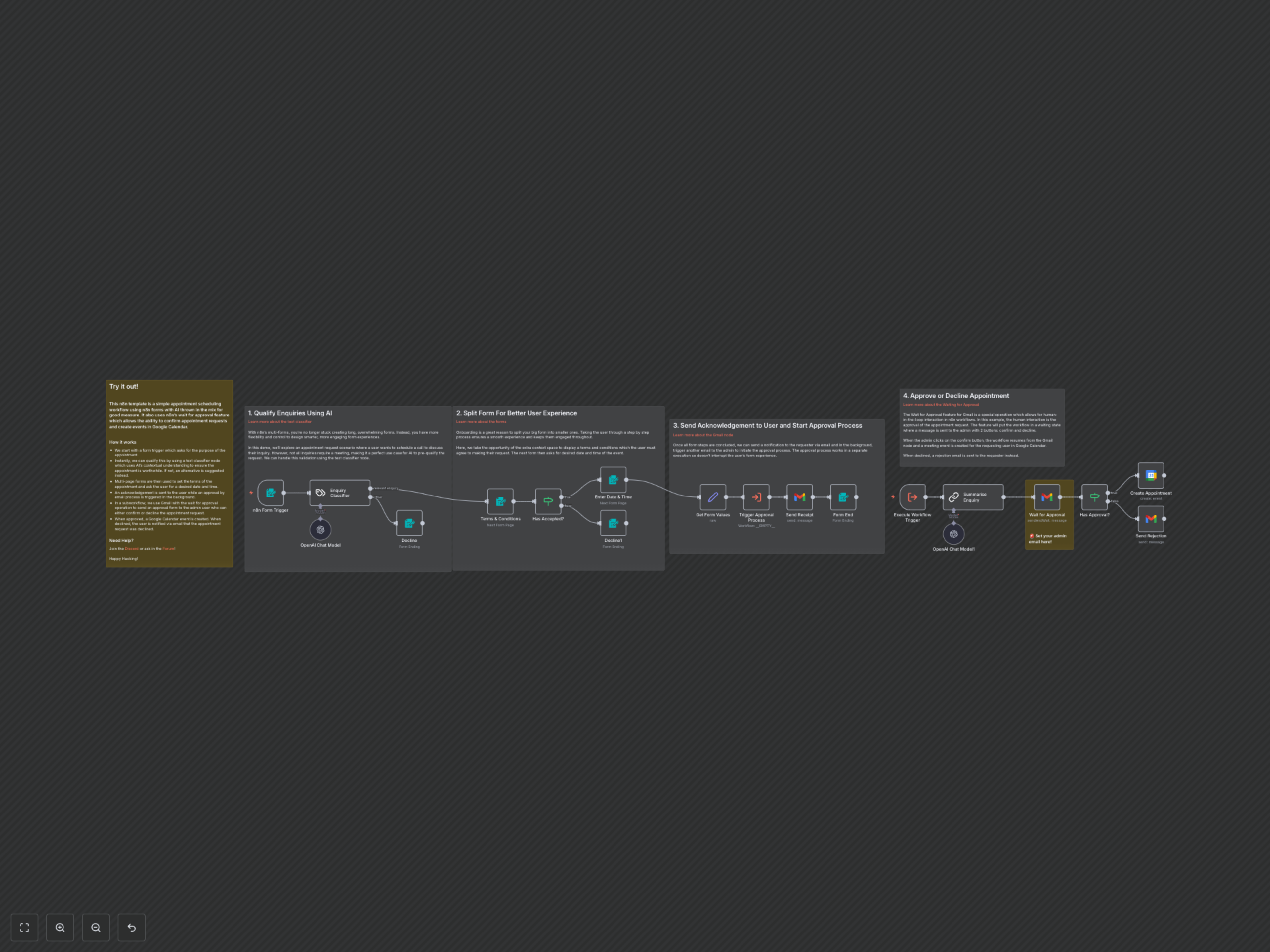
The workflow begins with an n8n form trigger capturing the purpose of the appointment. An AI text classifier instantly evaluates the inquiry's relevance. If deemed irrelevant, an alternative suggestion is provided. Relevant inquiries proceed through multi-page forms to agree on terms and select a desired date and time. An automated acknowledgement email is sent to the user, while an approval process is triggered in a background subworkflow. This subworkflow utilizes a Gmail 'Wait for Approval' operation, sending a request to the admin who can confirm or decline. Upon confirmation, a Google Calendar event is created with a Google Meet link; if declined, the user receives an email notification.