
Streamline Baserow Data Entry with AI-Powered PDF Extraction
Automatically populate Baserow tables from uploaded PDFs, reducing manual data entry time by over 90% and ensuring data accuracy.
Manually extracting specific data from PDFs and populating Baserow fields is a repetitive, error-prone task. This workflow automates PDF data extraction directly into Baserow, using AI to dynamically fill fields based on descriptions.




Documentation
AI-Powered PDF Data Extraction for Baserow
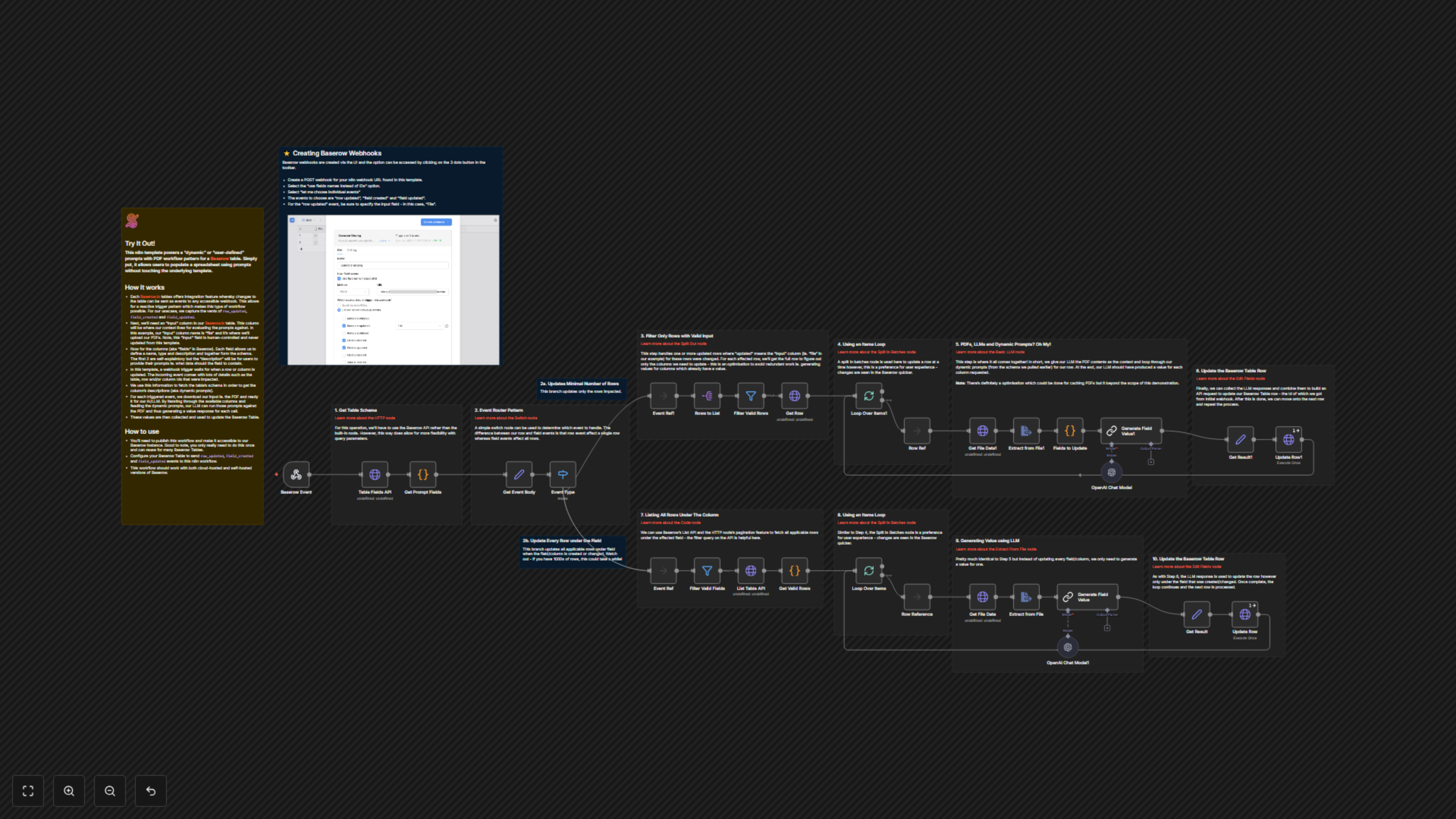
This n8n template empowers a "dynamic" or "user-defined" prompts with PDF workflow pattern for a Baserow table. It allows users to populate a spreadsheet using AI-driven prompts without modifying the underlying template, automating data entry from complex documents.
Key Features
- Automated data extraction from PDFs using advanced AI.
- Dynamic prompting: Baserow field descriptions define what specific data to extract.
- Event-driven processing: Reacts to row updates, field creation, and field modifications in Baserow.
- Seamless integration with Baserow for real-time data population.
- Scalable solution for both single-row updates and bulk field updates across many rows.
How It Works
This workflow acts as a webhook listener for Baserow, triggered by `row_updated`, `field_created`, or `field_updated` events. Upon receiving an event, it fetches the Baserow table schema, identifying fields with descriptions that serve as dynamic prompts. For `row_updated` events, it processes only the changed row, extracting text from an attached PDF and using AI to populate missing fields. For `field_created` or `field_updated` events, it iterates through all applicable rows with a PDF, extracts data based on the new/updated field's description, and populates the corresponding cells. The extracted values are then used to update the Baserow table via its API.