
Power Support Chatbots with Existing Knowledge Base Search
Deploy accurate, up-to-date support chatbots in minutes by leveraging existing knowledge bases, reducing development and maintenance overhead by up to 70%.
Building and maintaining dedicated knowledge bases for AI agents is complex and costly. This n8n workflow leverages your existing support portal's search API to instantly power an AI chatbot, delivering accurate answers without duplicating data.



Documentation
AcuityScheduling AI Support Chatbot
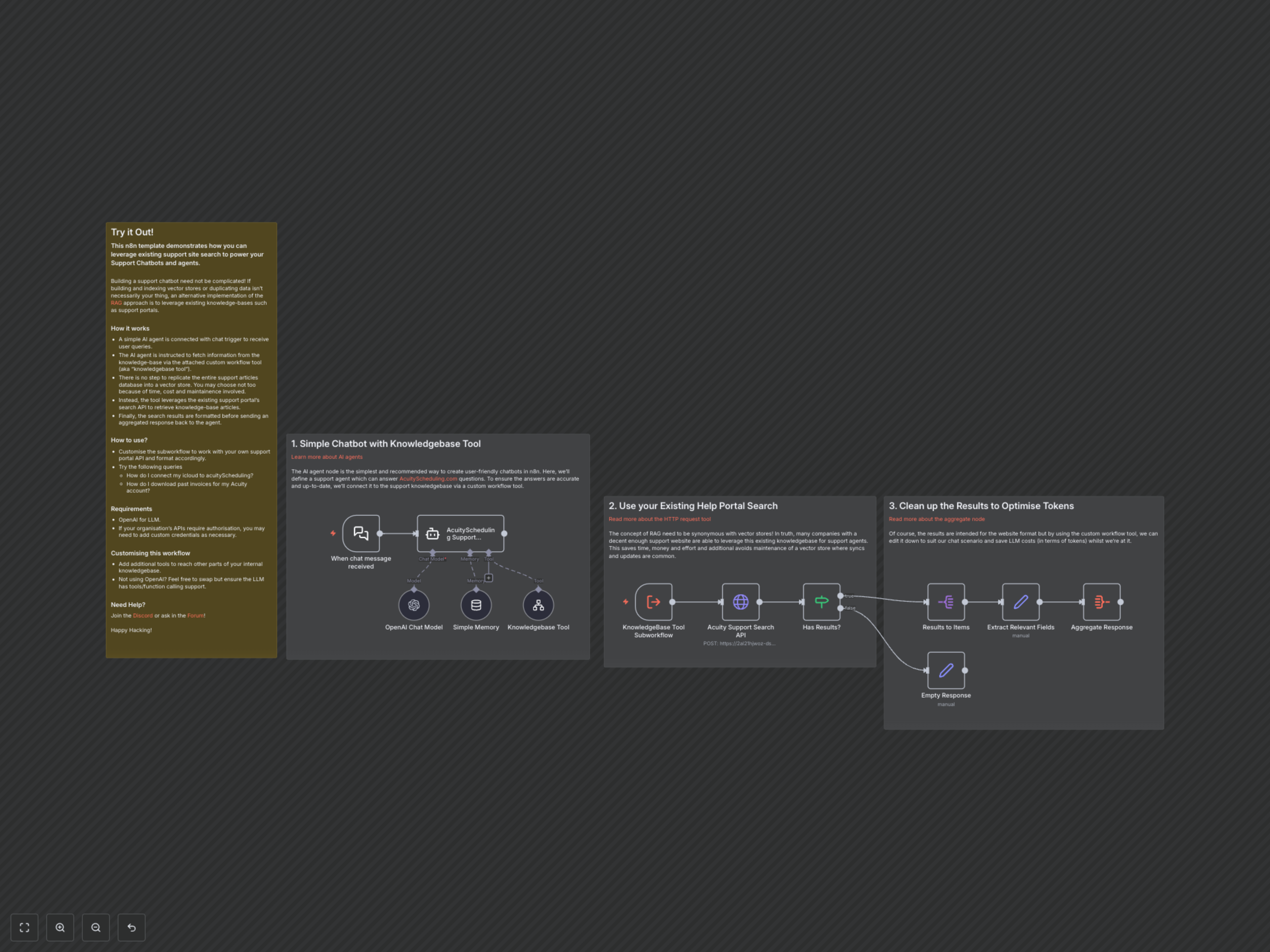
This n8n workflow demonstrates an innovative approach to building AI support chatbots. Instead of complex vector store management, it connects your AI agent directly to your existing support portal's search API, ensuring answers are always accurate and up-to-date with minimal overhead.
Key Features
- Seamlessly integrate with any existing support portal search API.
- Eliminate the need for costly and time-consuming vector store creation and maintenance.
- Power AI agents with real-time, accurate, and up-to-date knowledge from your official documentation.
- Optimize LLM token usage by cleaning and formatting search results before they reach the AI model.
How It Works
1. A user's query is received by the Chat Trigger node, initiating the workflow. 2. The n8n AI Agent (AcuityScheduling Support Chatbot) processes the query, leveraging an OpenAI Chat Model and Simple Memory for conversational context. 3. If external knowledge is required, the agent invokes the "Knowledgebase Tool," which is a custom n8n subworkflow. 4. This subworkflow performs an HTTP POST request to the AcuityScheduling support portal's Algolia search API, dynamically building the query based on user input. 5. The search results are then processed: a conditional check verifies if any relevant articles were found. 6. If results exist, they are split into individual items, and a Set node "Extract Relevant Fields" cleans and formats the data, extracting title, body_safe, and constructing the direct article URL. 7. An Aggregate Response node consolidates these refined results, which are then passed back to the AI agent. 8. The AI agent uses this precise, curated information to formulate a helpful and factual response to the user, including the source URL for further reference. If no results are found, an "Empty Response" is returned.