
Jira Auto-Assignment & Notification Workflow
1. Save Time – Automates ticket assignment, freeing team leads from manual work. 2. Balanced Workload – Ensures tasks are evenly distributed, avoiding overloading any team member. 3. Instant Notifications – Keeps the team informed in real-time, preventing delays and missed deadlines.
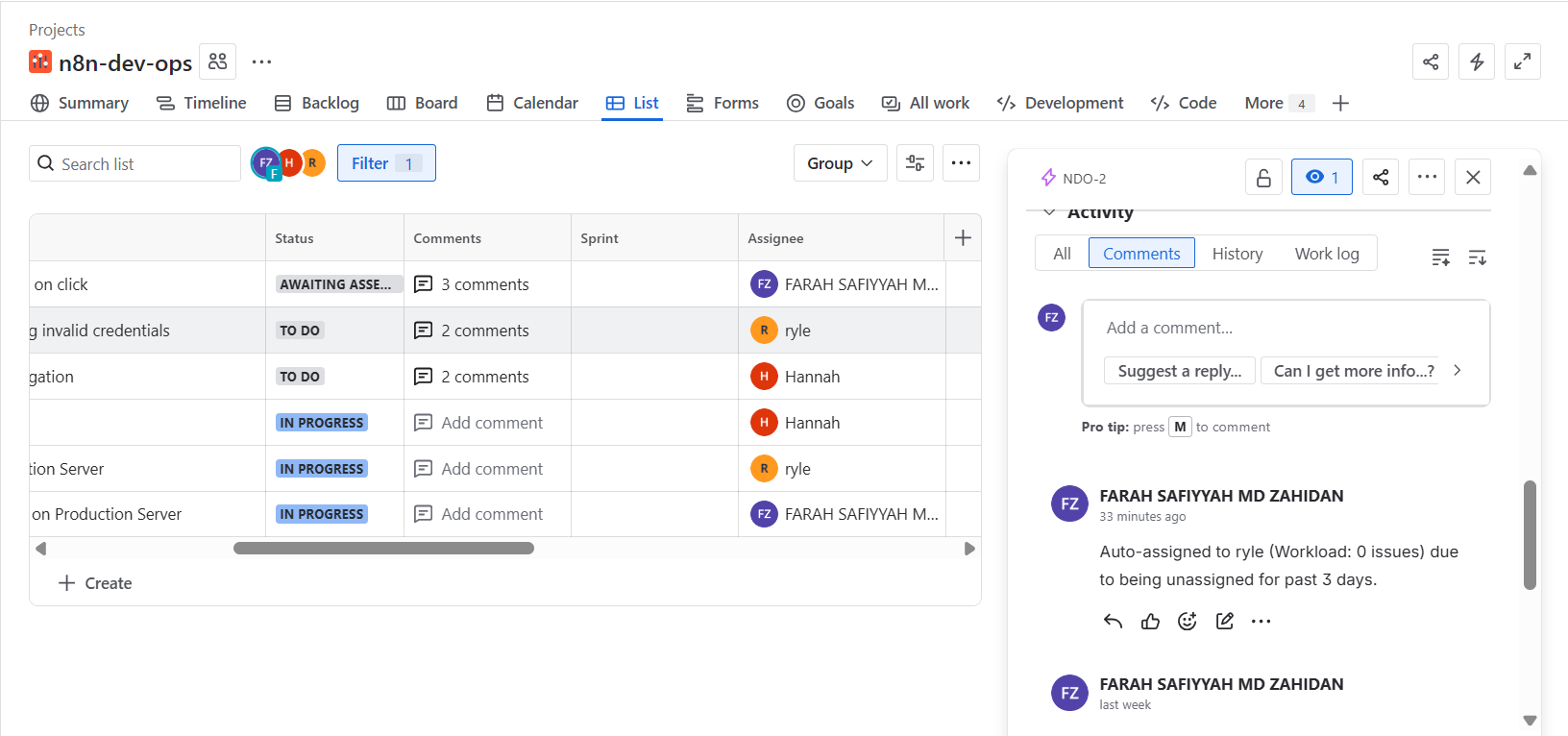
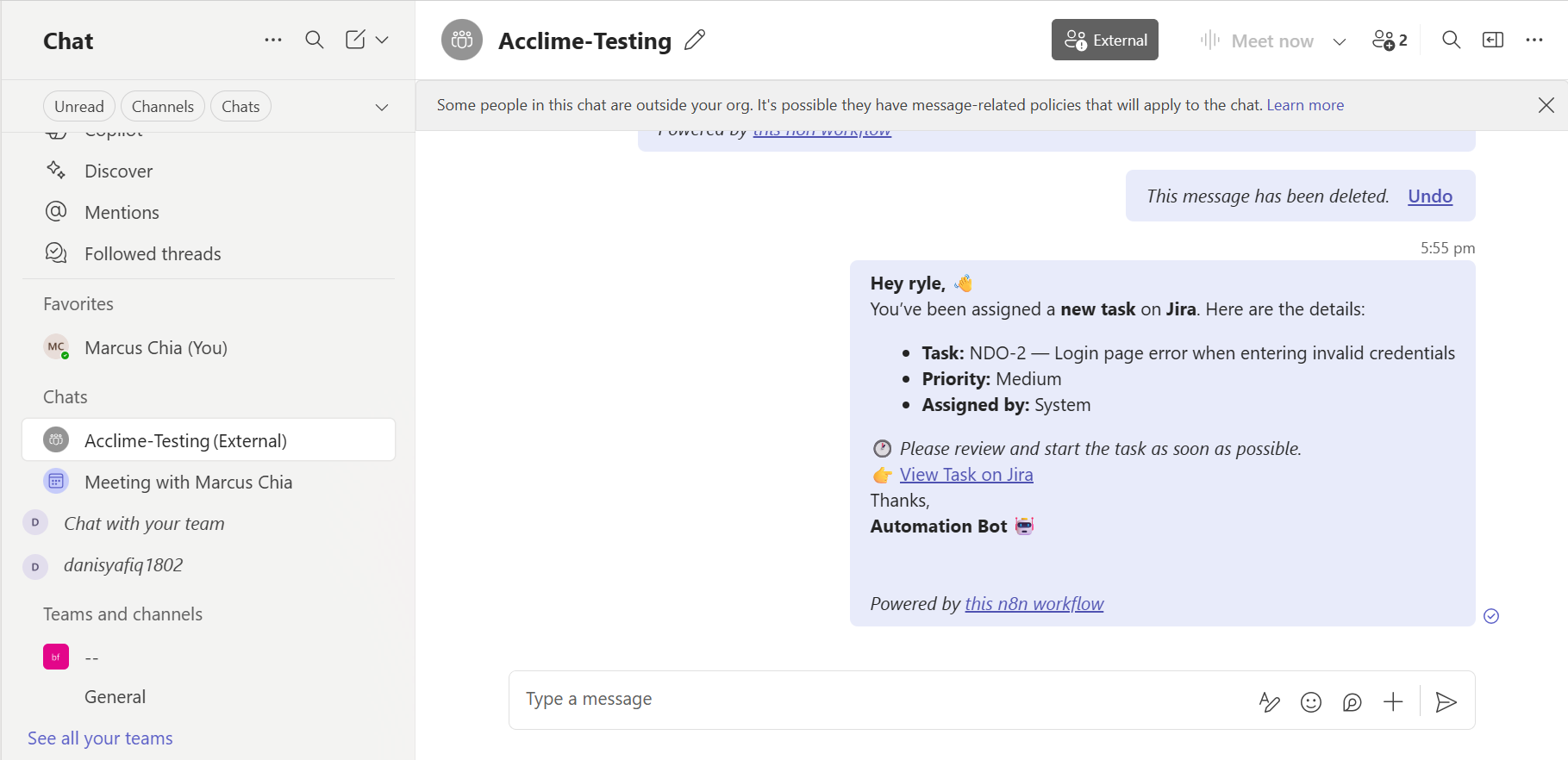
Automatically identifies unassigned Jira tickets older than 3 days, assigns them to the team member with the lowest workload, and notifies them in Microsoft Teams. Keeps your project moving without manual intervention.



Documentation
Stop letting stale tasks pile up! This workflow ensures no Jira ticket is left unattended by automatically assigning unassigned tickets to the team member best positioned to handle them. It calculates each member’s current workload, selects the optimal assignee, updates the ticket in Jira, logs the assignment, and instantly notifies the team in Microsoft Teams. Your team stays efficient, deadlines are met, and project visibility improves—all without lifting a finger.