
Automate Notion Task Summaries for Timely Weekly Updates
Automatically receive a clear, categorized overview of all Notion tasks weekly, saving hours of manual tracking and eliminating missed deadlines.
Manually tracking Notion tasks and their approaching deadlines can be overwhelming and lead to overlooked priorities. This workflow automates the generation and delivery of a concise weekly summary, ensuring you always stay on top of your commitments.


Documentation
Automated Weekly Notion Task Digest
Manually keeping track of all your Notion tasks and their deadlines can be a time-consuming and error-prone process, often leading to missed priorities. This powerful n8n workflow is designed to streamline your task management by automatically compiling and delivering a personalized weekly summary directly to your inbox and via push notification. Stay informed about what's due, what's overdue, and what's coming up, all without lifting a finger.
Key Features
- Automated Weekly Summaries: Receive a comprehensive email and optional push notification every Monday at 9 AM.
- Smart Task Categorization: Automatically groups tasks into 'overdue' and 'upcoming' sections for immediate clarity.
- Deadline-Focused Sorting: Tasks are sorted by their closest deadline, ensuring your most urgent work is highlighted.
- Customizable Notifications: Tailor email content, styling, and choose whether to receive push alerts.
- Centralized Task Overview: Get a quick link back to your Notion task board directly from the email.
How It Works
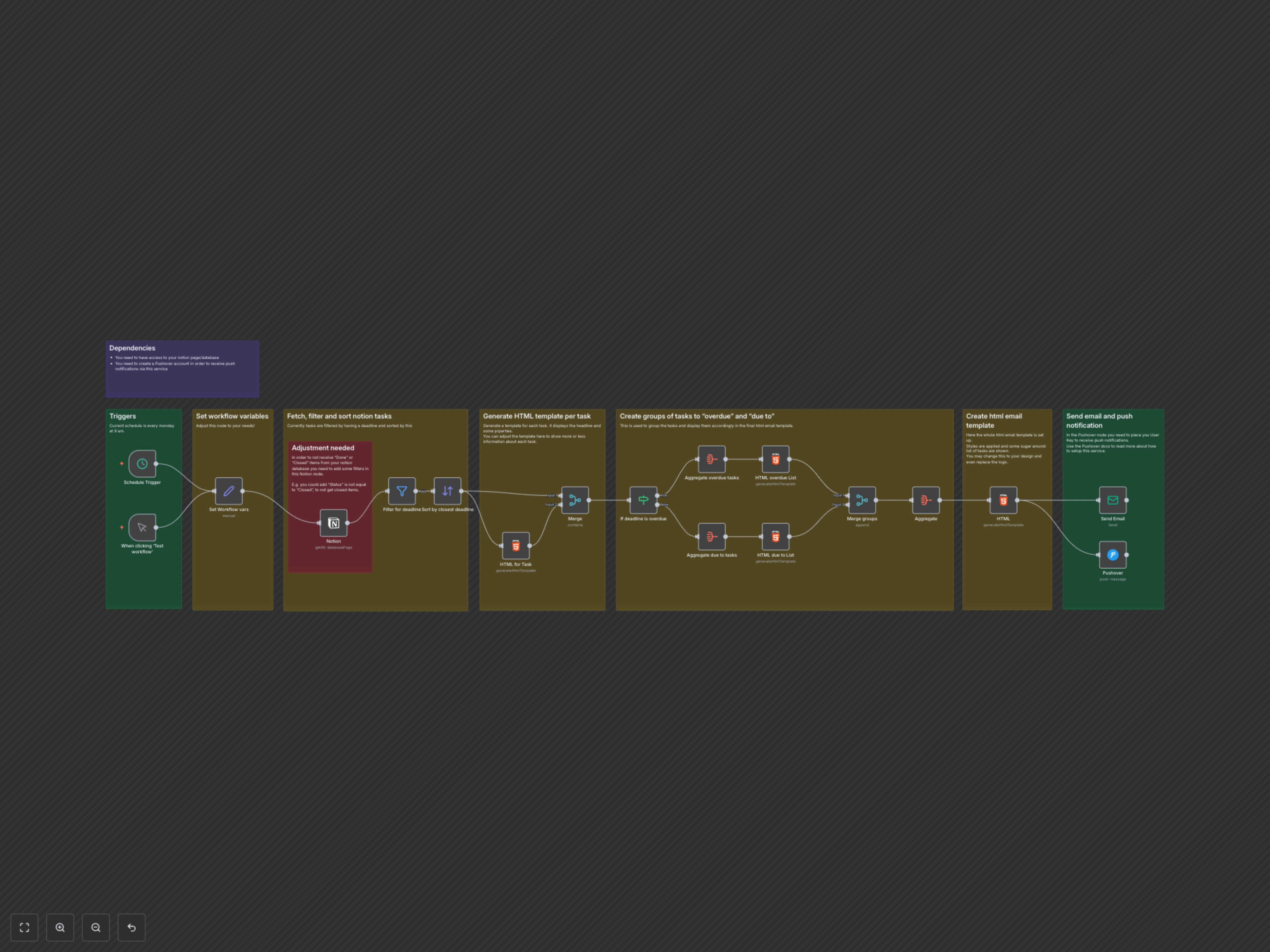
This workflow is triggered weekly (by default, every Monday at 9 AM) or can be run manually. It connects to your specified Notion database, retrieving all tasks that have a defined deadline. These tasks are then meticulously filtered to include only those with deadlines and sorted by the closest due date. An 'If' node then intelligently separates tasks into 'overdue' and 'upcoming' categories. Individual HTML snippets are generated for each task, which are then aggregated into two lists (overdue and upcoming). These lists are merged into a final, styled HTML email template. Finally, the comprehensive email update is sent to your designated email address, accompanied by an optional Pushover notification to ensure you never miss an important update.