
Automate Gmail Attachment Sorting & Google Drive Filing
Automatically sort and file all incoming email attachments to Google Drive, reducing manual processing time by up to 90% and ensuring consistent organization.
Manually managing email attachments, especially sorting them by size and saving to the correct cloud storage, is inefficient and leads to missed files. This workflow automates the process of extracting, categorizing, and filing Gmail attachments into Google Drive, saving significant time and ensuring organized storage.



Documentation
Smart Attachment Manager for Google Drive
This powerful n8n workflow streamlines your email management by automatically processing attachments from specific Gmail senders. It intelligently sorts files by size, sending relevant documents to Google Drive while identifying oversized or negligible attachments for custom handling, freeing you from manual filing tasks.
Key Features
- Automated Gmail attachment extraction and download for specified senders.
- Intelligent categorization of attachments based on file size (large, medium, small).
- Seamless uploading of categorized 'medium' files to a designated Google Drive folder.
- Configurable paths for handling oversized attachments or ignoring small, irrelevant graphics.
How It Works
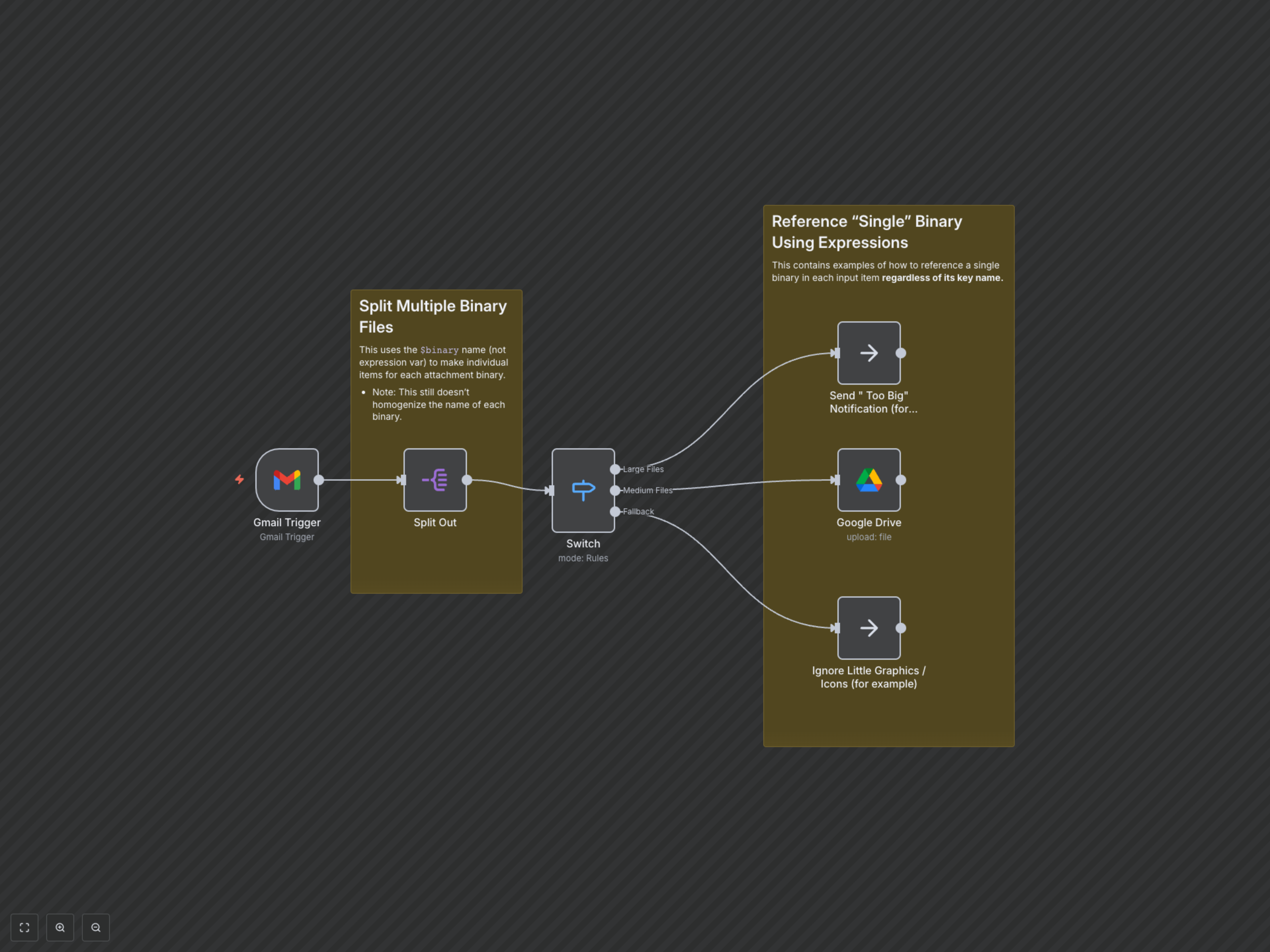
The workflow begins with the Gmail Trigger node, which actively monitors your inbox for unread emails from a specified sender, automatically downloading all attachments. The Split Out node then processes each attachment individually. A Switch node categorizes these files: attachments larger than 300 units (e.g., KB) are marked as 'Large Files', those between 10 and 300 units are deemed 'Medium Files', and anything smaller is considered for 'Ignore'. 'Medium Files' are then seamlessly uploaded to a specified folder in Google Drive using the Google Drive node. Placeholder NoOp nodes indicate where you can integrate custom actions for 'Large' and 'Ignored' files, such as sending notifications or deleting them.