
Automate Docker Registry Tag Cleanup & Optimize Storage
Reduce Docker registry storage footprint by up to 70% and eliminate manual cleanup efforts, saving hours of DevOps time weekly.
Manually managing old Docker image tags consumes valuable time and leads to bloated registries, increasing storage costs and hindering performance. This workflow automates the identification and removal of outdated Docker image tags, ensuring your registry remains clean, optimized, and cost-efficient.

Documentation
Automated Docker Registry Tag Cleanup
This powerful n8n workflow streamlines the maintenance of your Docker registry by automating the process of identifying and removing old, unnecessary image tags. It's designed for DevOps teams and administrators seeking to reduce storage costs, improve registry performance, and maintain a clean, organized container image environment with minimal manual intervention.
Key Features
- Scheduled Automation: Automatically runs at defined intervals to keep your registry continuously clean without manual triggers.
- Smart Tag Retention: Safely preserves the 'latest' tag and your 10 most recent image versions, preventing accidental deletions of critical images.
- Storage Optimization: Proactively removes obsolete tags and triggers garbage collection to reclaim valuable disk space.
- Performance Enhancement: A streamlined registry reduces lookup times, improving image pull/push speeds and overall operational efficiency.
- Automated Notifications: Receive instant email alerts for each successful tag removal and any cleanup failures, keeping you informed.
How It Works
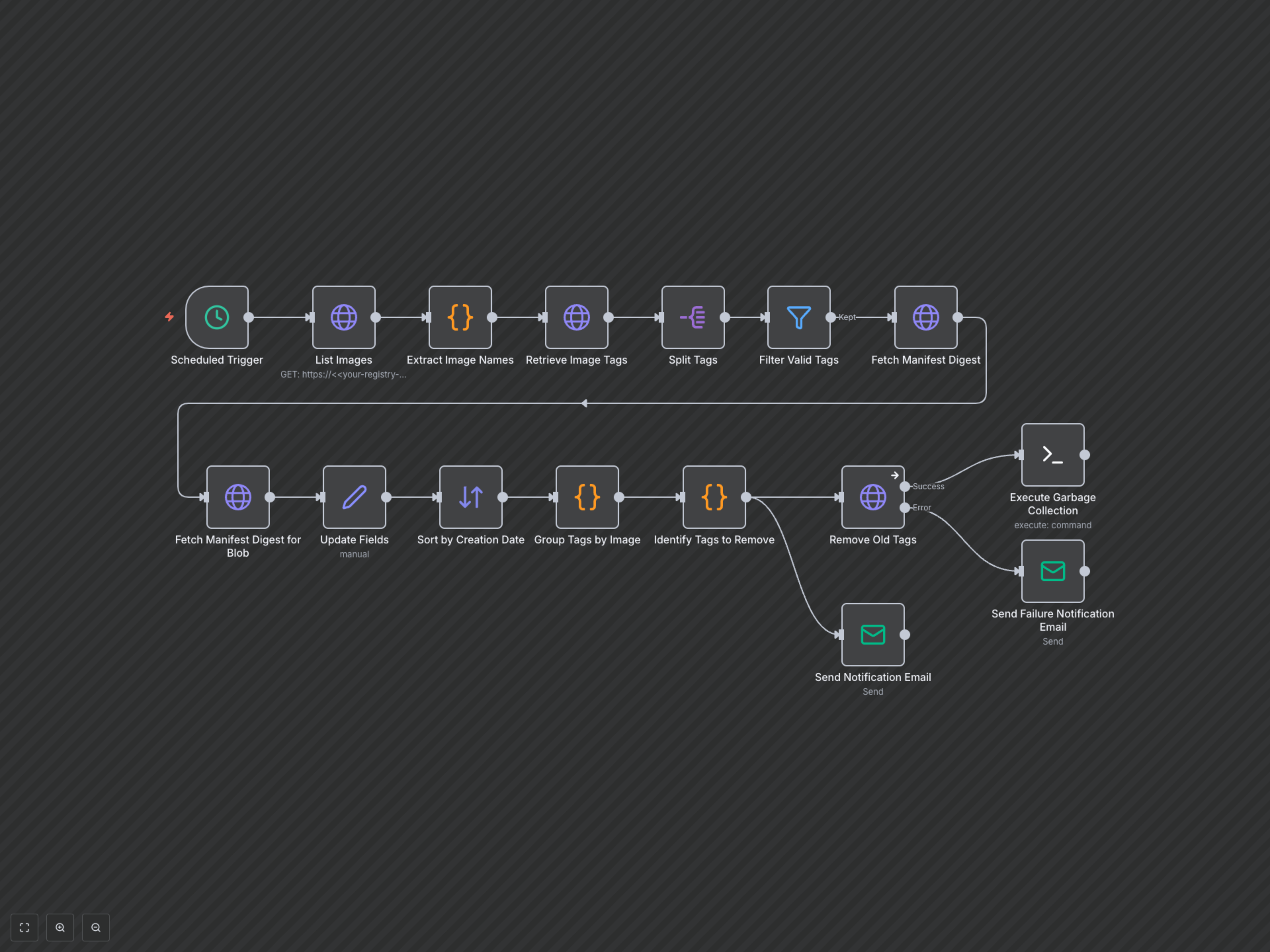
This workflow operates on a scheduled basis, typically once a day, to ensure your Docker registry remains optimized. It begins by listing all repositories in your configured registry. For each repository, it retrieves all associated image tags along with their creation dates. The workflow then intelligently identifies which tags to remove, carefully preserving the 'latest' tag and a configurable number (defaulting to 10) of the most recently created image versions. These obsolete tags are then systematically deleted from the registry. Throughout the process, the workflow sends email notifications for each successfully removed tag and also alerts you to any encountered errors. Finally, to fully reclaim disk space, an SSH command is executed to trigger the Docker registry's garbage collection process.