
Automate AI Image Tagging & Enhance Google Drive SEO
Automate image metadata tagging for thousands of files, saving hours of manual data entry while increasing digital asset discoverability by 80% and ensuring metadata consistency.
Manually tagging images for discoverability and SEO is a time-consuming and inconsistent process. This workflow automates AI-powered image content analysis and embeds relevant keywords directly into image metadata, streamlining asset management and boosting search visibility.



Documentation
Automated AI Image Metadata Tagging
Manually tagging images for better organization and searchability is a time-consuming and often overlooked task. This powerful n8n workflow leverages artificial intelligence to automatically analyze new images uploaded to Google Drive and embeds rich, descriptive metadata directly into the image files, significantly improving your digital asset management and SEO.
Key Features
- Automated Google Drive Monitoring: Instantly detects new image files added to a specified Google Drive folder.
- Advanced AI Content Analysis: Utilizes OpenAI's cutting-edge vision models to accurately describe image content.
- Direct Metadata Embedding: Automatically writes AI-generated keywords and subjects into image EXIF data.
- Effortless File Updates: Seamlessly updates the original image file in Google Drive with the enriched metadata.
- Enhanced Discoverability & SEO: Improves image search results and organizational efficiency by ensuring consistent, accurate tagging.
How It Works
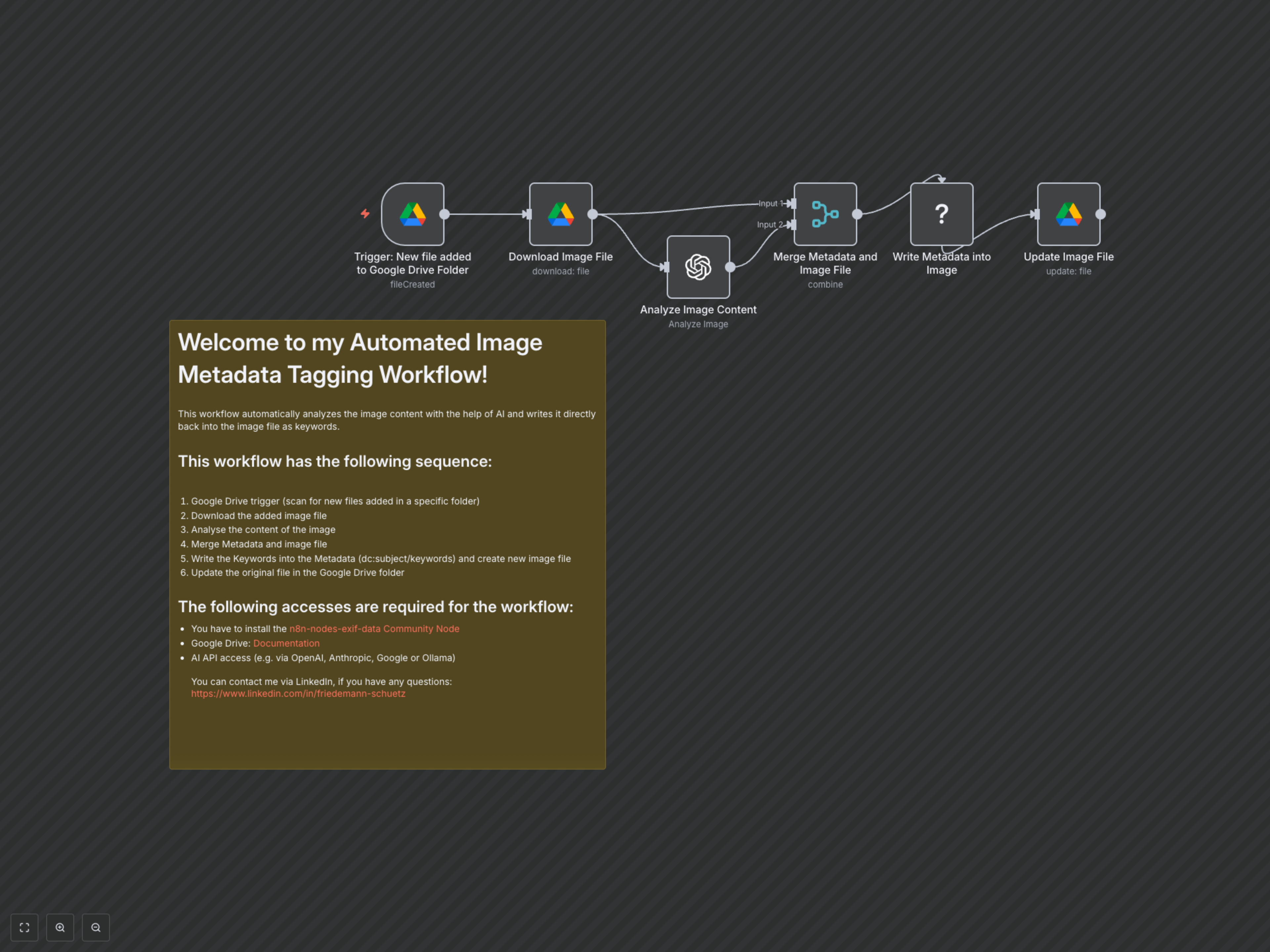
This workflow intelligently processes your images from upload to metadata enrichment in a few simple steps: 1. Detect New Files: The workflow continuously monitors a designated Google Drive folder for any newly added image files. 2. Download Image: Upon detecting a new file, the image is securely downloaded from Google Drive to n8n for processing. 3. Analyze Content with AI: The downloaded image is sent to an OpenAI vision model (like GPT-4o) which analyzes its content and returns a comma-separated list of descriptive keywords. 4. Merge Data: The AI-generated metadata is combined with the original image file data within n8n. 5. Embed Metadata: Using the 'EXIF Data' community node, the AI-generated keywords are written into the 'Subject' and 'Keywords' metadata fields of the image. 6. Update Google Drive: Finally, the original image file in Google Drive is overwritten with the new version containing the rich, AI-generated metadata, making it instantly more discoverable.