
Sync Linear Project Status & Dates to Productboard Features for Real-time Alignment
Eliminate manual updates and ensure 100% real-time roadmap accuracy by instantly syncing Linear project status and end dates to Productboard features.
Manually updating project status and target dates across Linear and Productboard creates information silos and delays. This workflow automates the real-time synchronization of Linear project status and end dates to Productboard features, ensuring your roadmap is always accurate and up-to-date.


Documentation
Sync Linear Project Status & Dates to Productboard Features
This workflow bridges the gap between your Linear project management and Productboard product roadmap, ensuring seamless data flow and up-to-date feature information. It's ideal for product managers and engineering leads who want to maintain a single source of truth for project status and timelines.
Key Features
- Automated Status Synchronization: Instantly map and update Linear project statuses to corresponding Productboard feature statuses.
- Dynamic Timeframe Management: Automatically adjust Productboard feature start and end dates based on Linear project target dates.
- Intelligent Update Logic: Only push updates to Productboard when status or date changes are detected, reducing unnecessary API calls.
- Real-time Stakeholder Alerts: Keep your team informed with customizable Slack notifications detailing every successful Productboard feature update.
How It Works
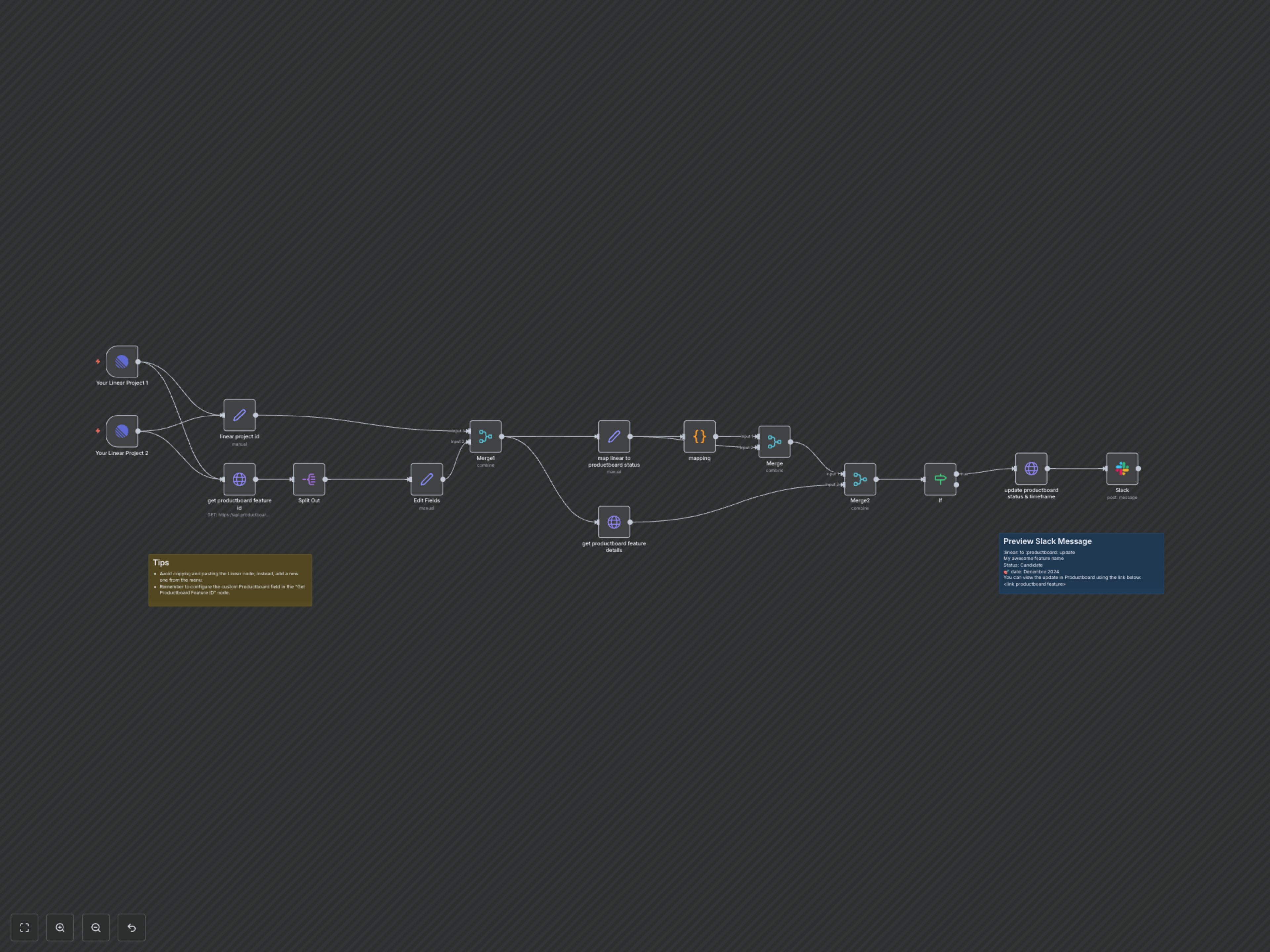
This workflow initiates automatically whenever a project in Linear is updated. It first captures essential project data, including its status and target end date. Next, it connects to Productboard, searching for the associated feature using a designated custom field (e.g., a Linear project URL or ID). A built-in code module intelligently translates Linear's project statuses into Productboard's feature statuses. Before committing changes, the workflow performs a crucial check: it compares the proposed new status and timeframe with the feature's current state in Productboard. If a discrepancy is found, it proceeds to update the Productboard feature's status and timeline. Finally, a comprehensive notification is dispatched to a specified Slack channel, providing immediate visibility into the update and a direct link to the affected Productboard feature.