
Sync Asana Tasks to Notion for Real-time Project Tracking
Achieve real-time synchronization of Asana tasks to Notion, eliminating manual updates and improving project data accuracy by 100%.
Manually tracking Asana task changes in Notion wastes valuable time and leads to outdated project data. This workflow automatically synchronizes Asana task creations and updates to Notion, ensuring real-time visibility and a unified project overview.


Documentation
Sync Asana Tasks to Notion
This workflow empowers teams to effortlessly keep their Asana task management synchronized with Notion, ensuring that project updates and new tasks in Asana are automatically reflected in your Notion database. Say goodbye to manual double-entry and inconsistent data.
Key Features
- Automatically creates new Notion tasks when they are added in Asana.
- Updates existing Notion tasks in real-time for changes to Asana task names and deadlines.
- Ensures a single, consistent source of truth for all project-related tasks across platforms.
- Eliminates tedious manual data entry, saving significant time and reducing errors.
How It Works
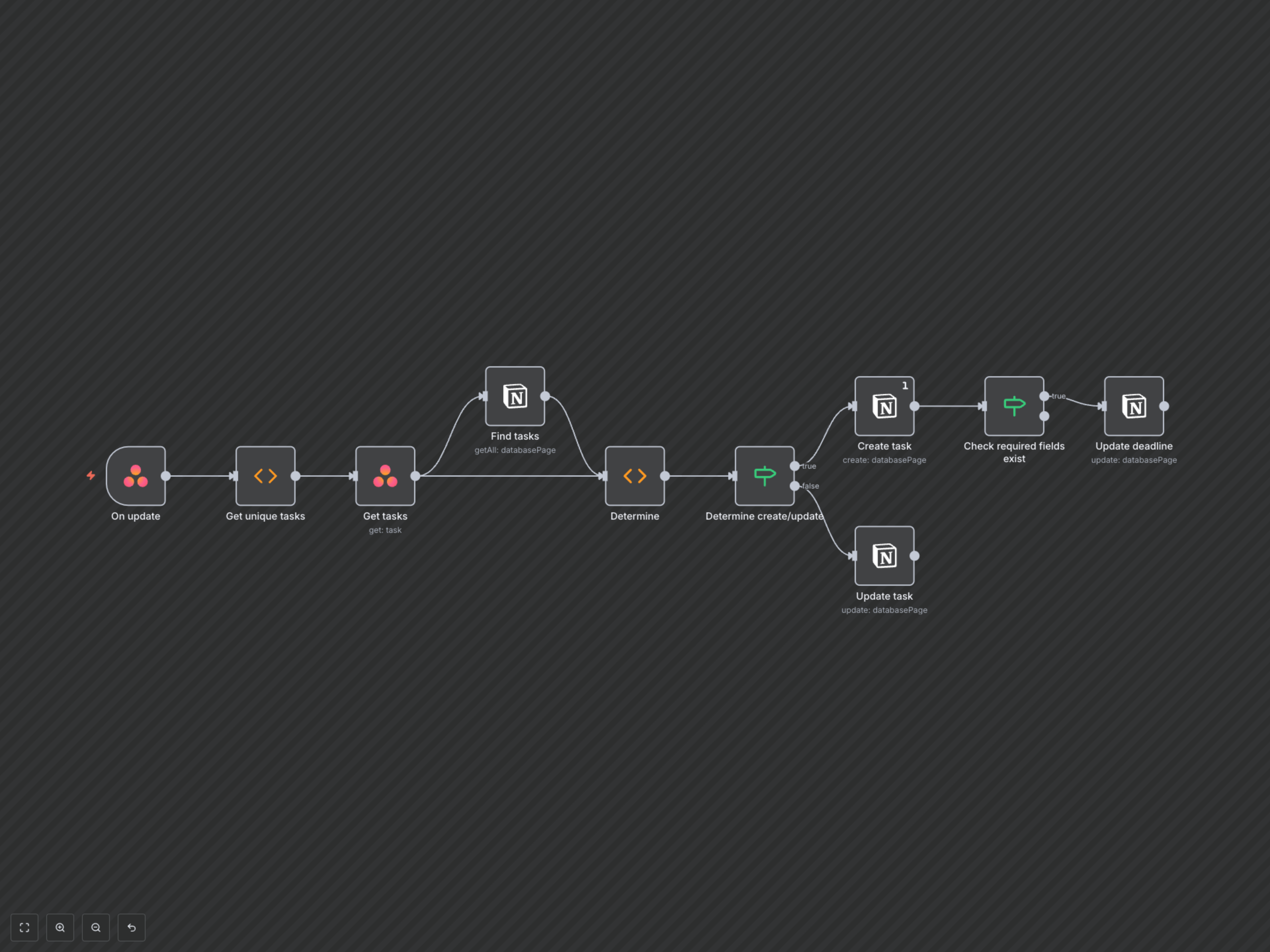
This workflow is activated whenever a task is created or updated within a designated Asana workspace or project. It intelligently determines whether to create a new task in Notion or update an existing one, based on the Asana Global Identifier (GID).
- An Asana task event (creation or update) triggers the workflow.
- The workflow extracts unique Asana task GIDs and fetches their full details.
- It queries your Notion database to identify if corresponding tasks already exist using the Asana GIDs.
- If an Asana task is new to Notion, a new Notion page is created with the task name and its Asana GID. If a due date is present in Asana, the Notion task's 'Deadline' property is also populated.
- If the Asana task already exists in Notion, the workflow updates the Notion page's 'Task' title and 'Deadline' properties to match the latest Asana details.