
Outlook Phishing Detection & URL Scanner
Automatically identify and isolate phishing emails in Outlook, safeguarding your inbox and minimizing the risk of falling victim to malicious attacks.
This workflow protects your inbox by automatically scanning incoming Outlook emails for suspicious links and phishing content, moving risky emails into a separate folder for review.


Documentation
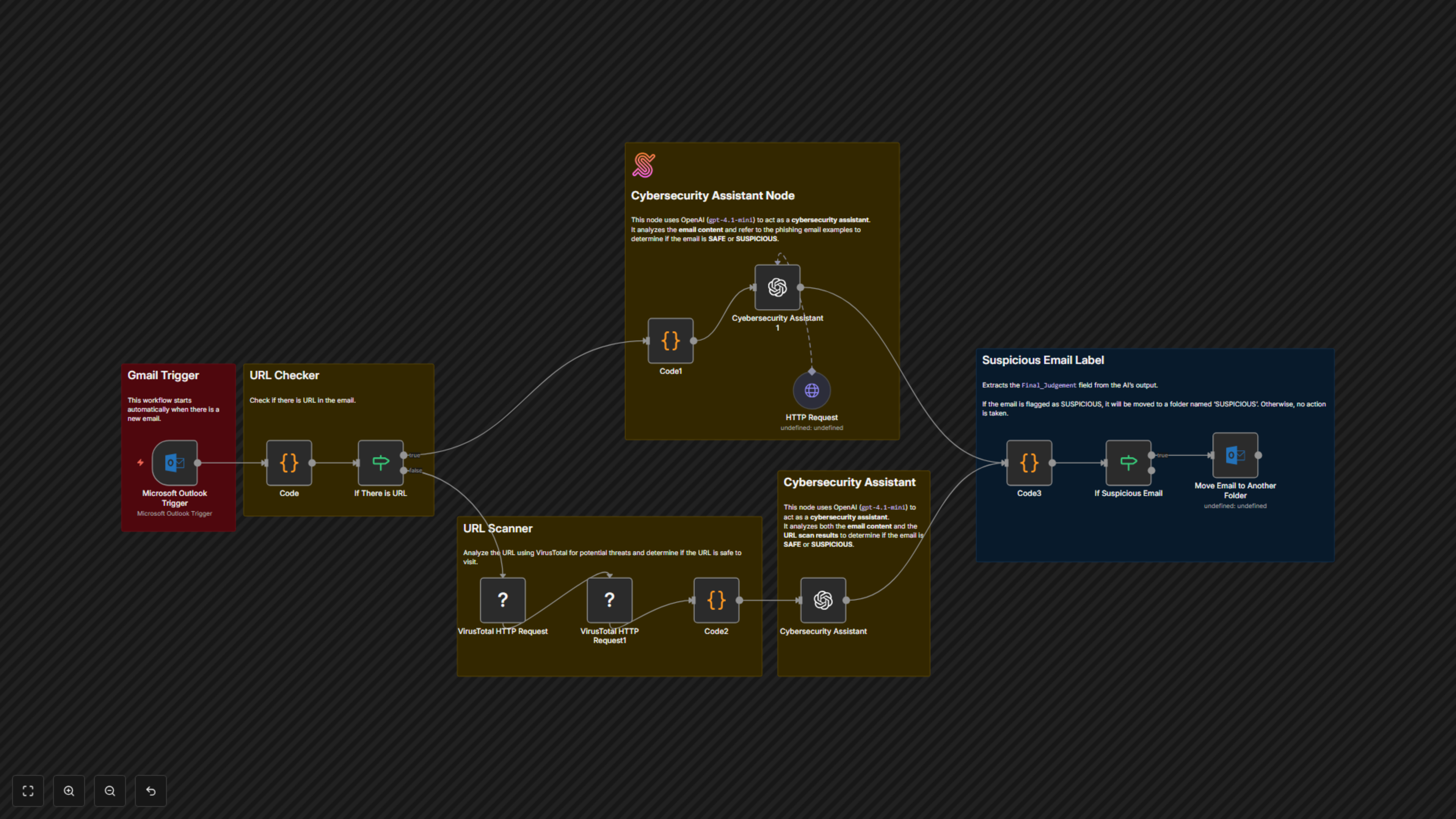
📖 DocumentationProtect your business from phishing threats with an automated security assistant built right into Outlook. This workflow scans every incoming email the moment it arrives, using VirusTotal to validate links against known malicious sites and AI intelligence to detect phishing red flags in the message itself. Suspicious emails are instantly isolated into a secure folder, ensuring your inbox stays clean and your team stays protected. By combining automation with advanced threat detection, this workflow gives you enterprise-grade protection without adding any extra work for your staff.⚙ Workflow Steps
- New emails are captured directly from Outlook.
- Links inside the email are extracted and scanned for safety using VirusTotal.
- The email’s text is checked by AI for phishing characteristics.
- If the email looks suspicious, it’s moved into a “Suspicious” folder.
- If the email is safe, it stays in your normal inbox.
✅ Key Benefits
- Automatically filters out risky emails before you even open them.
- Uses both AI and trusted security scanners for accurate results.
- Keeps your inbox safe without manual effort.