
Mailchimp New Subscriber Alert Automation
Prevent data-quality issues and improve response time by automatically alerting your team whenever a new subscriber joins your list.
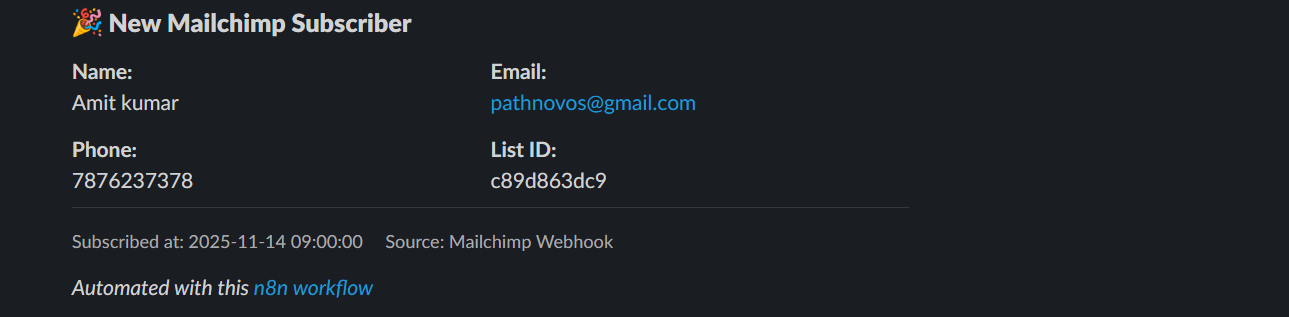
Get instant alerts in Slack whenever a new user subscribes to your Mailchimp list. The workflow validates subscriber data, extracts key details like name, email, region, and subscription time, and sends a clean, structured Slack notification. If any important field is missing, it triggers an error alert to help you fix issues quickly.


Documentation
Description
This workflow notifies your team in real time whenever someone subscribes to your Mailchimp list. It parses the webhook payload, validates required fields (email, list ID, and name), formats the subscriber data, and sends a structured Slack message. If the data is incomplete or malformed, the workflow detects the error and sends an error alert with debugging context. This ensures high-quality subscriber data and timely team notifications.
Workflow Steps
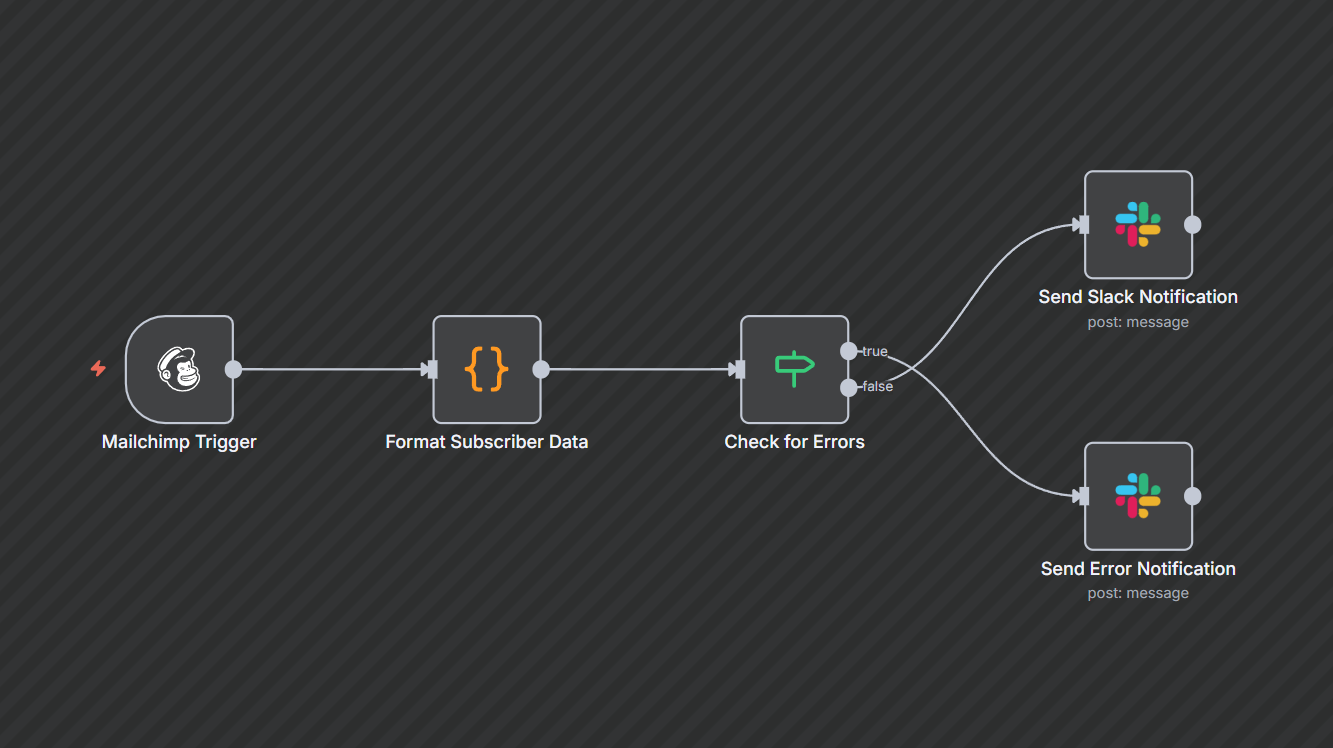
- Mailchimp Trigger: Fires whenever a new subscriber joins the specified list.
- Format Subscriber Data: Extracts name, email, phone, address, IDs, and metadata. Includes validation checks for required fields.
- Check for Errors: IF node checks whether the subscriber data contains an error.
- Send Success Notification: If valid, sends a rich Slack message with subscriber details.
- Send Error Notification: If validation fails, sends a Slack alert with error message + raw payload.
- Activate Workflow: Enable once both success and error messages test correctly.
Key Benefits
- Instant visibility: Know the moment someone subscribes—ideal for fast-moving marketing teams.
- Error-proof intake: Automatically flags missing or corrupt fields so issues don’t go unnoticed.
- Clean, formatted alerts: Slack messages show subscriber details neatly without manual lookup.