
Instantly Save Shared Links to Notion, Auto-Extract Titles
Automatically save and organize valuable web links in Notion, reducing manual data entry by 100% and ensuring instant access to curated resources.
Manually copying, pasting, and organizing valuable links from chat or web into Notion is tedious and often leads to lost information. This workflow automatically captures shared URLs, extracts their titles, and saves them as structured entries in your Notion database, ensuring no valuable link is ever missed.



Documentation
Instantly Save Shared Links to Notion
Easily capture and organize important web links from any source directly into your Notion database. This workflow is perfect for teams collaborating on research, collecting resources, or building a shared knowledge base.
Key Features
- Automatic URL capture: Detects and processes URLs shared via a webhook trigger.
- Intelligent title extraction: Automatically fetches the webpage title for clear, organized entries.
- Seamless Notion integration: Creates new database pages with extracted titles and original links.
- Instant confirmation: Provides feedback upon successful link addition (e.g., to a chat platform).
How It Works
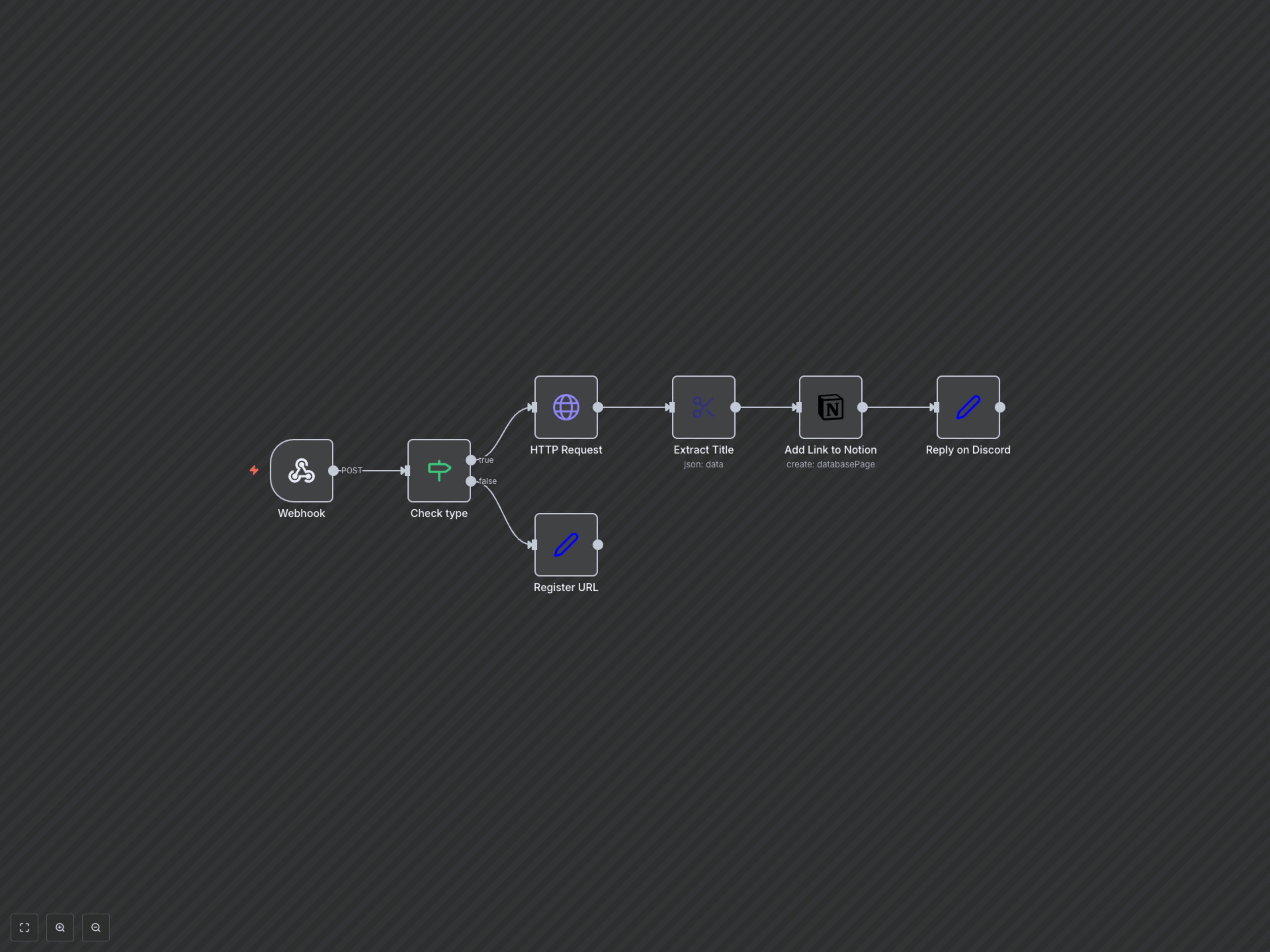
This workflow starts by listening for incoming webhook POST requests containing a URL. If the request signifies a link to be saved, it fetches the webpage content, extracts the title, and then creates a new page in your specified Notion database. The page includes the extracted title and the original URL. Finally, it sends a confirmation message back via the webhook. If the request is a different type (e.g., type 1), it simply acknowledges the request.