Automated Content Guideline Generator from Instagram Reels using Airtable & Gemini
Automatically creates AI-generated content breakdowns for Reels (style, tone, visuals, context) and stores them in Airtable — ready to inspire future video production and strategy decisions.
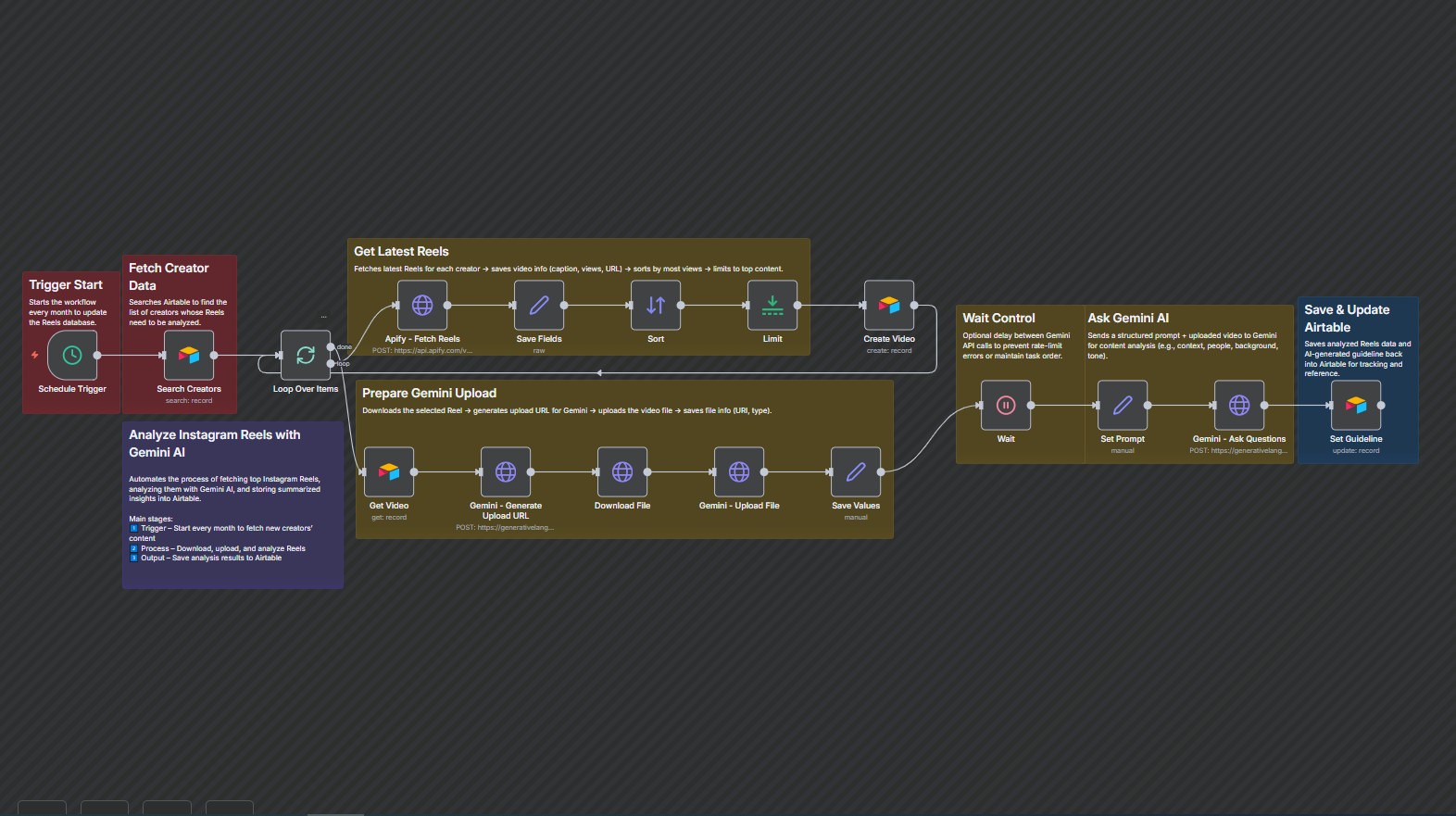
This workflow automatically analyzes Instagram Reels from selected creators to generate clear content guidelines using Google Gemini. It simplifies creative research by turning real video insights into structured, actionable references for your marketing or content team.


Documentation
Description
Tired of manually analyzing trending Reels?This workflow automates that process. It fetches new Reels from Instagram, sends them to Gemini AI for detailed analysis, and saves the results to Airtable — turning your content database into a creative research hub.
With automated insights on background, text style, pose, and video structure, your team can easily identify what works and replicate successful patterns.
Workflow Steps
- Trigger Start – The workflow runs automatically every month.
- Fetch Creator Data – Searches Airtable for creators whose Reels need analysis.
- Get Reels – Collects recent videos and selects top-performing ones.
- Upload to Gemini – Downloads and uploads each Reel for AI analysis.
- Generate Insights – Gemini analyzes each video’s key creative parameters.
- Save Results – Stores summarized guidelines and insights back to Airtable.
Key Benefits
- Save Hours of Manual Review — Automatically turns raw video data into clear creative insights.
- Centralized Creative Library — Keeps all content analysis neatly organized in Airtable.
- Smarter Content Strategy — Learn what works visually and strategically from real data.