
Ecommerce Order-to-CRM Automation (Contact Upsert & Deal Creation)
Eliminate 90% manual CRM entries with automatic contact upserts and deal creation.
Manually adding orders to CRM causes missed follow-ups and wasted sales time. This workflow automatically extracts order and customer details from Shopify, upserts contacts in Zoho CRM, and creates deals with order value and context. Save hours of admin work each week and reduce missed sales opportunities with reliable, real-time CRM updates.


Documentation
Description
This workflow keeps your CRM instantly updated whenever a new order is placed. It automatically checks whether the customer already exists, updates their details if needed, and creates a deal with the correct amount and order information. This removes manual data entry and ensures your sales team always has fresh, accurate records to follow up faster.
Workflow Steps
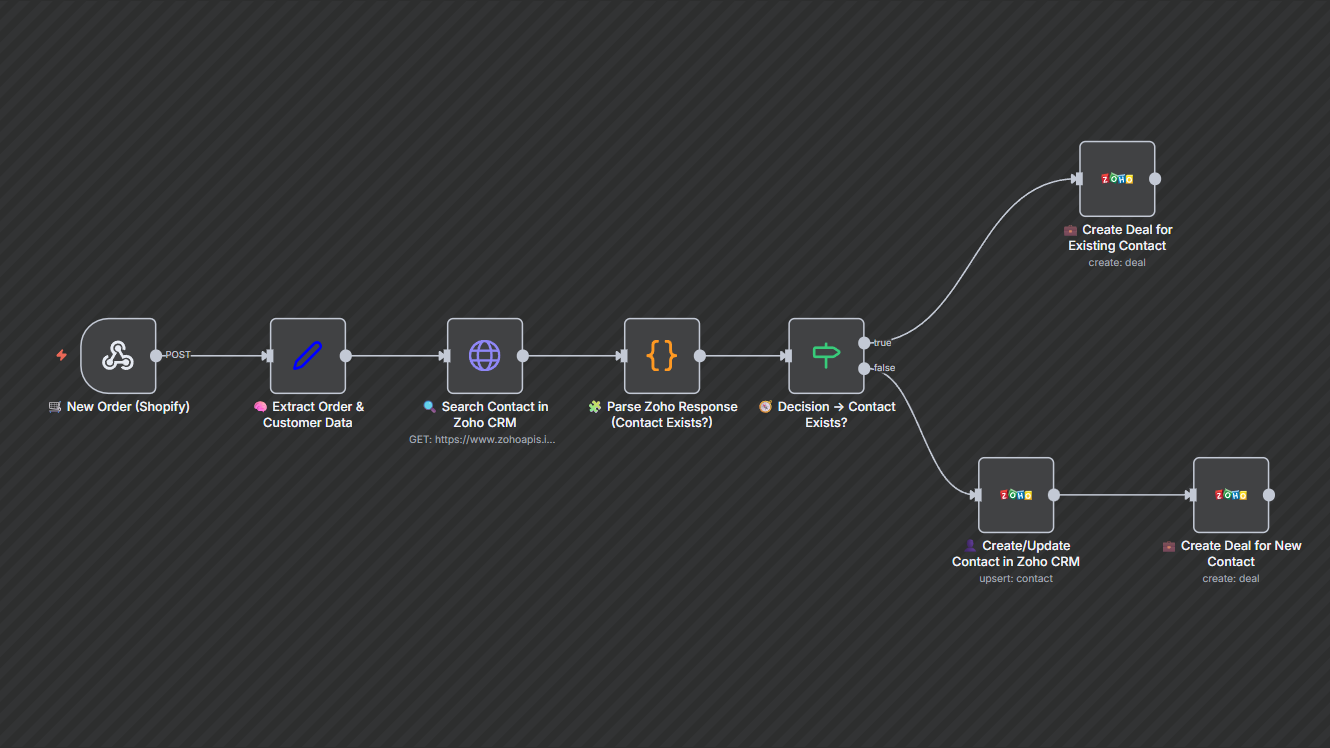
- New Order Trigger (Shopify) — The workflow activates whenever a new order is created.
- Extract Order & Customer Data — Captures the order ID, value, customer name, email, phone, and address.
- Search Contact in CRM — Looks up the customer in the CRM using their email.
- Decision — If an existing contact is found, the workflow creates a deal; if not, it creates/updates the contact first.
- Create/Update Contact — Adds or updates the contact record with accurate mailing and phone details.
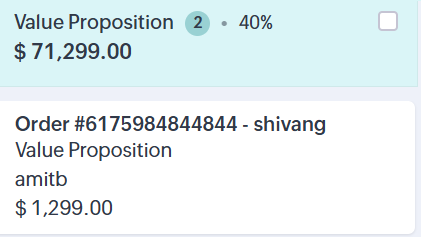
- Create Deal — Logs a new deal with the order amount, currency, stage, and a timestamped description.
Key Benefits
- Eliminate manual CRM entries — Automatically upserts contacts and creates deals, saving hours of administrative work.
- Faster sales follow-ups — Deals are created instantly, helping teams reach customers while intent is high.
- Accurate CRM records — Ensures clean, consistent customer data without duplicates or gaps.