
Centralize YouTube Video URLs: Automate Sync to Google Sheets
Automatically collect thousands of YouTube video URLs weekly, eliminating 100% of manual data compilation and providing a real-time content database for informed decision-making.
Manually tracking YouTube video URLs for multiple channels is time-consuming and error-prone, hindering efficient content analysis. This workflow automates the extraction of video titles, URLs, and publication dates from specified YouTube channels, centralizing them in Google Sheets for streamlined content management.

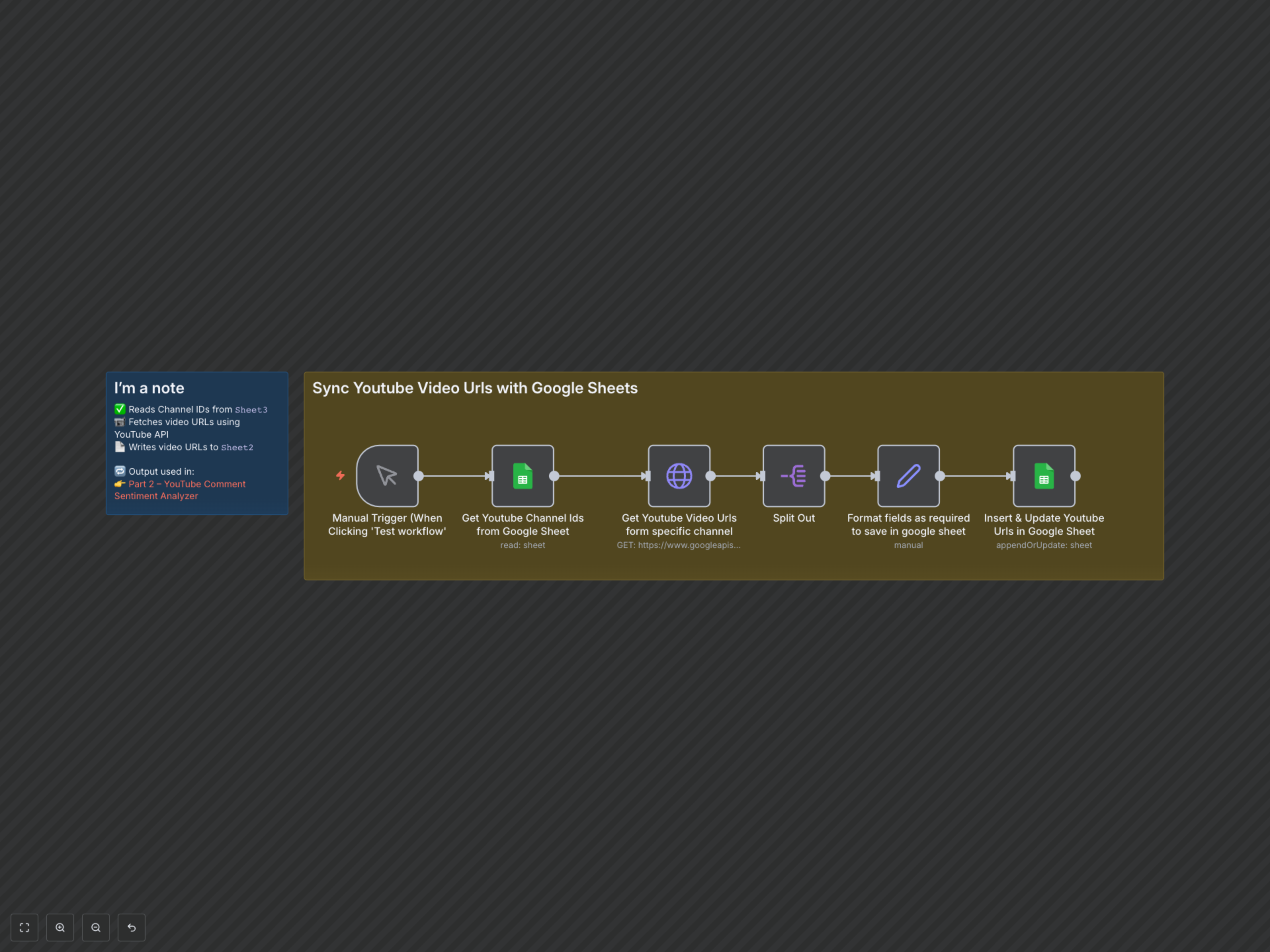

Documentation
Automate YouTube Video URL Collection in Google Sheets
Effortlessly keep track of YouTube video content from multiple channels. This workflow automates the process of extracting video titles, URLs, and publication dates, centralizing them in Google Sheets for easy analysis and integration with other tools.
Key Features
- Automated Channel ID Retrieval: Automatically reads a list of YouTube Channel IDs from a specified Google Sheet.
- Comprehensive Video Data Fetching: Utilizes the YouTube Data API to retrieve video titles, unique URLs, and publication dates for each channel, with built-in pagination.
- Seamless Google Sheets Integration: Automatically appends new video data or updates existing entries in a designated Google Sheet, ensuring your records are always current.
- Foundation for Further Analysis: Provides a structured data source for subsequent workflows, such as sentiment analysis or content trend tracking.
How It Works
This workflow initiates manually or on a schedule, first reading a list of YouTube Channel IDs from a source Google Sheet. For each channel ID, it makes paginated requests to the YouTube Data API to fetch all available video details, including titles, unique video URLs, and publication dates. The collected video data is then formatted and appended or updated in a target Google Sheet, using the video URL as a unique identifier to prevent duplicates and ensure data integrity.