
Automate YouTube Comment Sentiment Analysis & Boost Audience Insights
Instantly analyze thousands of YouTube comments, gaining critical audience sentiment insights and reducing manual data processing time by over 90%.
Manually tracking YouTube comments and analyzing sentiment is time-consuming and prone to human error, making it hard to grasp audience perception at scale. This workflow automates fetching YouTube comments, analyzes their sentiment using AI, and saves organized data directly to Google Sheets, providing instant, actionable insights into audience feedback.



Documentation
Unlock Audience Insights with Automated YouTube Comment Sentiment Analysis
Understanding audience sentiment on YouTube is crucial for content creators and marketers. This n8n workflow automatically collects comments from your specified videos, analyzes their sentiment using advanced AI, and organizes the data in Google Sheets, making it effortless to monitor audience reactions.
Key Features
- Automated Comment Collection: Continuously fetches new comments from a list of YouTube video URLs stored in Google Sheets.
- AI-Powered Sentiment Analysis: Leverages OpenAI to accurately categorize comments as Positive, Neutral, or Negative.
- Centralized Data Storage: Automatically saves comment details, author info, likes, replies, and sentiment directly into a Google Sheet.
- Smart Fetch Scheduling: Efficiently updates comment data based on a predefined fetch schedule, preventing redundant data retrieval.
- Customizable Reporting: Provides a structured dataset in Google Sheets, ready for further analysis or integration with dashboards.
How It Works
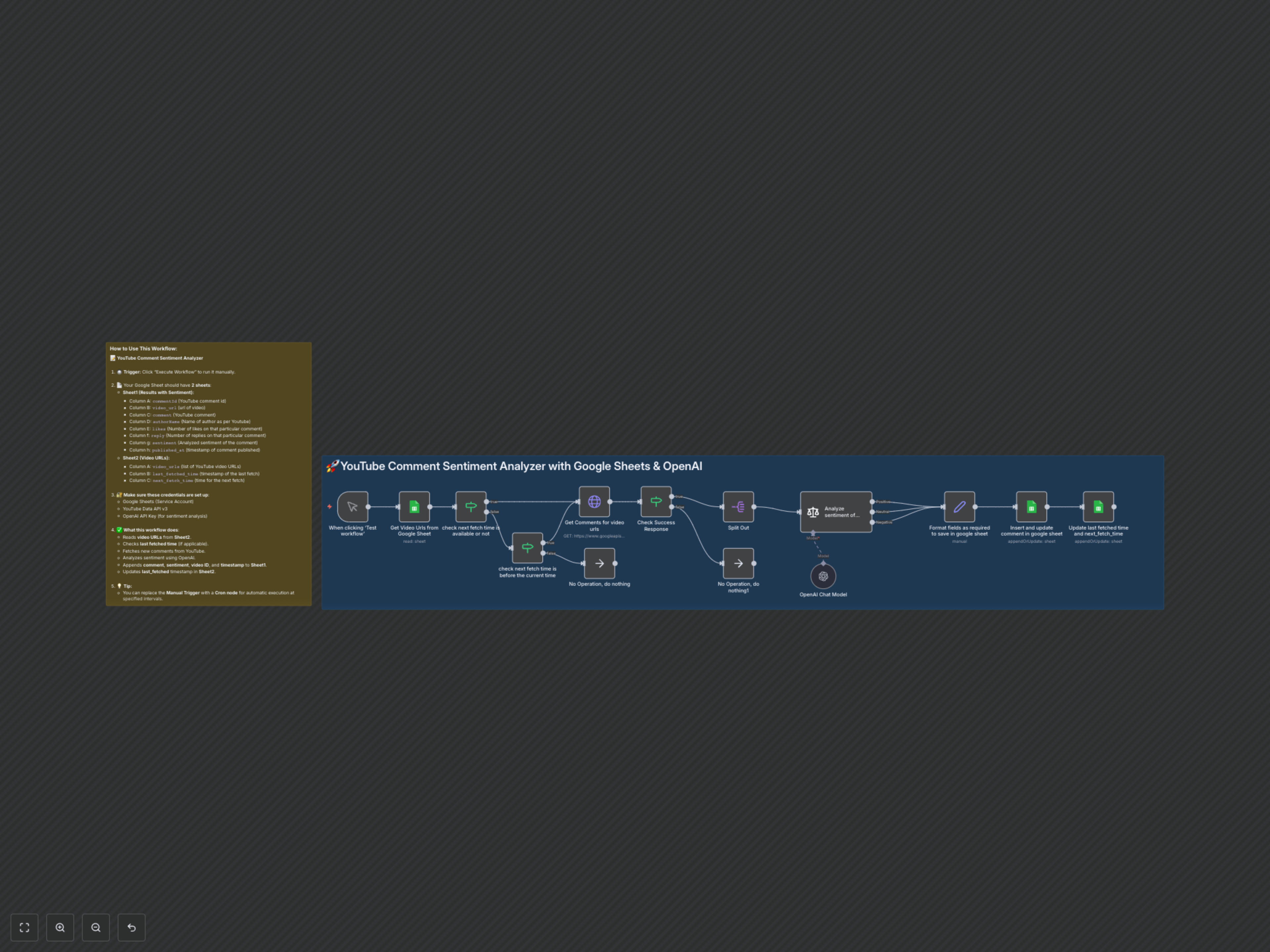
This workflow intelligently processes YouTube comments to deliver sentiment insights. It starts by fetching video URLs from a Google Sheet. It then checks if new comments need to be retrieved based on a smart scheduling system to optimize API usage. For each eligible video, it collects all top-level comments using the YouTube Data API. OpenAI then performs sentiment analysis on each comment, categorizing it as Positive, Neutral, or Negative. Finally, all the rich comment data, including the new sentiment analysis, is meticulously formatted and saved to a designated Google Sheet. The workflow concludes by updating the fetch schedule in your video URL sheet, ensuring consistent and efficient data refreshing.