
Automate SIGNL4 Alert Management & Enhance On-Call Response
Automate critical alert creation and resolution processes, reducing incident response time by up to 50% and eliminating manual update errors.
Manual incident alert management and resolution are often slow and error-prone, delaying critical responses. This workflow automates SIGNL4 alert creation and resolution via a simple file-based interface, enabling rapid on-call team notification and automatic issue closure.

Documentation
Automated SIGNL4 Incident Management
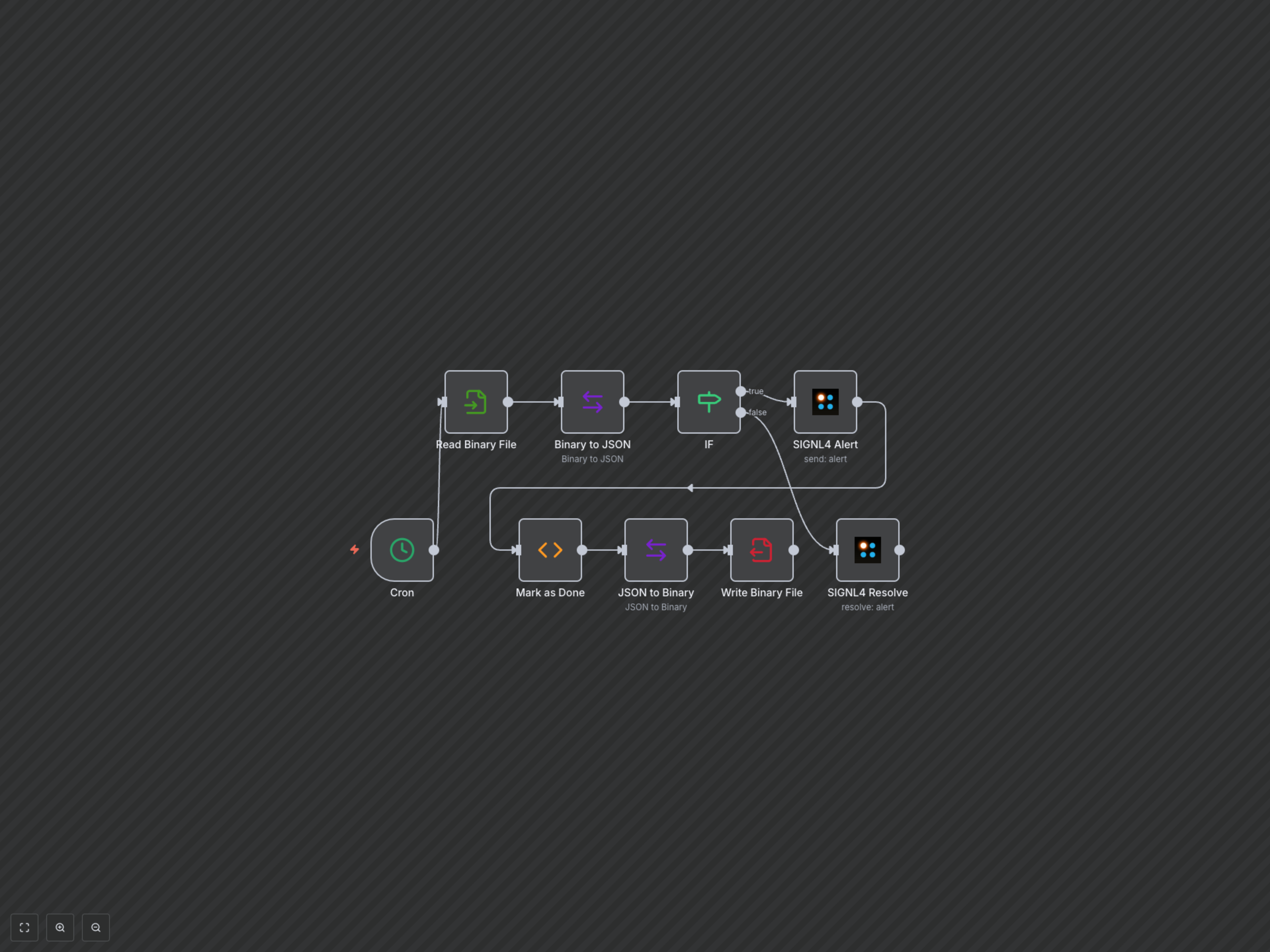
This n8n workflow provides a robust solution for external systems to interact with SIGNL4, automating the creation and resolution of critical alerts through a simple file-based interface. It ensures your on-call teams receive timely notifications and that incidents are automatically closed once resolved.
Key Features
- Automatically trigger SIGNL4 alerts when an external system writes an incident file.
- Prevent duplicate alerts for ongoing incidents by maintaining state within a local file.
- Automatically resolve SIGNL4 alerts once the incident is no longer active or the file indicates resolution.
- Standardize incident communication with consistent alert details including location data.
How It Works
The workflow runs hourly, checking a local `alert-data.json` file for new or existing incident information. If a new incident is detected (`"Done": false`), it creates a SIGNL4 alert, records the SIGNL4 internal event ID, and updates the file to prevent re-triggering. If an existing incident is found (`"Done": true`), it attempts to resolve the SIGNL4 alert associated with the original external incident ID, streamlining the incident lifecycle from creation to resolution.