
Automate Rental Payment Reconciliation with AI for Local Data Security
Streamline rental payment reconciliation, reducing manual review time by 90% and ensuring accurate identification of payment discrepancies.
Manually reconciling bank statements against rental agreements is time-consuming and prone to errors. This workflow leverages an AI agent to automatically analyze bank statements, compare them with tenant records, and generate actionable reports in a local spreadsheet, ensuring data privacy and efficiency.



Documentation
Automate Rental Payment Reconciliation with AI
This powerful n8n workflow revolutionizes how property managers and finance teams handle rental payment reconciliation. By integrating AI capabilities with secure local file processing, it eliminates the need for manual review, drastically reduces human error, and keeps sensitive financial data within your private infrastructure. Easily identify missed payments, incorrect amounts, and expiring tenancies without ever exposing your data to external databases.
Key Features
- Securely monitor local file systems for new bank statement CSV files.
- Utilize an AI Agent to intelligently reconcile payments against comprehensive tenant and property details stored in local Excel spreadsheets.
- Automatically identify and flag critical issues such as missed payments, incorrect amounts, and expiring tenancies.
- Generate actionable alerts and append them to a dedicated sheet within your local Excel file for easy reporting and follow-up.
- Maintain absolute data privacy and security by performing all operations on locally stored files.
How It Works
This workflow operates seamlessly by combining local file system monitoring with intelligent AI processing:
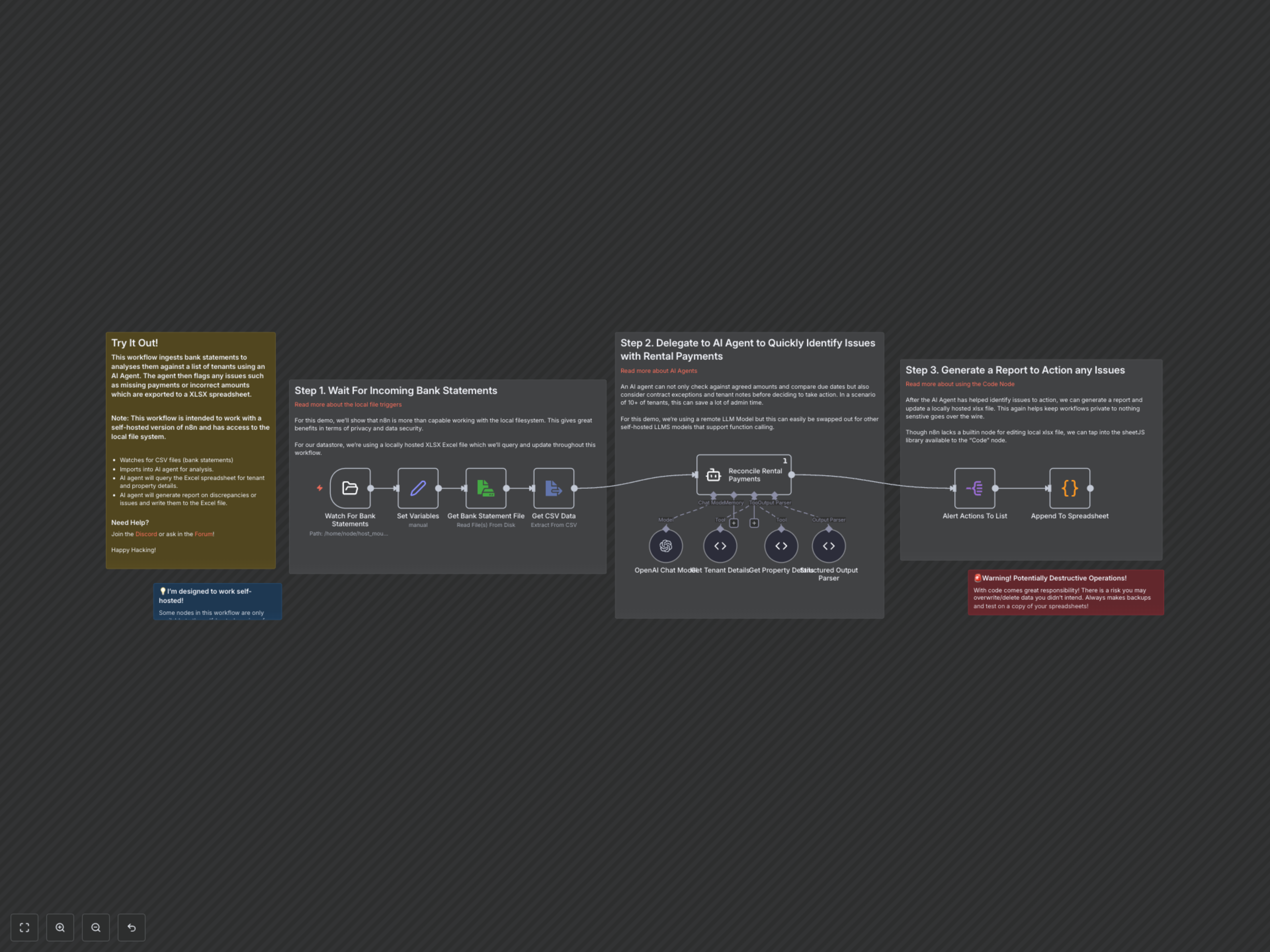
- The workflow is automatically triggered when a new bank statement (CSV file) is detected in a designated local folder.
- n8n reads the contents of the CSV bank statement and passes this data to an AI Agent.
- The AI Agent, powered by OpenAI, leverages custom tools to securely query and retrieve tenant and property details directly from a local Excel spreadsheet.
- Based on predefined rules and contextual understanding, the AI identifies discrepancies, missed payments, or upcoming tenancy actions that require attention.
- Identified issues are structured into a standardized JSON output by the AI's output parser.
- Finally, these actionable alerts are appended as new rows to a dedicated 'alerts' sheet within the same local Excel spreadsheet, creating a persistent and easily accessible record.