
Automate Linear Issue Sync to Google Sheets for Centralized Tracking
Automate daily Linear issue synchronization to Google Sheets, saving teams up to 5 hours weekly on manual data export and ensuring real-time reporting accuracy.
Manually tracking and reporting Linear issues across teams is time-consuming and prone to errors. This workflow automatically extracts all team-specific Linear issues daily, including custom fields, and synchronizes them to a Google Sheet for effortless, centralized tracking and reporting.


Documentation
Automated Linear Issue Tracking in Google Sheets
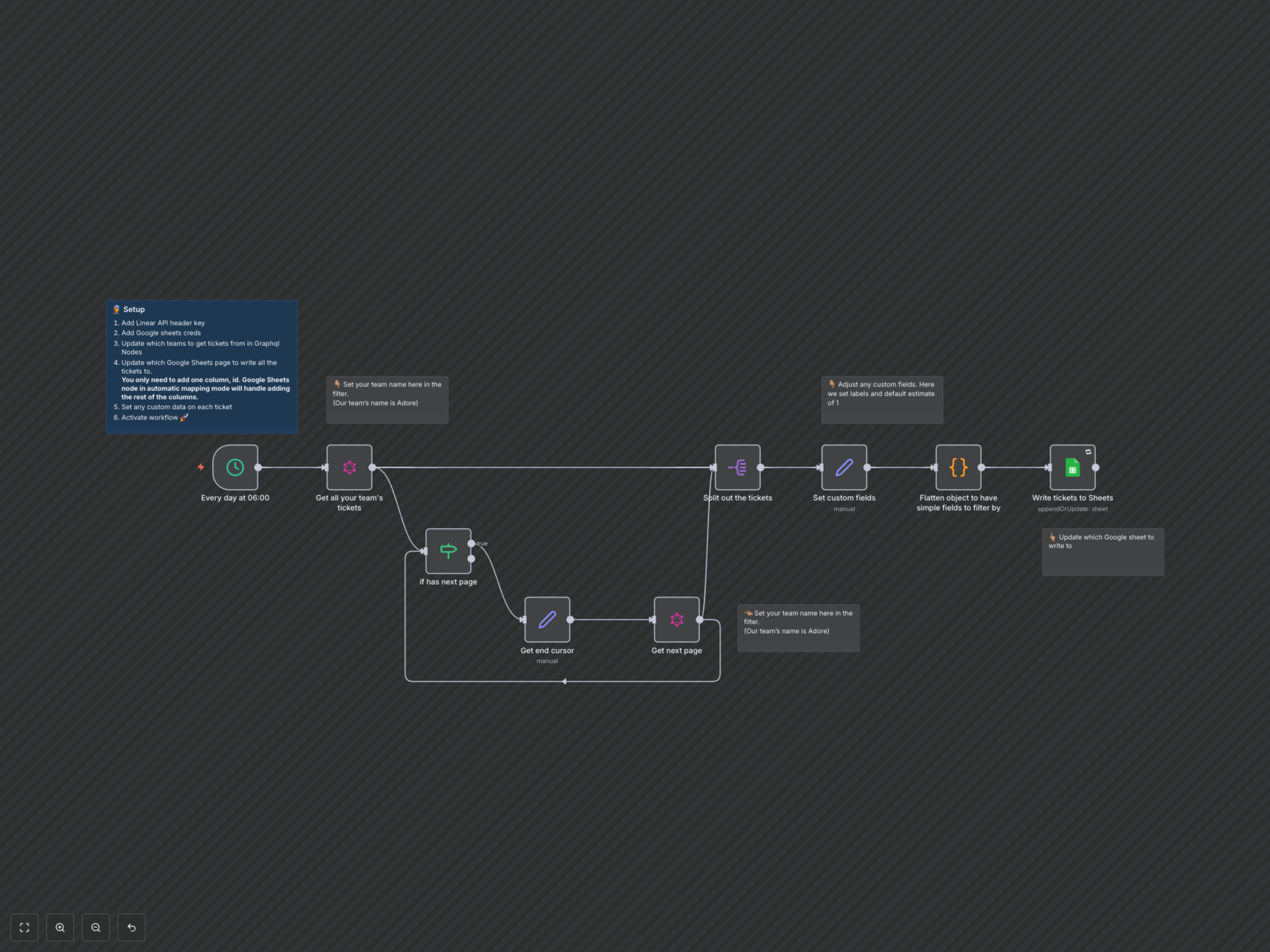
This workflow is designed for product teams, engineering teams, and project managers who need a centralized, up-to-date view of their Linear issues in a familiar spreadsheet format. It automates the extraction and synchronization of all team-specific Linear tickets to a Google Sheet, making reporting and analysis significantly easier and more efficient.
Key Features
- Automated Daily Sync: Automatically fetches and updates Linear issues every day at a specified time.
- Pagination Handling: Seamlessly retrieves all issues, regardless of volume, by intelligently handling Linear's API pagination.
- Custom Field Mapping: Accurately maps Linear fields like estimates and labels to Google Sheet columns, including aggregating multiple labels into a single field.
- Flattened Data: Transforms complex nested JSON objects from Linear into simpler, direct fields for better compatibility and ease of use in spreadsheets.
- Centralized Reporting: Provides a single source of truth for Linear ticket data in Google Sheets, ideal for cross-functional visibility and reporting.
How It Works
The workflow triggers daily, connecting to the Linear API to fetch all issues for a specified team. It intelligently handles API pagination to ensure no tickets are missed. Each retrieved ticket is then processed to standardize custom fields like estimates and aggregate labels. A code node flattens nested JSON objects from Linear into simpler, direct fields for better compatibility with Google Sheets. Finally, all processed ticket data is automatically appended or updated into your designated Google Sheet, ensuring your spreadsheet is always current without any manual intervention.