
Automate HubSpot Company Sync to Zendesk for Real-time Customer Data
Ensure real-time data consistency between HubSpot and Zendesk, saving hours weekly on manual updates and enhancing customer support efficiency.
Manually updating company information across CRM and support platforms is time-consuming and prone to inconsistencies. This workflow automatically synchronizes recently modified HubSpot company data to Zendesk, ensuring your customer support team always has the latest information.



Documentation
Automate HubSpot to Zendesk Company Sync
This n8n workflow establishes a seamless, automated synchronization of company data from HubSpot to Zendesk. It's designed for businesses needing to keep their CRM and customer support platforms consistently updated with accurate company information, improving cross-departmental efficiency and customer experience.
Key Features
- Automatic detection and synchronization of recently modified HubSpot companies.
- Creates new Zendesk organizations for companies not yet present.
- Updates existing Zendesk organizations with the latest HubSpot company details (name, domain).
- Schedules updates every 5 minutes for near real-time data consistency.
- Ensures consistent company names and domains across both platforms.
How It Works
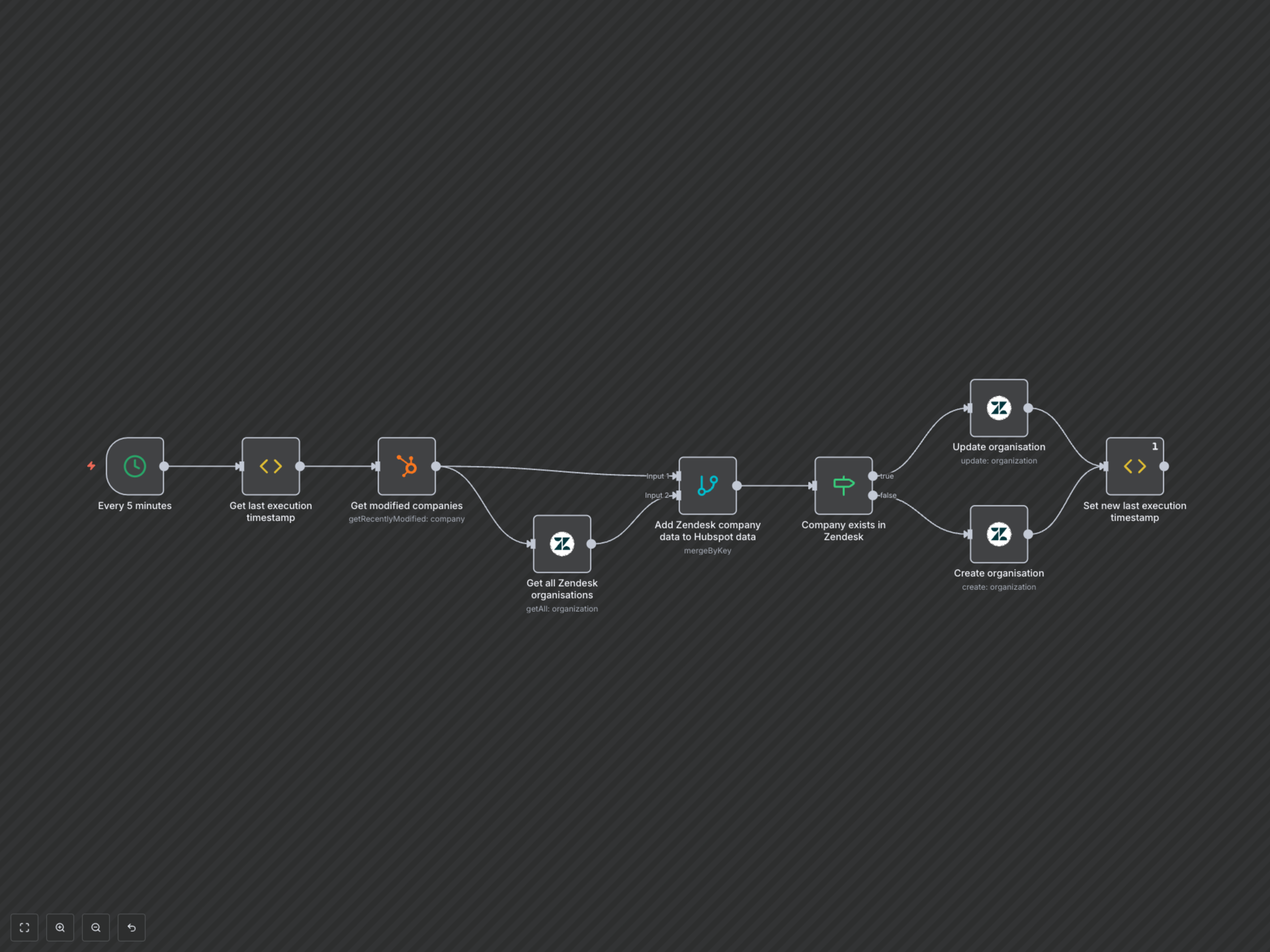
The workflow triggers every 5 minutes, first recording its current execution timestamp. It then fetches all companies recently modified in HubSpot since the last successful execution. Concurrently, it retrieves all existing organizations from Zendesk. These datasets are then merged, identifying companies present in both systems. For each HubSpot company, the workflow checks if a corresponding organization exists in Zendesk. If found, the Zendesk organization's name and domain are updated. If not found, a new organization is created in Zendesk using the HubSpot company's name and domain. Finally, the workflow's last execution timestamp is updated for the next run.