
Automate Google Doc Summaries, Streamline Data Logging
Automate Google Doc content summarization, reducing manual effort by 70% and ensuring all key insights are instantly organized in Google Sheets.
Manually summarizing Google Docs is time-consuming and leads to disorganized data across various documents. This workflow automates the extraction, AI-powered summarization, and structured logging of Google Docs content directly into Google Sheets, ensuring instant access to key insights and enhanced data organization.



Documentation
Automated Google Doc Summarization and Logging
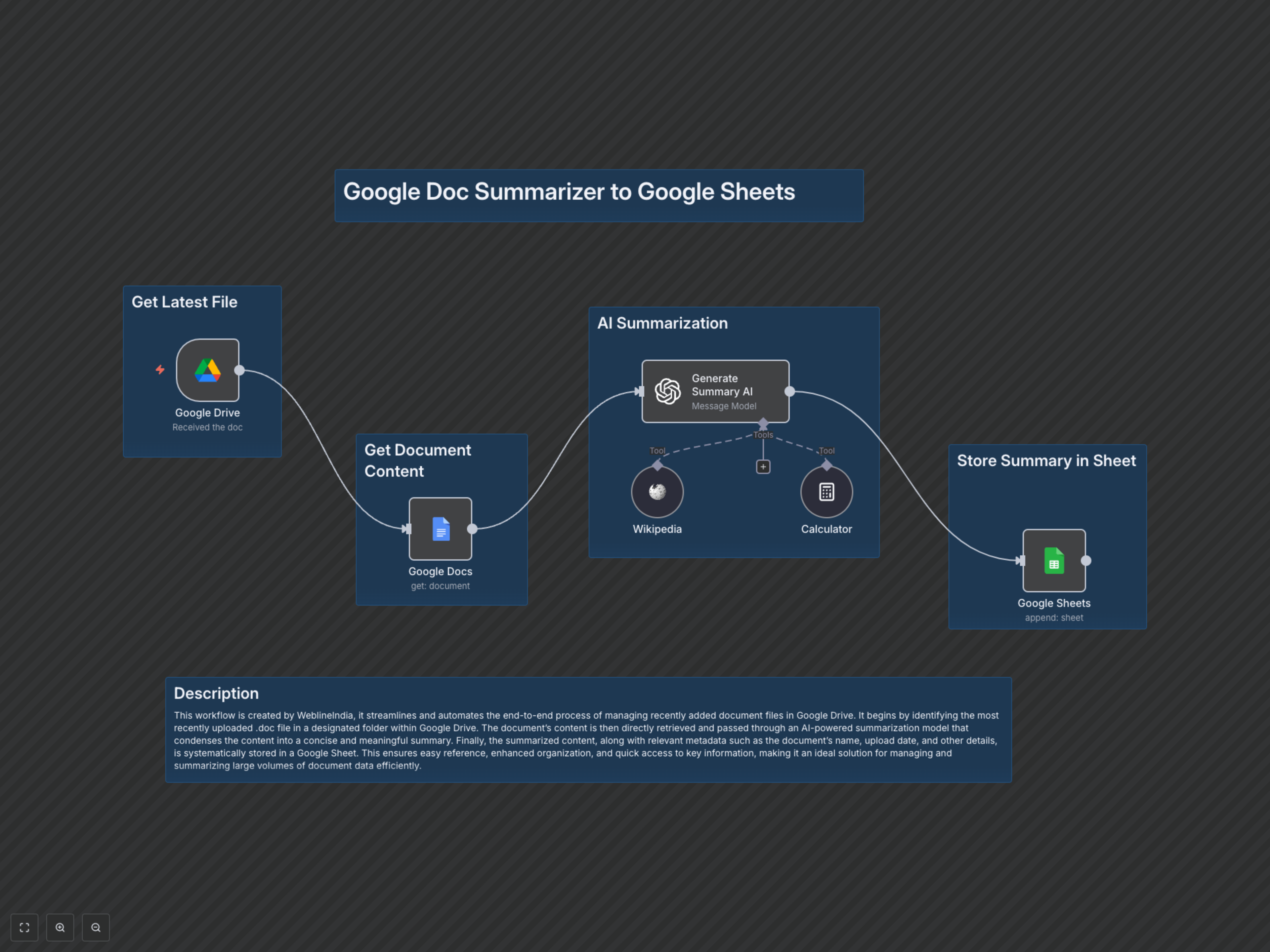
This workflow, developed by WeblineIndia, automates the entire process of extracting, summarizing, and logging information from Google Docs into Google Sheets. It's designed for teams and individuals who need to efficiently process large volumes of document data, ensuring easy reference and enhanced organization.
Key Features
- Automatic detection of new Google Docs in a specified Drive folder.
- AI-powered content summarization using OpenAI, condensing documents into concise insights.
- Seamless logging of summarized content and document metadata (like author, email) directly to Google Sheets.
- Eliminates manual summarization and data entry, saving significant time and improving accuracy.
How It Works
The workflow starts with a Google Drive Trigger, which constantly monitors a designated folder for newly created Google Doc files. Upon detecting a new document, it retrieves the full content using the Google Docs node. This content is then fed into an OpenAI node, which leverages advanced AI models (GPT-4o-mini) to generate a concise summary. Finally, the AI-generated summary, along with the document's last modifying user's name and email, is appended as a new row in a specified Google Sheet, providing a centralized and organized repository of document insights.