
Automate AI Object Detection & Power Advanced Image Search
Process and index hundreds of images per minute, enabling granular object-based search and eliminating hours of manual tagging.
Manual image tagging for search is time-consuming and often misses granular details within images. This workflow automates the identification and extraction of individual objects using AI, then indexes these objects to build a highly granular, object-based image search capability.

Documentation
Automate AI Object Detection for Advanced Image Search
This n8n workflow revolutionizes image management by automating the detection and extraction of individual objects within images. It's ideal for developers, content managers, and e-commerce businesses looking to build powerful, object-based image search engines without manual tagging.
Key Features
- AI-Powered Object Detection: Automatically identifies and categorizes multiple objects within any image using advanced machine learning models.
- Automated Image Cropping: Extracts individual detected objects as separate image files, precisely cropped using bounding box data.
- Granular Image Indexing: Stores object-specific images and their metadata in Elasticsearch, enabling highly precise search queries based on image content.
- Scalable Cloud Hosting: Seamlessly uploads extracted object images to Cloudinary for efficient storage and delivery.
- Eliminates Manual Tagging: Dramatically reduces the time and effort required to tag and categorize images for search purposes.
How It Works
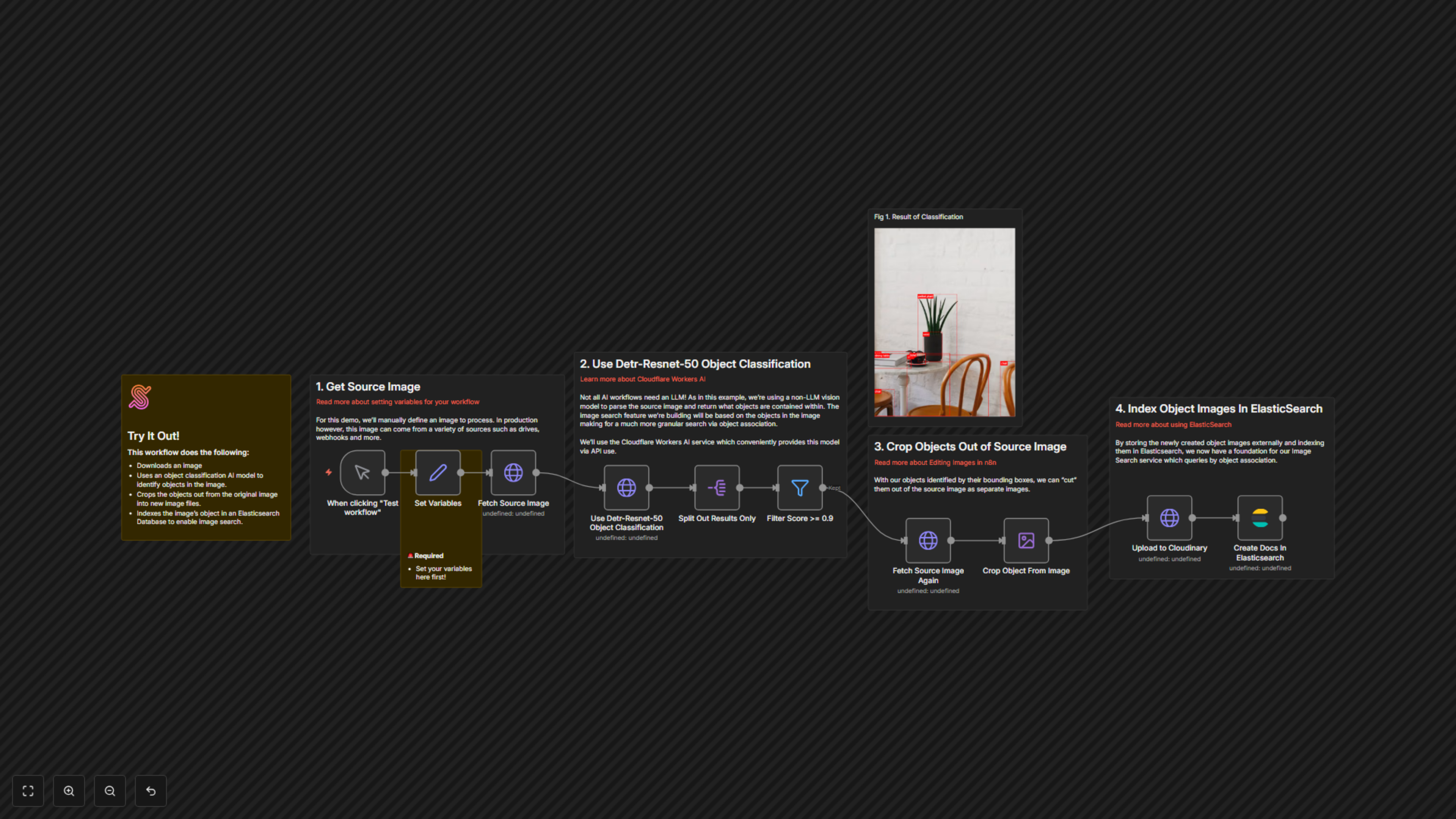
This workflow begins by downloading a specified source image. It then sends this image to Cloudflare Workers AI, leveraging the Detr-Resnet-50 object classification model to identify all discernible objects and their precise bounding box coordinates. Objects with a confidence score below 0.9 are filtered out. For each high-confidence object, the original image is re-fetched, and the specific object is accurately cropped out. These newly created object images are then uploaded to Cloudinary for storage. Finally, metadata for each cropped object, including its label, URL, and source image details, is indexed in Elasticsearch, creating a searchable database that allows for powerful image retrieval based on the objects they contain.