
Proactively Monitor Linear Issue Sentiment & Alert Key Teams
Identify and address critical Linear issues within 30 minutes of sentiment shift, preventing customer churn and significantly improving support team responsiveness.


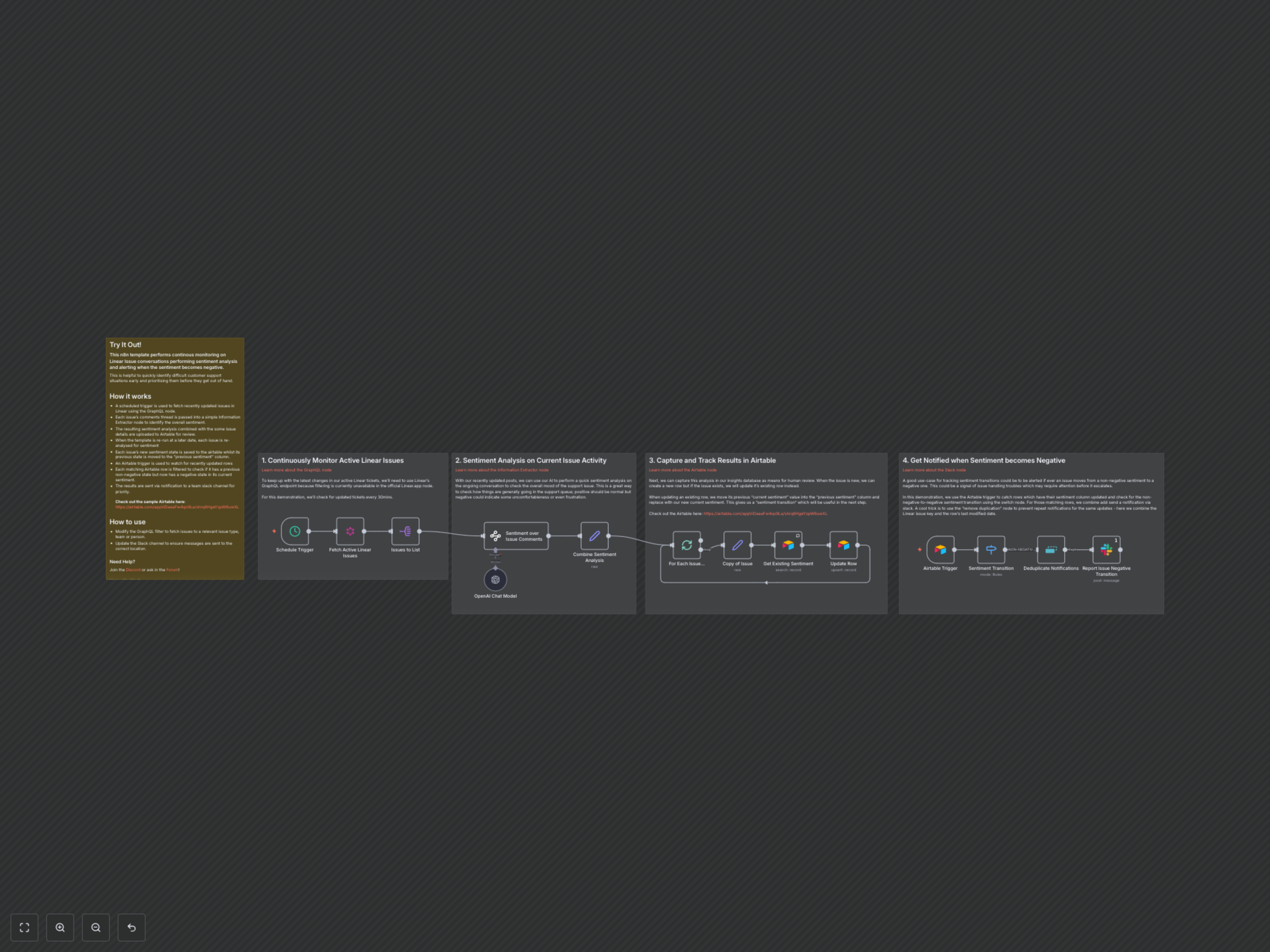
Manual monitoring of Linear issue comments is time-consuming and can delay critical responses to escalating customer frustration. This workflow automates real-time sentiment analysis using AI, instantly alerting your team to negative shifts for proactive resolution.
AI-Powered Linear Issue Sentiment Monitoring
This n8n workflow provides continuous, AI-driven sentiment analysis for your Linear issue conversations, ensuring your support team can proactively address escalating customer concerns. It's designed to minimize manual oversight and maximize timely interventions.
Key Features
- Automated Linear Issue Tracking: Continuously monitors recently updated Linear issues for new comments and activity, ensuring no critical update is missed.
- AI-Driven Sentiment Analysis: Utilizes LangChain and OpenAI to perform comprehensive sentiment analysis on entire issue comment threads, identifying the overall mood.
- Dynamic Sentiment History: Stores current and previous sentiment in Airtable, enabling clear tracking of sentiment transitions over time for better insights.
- Proactive Negative Sentiment Alerts: Instantly notifies your team on Slack when an issue's sentiment shifts from non-negative to negative, facilitating rapid intervention.
- Duplicate Notification Prevention: Smartly avoids repeat alerts for the same issue updates, ensuring relevant and concise communication without overwhelming your team.
How It Works
The workflow begins with a Schedule Trigger, which activates every 30 minutes to fetch recently updated Linear issues using a GraphQL node. Each issue's comment thread is then passed to an Information Extractor node (powered by OpenAI and LangChain) to determine its overall sentiment (positive, negative, or neutral) and generate a concise summary. This sentiment data, along with key issue details, is subsequently stored or updated in an Airtable base. A crucial step involves saving the previous sentiment state when an issue is updated, allowing for tracking of sentiment transitions. An Airtable Trigger continuously monitors for updated rows. A subsequent Switch node identifies issues where the sentiment has specifically transitioned from a non-negative state to a negative one. Finally, a Slack node sends an immediate notification to a designated channel, alerting the team to critical issues. A Deduplicate Notifications node is implemented to prevent redundant alerts, ensuring that only new or significant negative sentiment changes trigger notifications.