
Automate Squarespace Order Export to Google Sheets for Analytics
Streamline Squarespace order data consolidation by 100%, saving hours of manual export and enabling real-time analytics for improved decision-making.

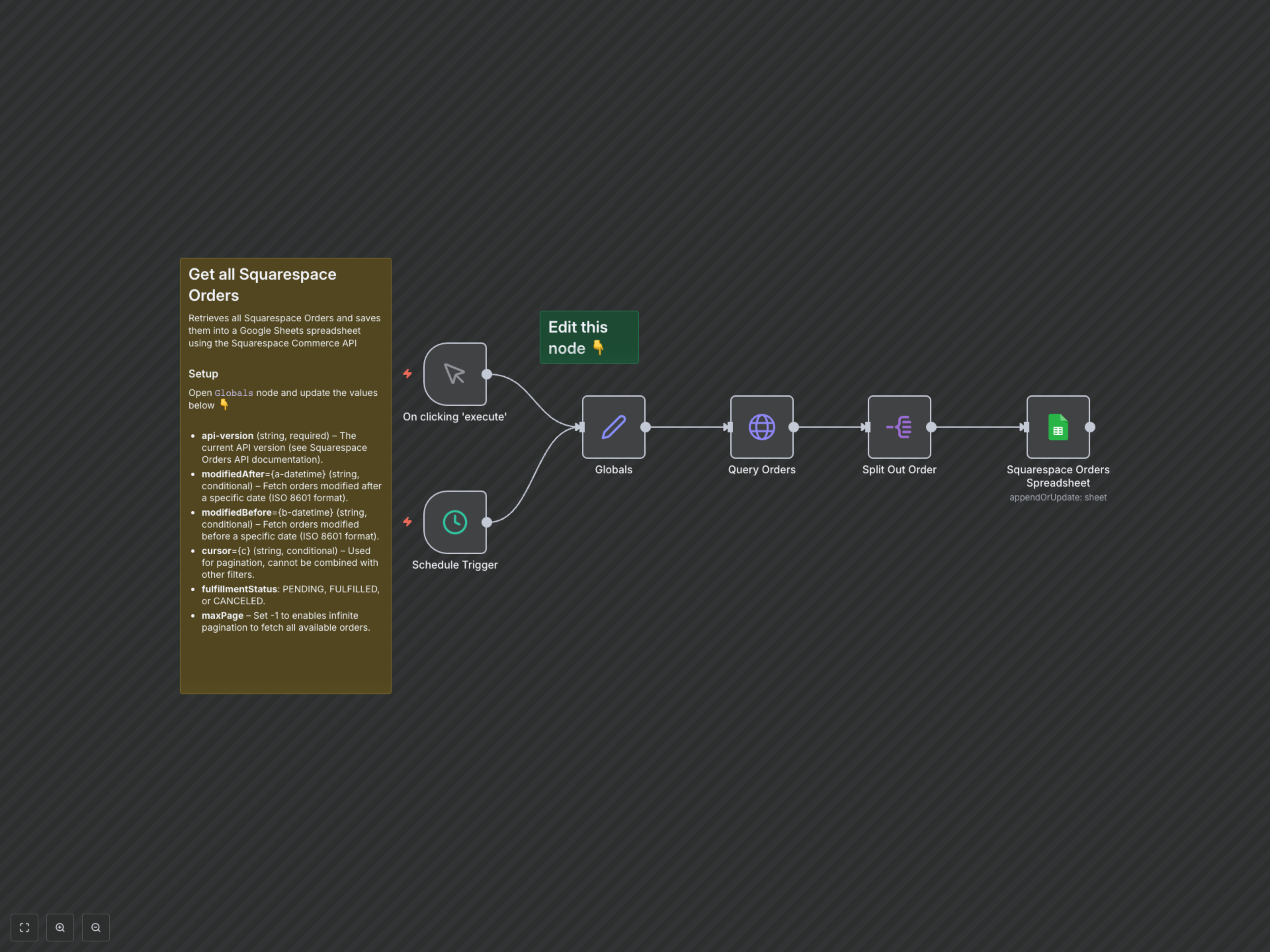
Manually consolidating Squarespace order data for reporting is tedious and error-prone, delaying critical insights. This workflow automates the retrieval of all Squarespace orders and instantly syncs them to a Google Sheet, enabling real-time analytics and streamlined operational visibility.
Automate Squarespace Order Export to Google Sheets
Effortlessly centralize all your Squarespace order data into a Google Sheet for comprehensive analysis, simplified reporting, and improved operational efficiency. This n8n workflow retrieves orders from your Squarespace store and keeps your chosen Google Sheet automatically updated.
Key Features
- Automatically retrieve all current and historical Squarespace orders without manual intervention.
- Filter orders by modification date, cursor, or fulfillment status to get precise datasets.
- Seamlessly map and synchronize critical order details (customer, financial, shipping, billing) to a structured Google Sheet.
- Efficiently handle large datasets with built-in pagination for the Squarespace Commerce API.
How It Works
This workflow initiates either manually or on a schedule via the respective trigger nodes. It then uses a Globals node to set dynamic parameters for the Squarespace API query, such as filtering by date or fulfillment status. The Query Orders node fetches all relevant orders from the Squarespace Commerce API, handling pagination automatically to ensure no data is missed. Each order is then processed by the Split Out Order node and subsequently appended or updated into a designated Google Sheet via the Squarespace Orders Spreadsheet node, ensuring your sales data is always up-to-date and centralized for reporting and analysis.