
Automate LinkedIn Company Search & Enrich Airtable CRM
Automatically populate your Airtable CRM with qualified LinkedIn companies, reducing manual data entry by 100% and significantly accelerating lead generation and pipeline building.

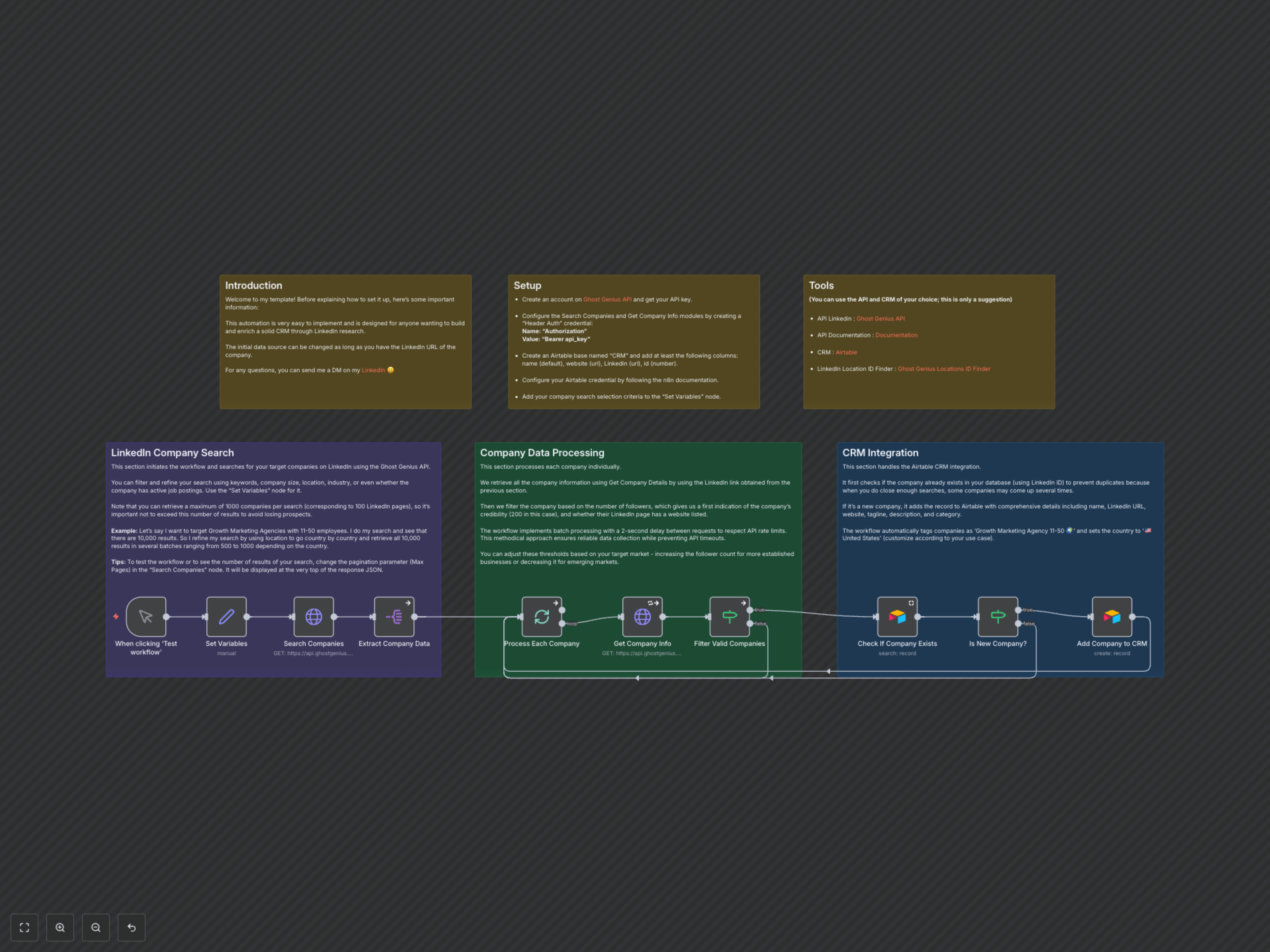
Manually researching LinkedIn companies and populating a CRM is a time-consuming task prone to data inaccuracies. This workflow automates the discovery of targeted companies, enriches their profiles with crucial details, and adds new, qualified leads directly into your Airtable CRM.
Search & Enrich Your Airtable CRM with LinkedIn Companies
This n8n workflow offers an easy-to-implement automation designed to build and enrich a robust CRM by leveraging LinkedIn research. It allows for flexible data sources, requiring only a company's LinkedIn URL to start, making it ideal for anyone seeking to expand their prospect database efficiently.
Key Features
- Targeted LinkedIn Company Discovery: Automatically search and retrieve companies from LinkedIn based on customizable criteria like keywords, company size, and geographic location.
- Comprehensive Data Enrichment: Utilize the Ghost Genius API to fetch detailed company information, including websites, taglines, descriptions, and follower counts.
- Intelligent Filtering: Automatically qualify leads by filtering companies based on criteria such as the presence of a website and a minimum number of LinkedIn followers (e.g., over 200).
- Automated Duplicate Prevention: Ensure CRM data integrity by checking for existing company records in Airtable using their unique LinkedIn ID before adding new entries.
- Rate-Limited Batch Processing: Safely process large volumes of company data with built-in delays (2 seconds) between API requests to respect service limits and prevent timeouts.
- Seamless Airtable CRM Integration: Directly populate your Airtable CRM with enriched company profiles, categorizing and tagging them according to your predefined settings.
How It Works
The workflow begins with a manual trigger, allowing you to define your target audience using the 'Set Variables' node where you specify keywords, company size, and LinkedIn location IDs. The 'Search Companies' node then queries the Ghost Genius API to find relevant LinkedIn profiles, processing results in batches to manage API limits. For each potential lead, the 'Get Company Info' node retrieves detailed data, which is then filtered by the 'Filter Valid Companies' node based on criteria like website presence and follower count. Finally, before adding to your Airtable CRM, the 'Check If Company Exists' node prevents duplicates. New, qualified companies are then added to Airtable by the 'Add Company to CRM' node, populating various fields with enriched data and predefined categories.