PropertyGuru using Apify (Microsoft Excel)
Effortlessly gather and organize PropertyGuru real estate data into an Excel sheet, enabling faster market analysis and informed decision-making.
This workflow enables real estate property agencies to automate the process of scraping the latest information or recent listings from the PropertyGuru website and storing the output into a Excel Sheet seamlessly, utilizing Apify and n8n. This solution eliminates the need for coding, providing an efficient solution for data acquisition.

Documentation
Description
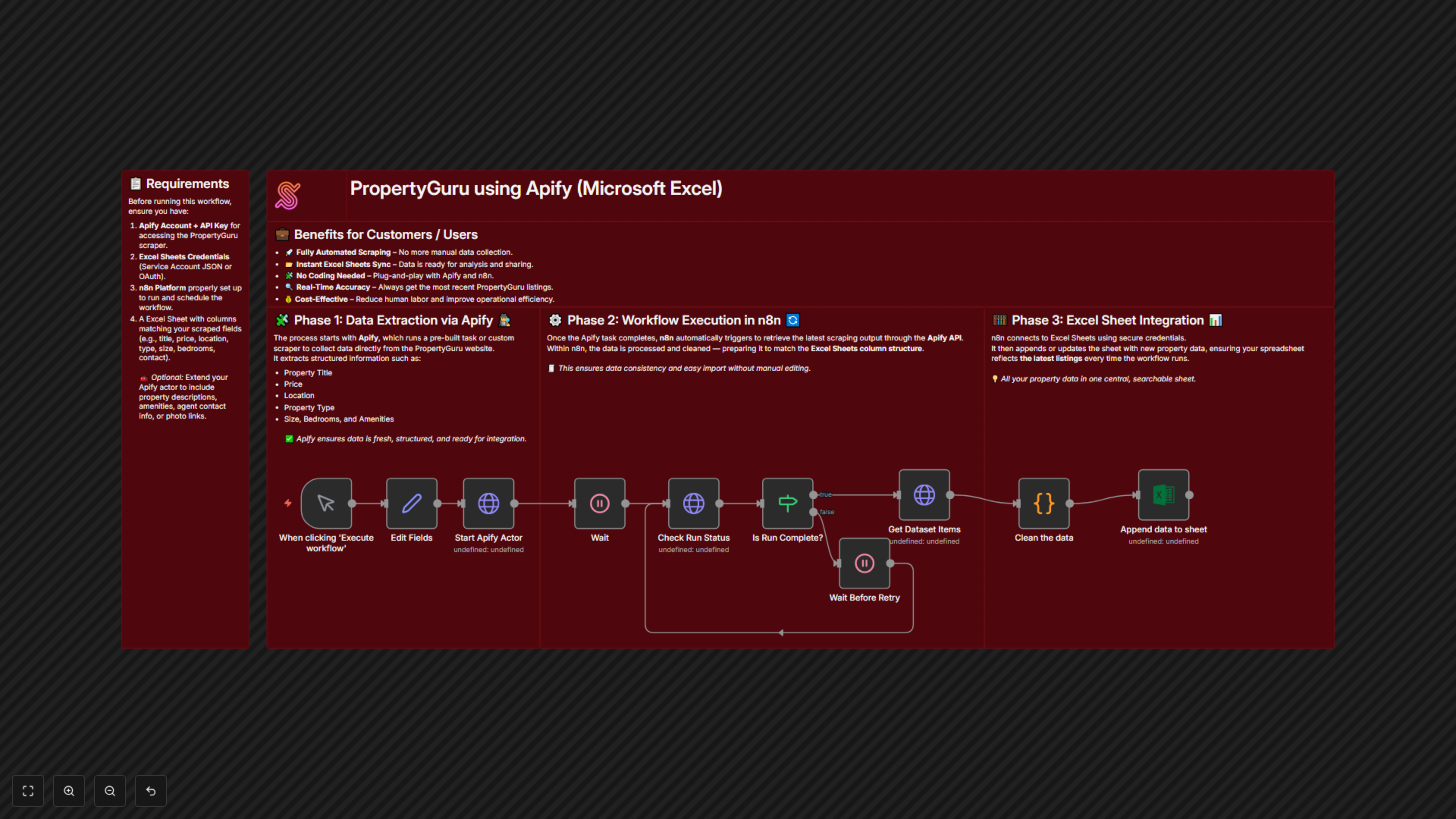
This workflow involves scraping the PropertyGuru website using Apify inside the n8n platform. The extracted data will be automatically populated into a Microsoft Excel, allowing real estate agencies to effortlessly access and manage the latest property listings without manual intervention or programming knowledge.
Workflow Steps:
- Set up the Apify task to scrape data from the PropertyGuru website.
- Configure the n8n workflow to run the Apify task using the Apify API Key.
- Process the scraping output data and format it for Microsoft Excels compatibility.
- Use the Microsoft Excels credentials to append the structured data into the desired Microsoft Excel.
Benefits for Customers / Users
- Automation of Data Collection – Automates the scraping of real estate listings from PropertyGuru, saving time and effort.
- Integration with Microsoft Excels – Directly stores scraped data into Microsoft Excels for easy access and management.
- No Coding Required – Simplifies the workflow to be user-friendly, without the need for technical or programming expertise.
- Up-to-date Listings – Ensures real estate agencies have access to the latest property data promptly.
- Cost-Efficient Solution – Reduces reliance on manual data collection methods and minimizes administrative costs.
- Streamlined Process – Centralizes data collection and storage for enhanced workflow efficiency.
Workflow Prerequisite
- Set up an Apify account to obtain an Apify API Key.
- Prepare Microsoft Excels credentials for data access and storage.
- Have the n8n workflow platform ready to execute the integration.