
Ecommerce Team Collaboration & Order Tracking Automation
Reduce manual order tracking time by 90% through automated updates and team alerts.
Managing ecommerce orders across multiple tools often causes delays and communication gaps. This automation instantly logs new orders in Google Sheets, creates calendar follow-ups, and notifies your team via email—ensuring everyone stays aligned. Businesses save hours weekly and improve order visibility with real-time updates across departments.


FREE
Ready-to-use workflow template
Complete workflow template
Setup documentation
Community support
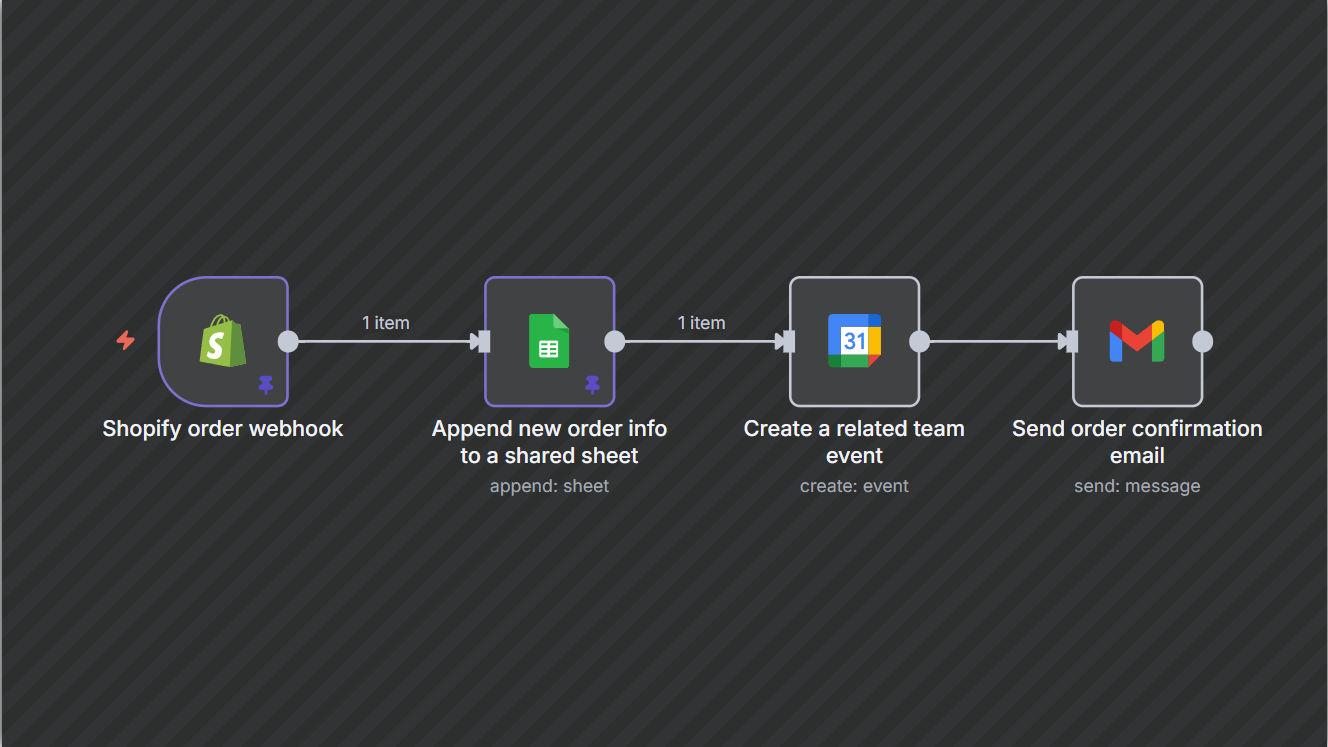
Preview - N8n

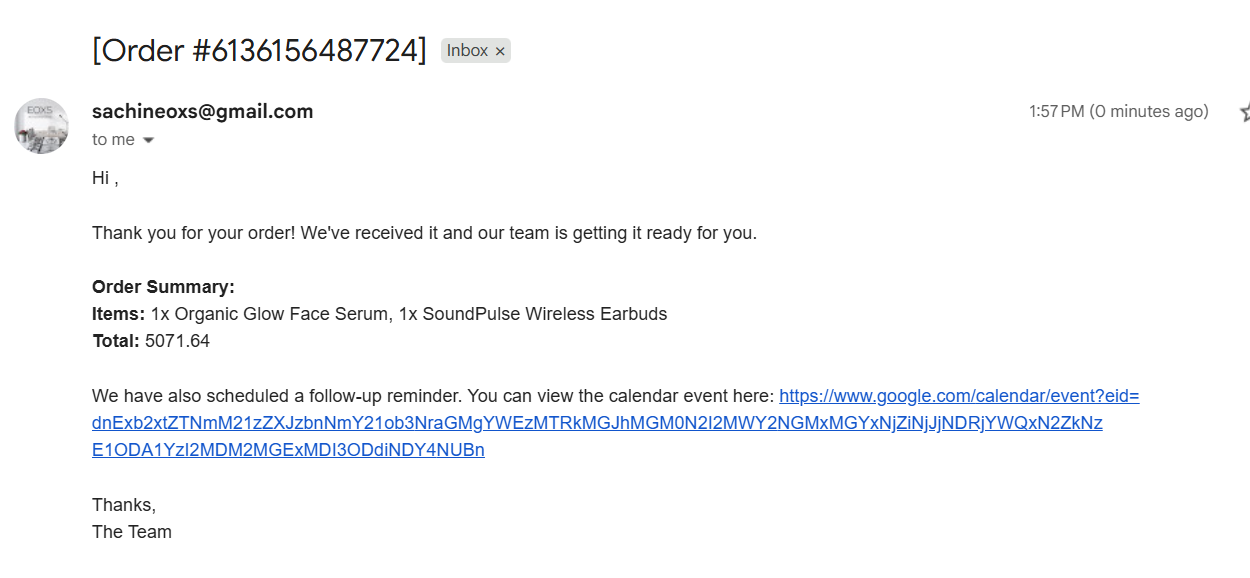
Output 1
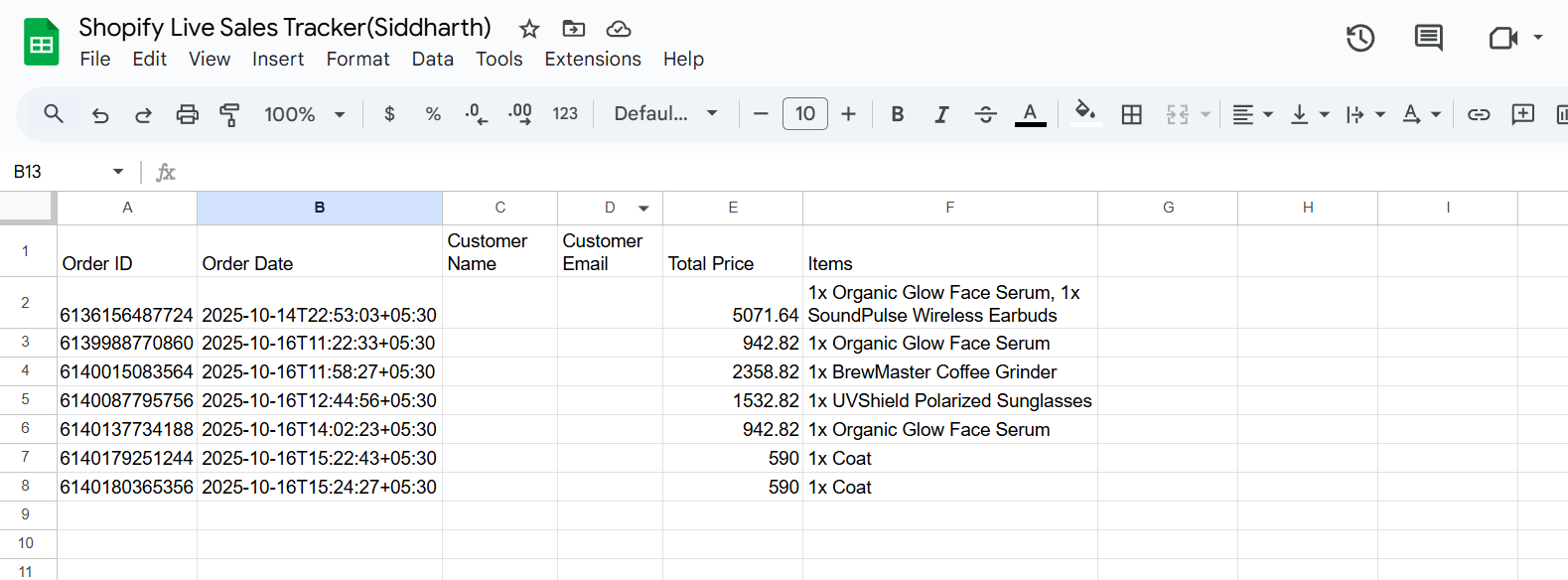
Output 2
Documentation
DescriptionThis workflow integrates Shopify with Google Workspace to streamline team collaboration. When a new order is created in Shopify, the workflow:
- Appends order details to a Google Sheet.
- Creates a Google Calendar event for follow-up or reminders.
- Sends an email notification with order summary to the team.
Workflow Steps
- Shopify Trigger
- Monitors Shopify for orders/create.
- Extracts order details like Order ID, customer name, email, total price, items, and order date.
- Append row in Google Sheets
- Updates the sheet Shopify Live Sales Tracker with all order details.
- Columns mapped: Order ID, Customer Name, Customer Email, Total Price, Items, Order Date.
- Create an event in Google Calendar
- Creates a calendar event for each order.
- Includes order timestamp, reminders, and links to order details.
- Send a message via Gmail
- Sends an email to the team or customer.
- Email includes order summary, total amount, items purchased, and a link to the calendar event.
Key Benefits
- 90% reduction in manual order tracking effort.
- Seamless cross-team collaboration with shared data and events.
- Faster customer response times and better order accuracy.
- Real-time updates from Shopify directly into your workspace.